Smart Home Security 2026: Mobile Hack Prevention Guide
Smart Home Security 2026: Preventing Mobile Hacks with 6 Essential Tips
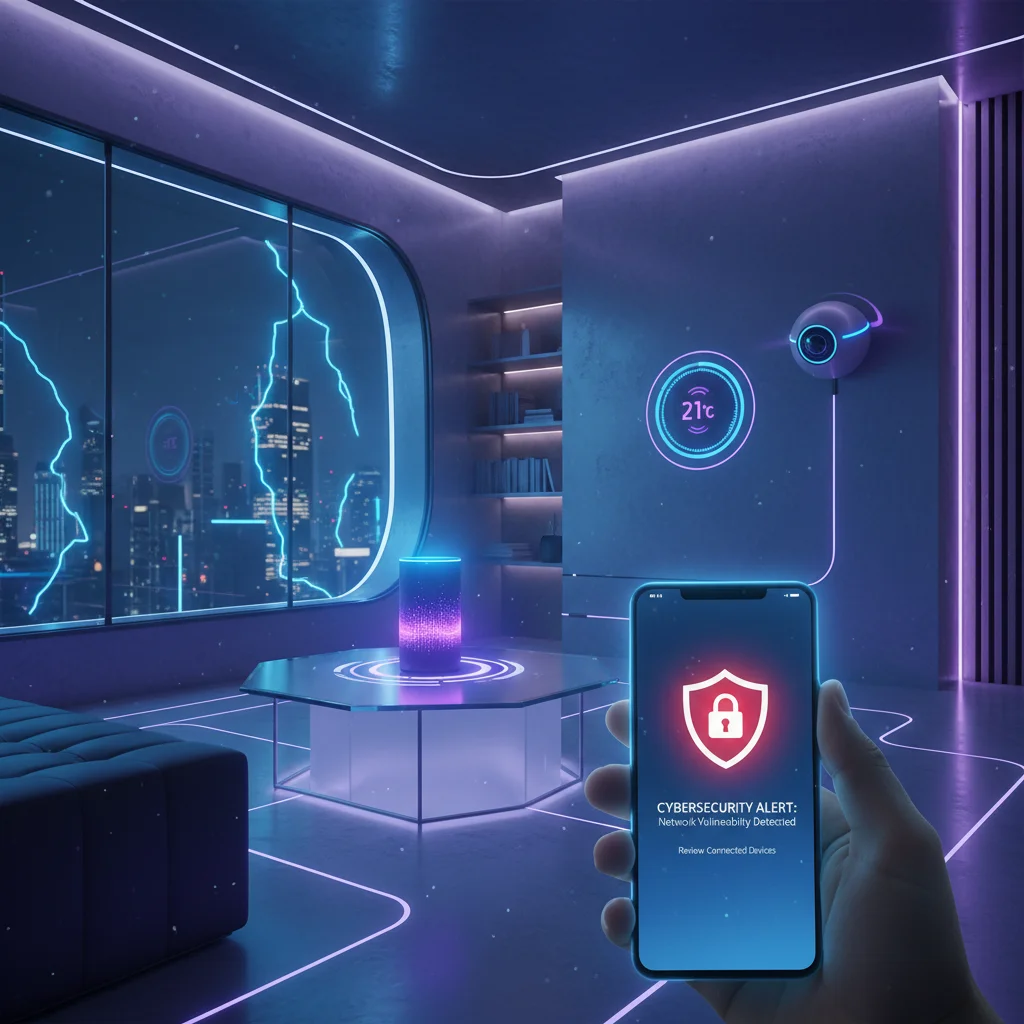
The year is 2026, and your home is smarter than ever. From intelligent thermostats that learn your preferences to security cameras that offer real-time monitoring and smart locks that grant keyless entry, the convenience of a connected home is undeniable. However, this interconnectedness also brings a new frontier of vulnerabilities. Your smartphone, often the central control panel for your entire smart home ecosystem, has become a prime target for cybercriminals. The question is no longer if your smart home can be hacked, but how well you’ve prepared to prevent it. This comprehensive guide will delve into the critical aspects of smart home security, focusing on mobile hack prevention, and equip you with 6 essential, practical tips to safeguard your digital sanctuary in 2026 and beyond.
As our lives become increasingly intertwined with technology, the concept of a ‘smart home’ has evolved from a futuristic dream into a present-day reality for millions. These sophisticated environments, powered by the Internet of Things (IoT), offer unparalleled comfort, efficiency, and control. Yet, with every convenience comes a responsibility: the responsibility to protect your digital perimeter. Your smartphone acts as the remote control for much of this advanced ecosystem, making its security paramount. A compromised mobile device can open the floodgates to your entire smart home, exposing sensitive data, compromising physical security, and disrupting your daily life. Understanding these risks is the first step towards building a truly resilient smart home security posture.
The landscape of cyber threats is constantly shifting. What was considered cutting-edge security last year might be obsolete today. Mobile hacking techniques are becoming more sophisticated, targeting vulnerabilities in operating systems, applications, and even human behavior. Phishing attacks, malware, spyware, and sophisticated social engineering tactics are all potential avenues for attackers to gain access to your mobile device, and subsequently, your smart home. This necessitates a proactive and adaptive approach to smart home security. This article aims to provide you with actionable strategies, moving beyond generic advice to offer specific, practical solutions tailored for the challenges of 2026. By implementing these tips, you can significantly reduce the risk of mobile-initiated breaches and ensure your smart home remains a haven, not a hazard.
1. Implement Robust Multi-Factor Authentication (MFA) Across All Smart Home Accounts
One of the most critical foundational elements of strong smart home security is multi-factor authentication (MFA). In an era where password breaches are alarmingly common, relying solely on a password, no matter how complex, is no longer sufficient. MFA adds additional layers of verification, making it significantly harder for unauthorized individuals to access your accounts, even if they manage to steal your password. For your smart home, this means enabling MFA on every single account associated with your smart devices and their controlling apps.
Think about all the services that control your smart home: the primary smart home hub app (e.g., Google Home, Apple HomeKit, Amazon Alexa), individual device manufacturer apps (e.g., Philips Hue, Ring, August Lock), and any third-party integrations. Each of these represents a potential entry point. If a hacker gains access to just one of these accounts, they could potentially compromise your entire system. MFA acts as a digital gatekeeper, demanding more than just a password to grant entry.
Types of MFA to Prioritize:
- Authenticator Apps (TOTP): These are generally considered the most secure form of software-based MFA. Apps like Google Authenticator, Authy, or Microsoft Authenticator generate time-based one-time passwords (TOTP) that refresh every 30-60 seconds. These codes are generated on your device and are not sent over the internet, making them less susceptible to interception than SMS codes.
- Hardware Security Keys (FIDO2/WebAuthn): For the highest level of security, consider using physical hardware security keys (e.g., YubiKey, Google Titan Key). These devices plug into your phone or computer and require a physical touch to authenticate. They are phishing-resistant and offer robust protection against sophisticated attacks.
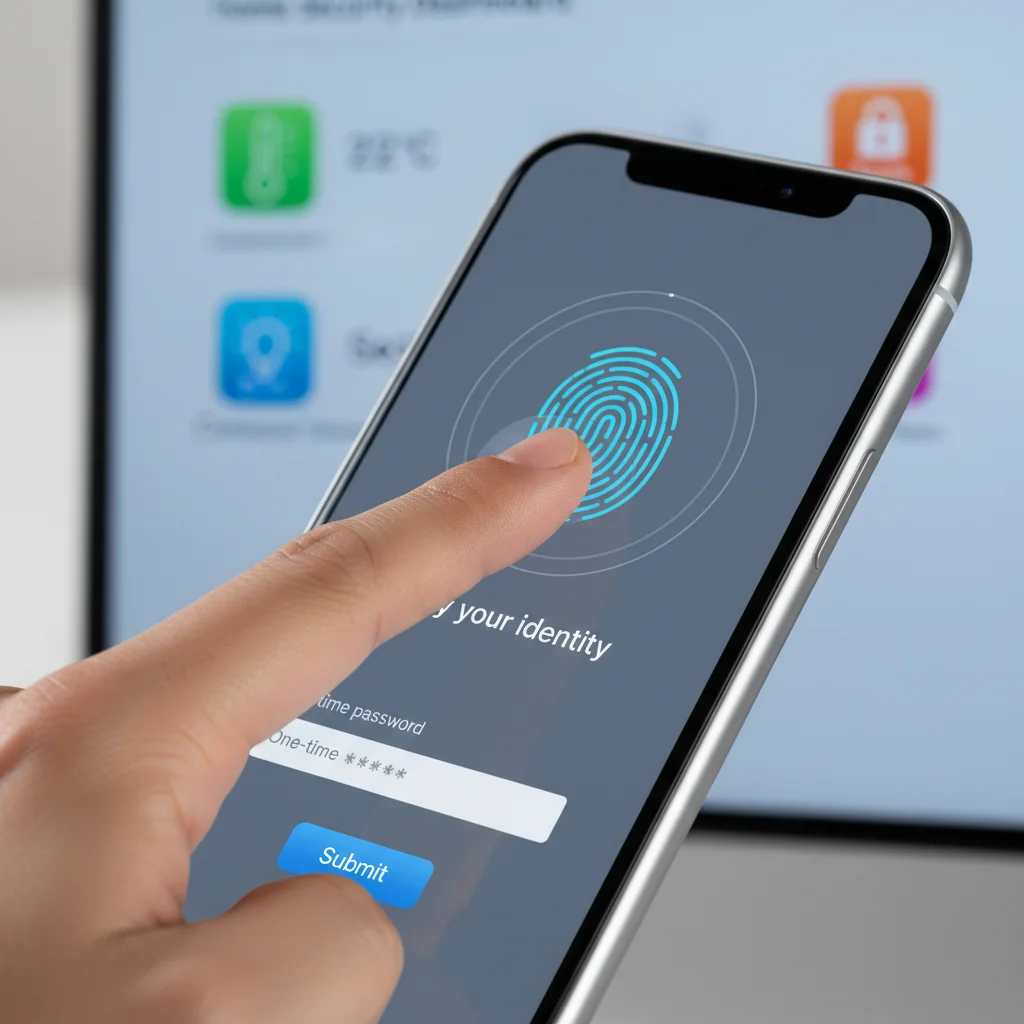
- Biometrics: Many modern smartphones offer biometric authentication like fingerprint scanning or facial recognition. While convenient, ensure these are used in conjunction with a strong PIN or password, as biometrics alone can sometimes be bypassed with advanced techniques.
- SMS Codes (Least Preferred): While better than no MFA, SMS-based codes are vulnerable to SIM-swapping attacks, where criminals trick carriers into transferring your phone number to their control. Use this only if no other MFA option is available.
Practical Steps for 2026:
- Audit All Accounts: Go through every smart home device and service you use. Log into their respective apps and web portals.
- Enable MFA Everywhere: Within each account’s security settings, locate the option to enable two-factor authentication (2FA) or multi-factor authentication (MFA).
- Choose Strong MFA Methods: Prioritize authenticator apps or hardware keys over SMS.
- Educate Yourself: Understand how each MFA method works and its potential vulnerabilities.
- Regular Review: Periodically review your MFA settings, especially when adding new smart devices or changing mobile devices.
By making MFA a non-negotiable standard for all your smart home accounts, you’re building a formidable barrier against unauthorized access, significantly enhancing your overall smart home security.
2. Secure Your Mobile Device: The Gateway to Your Smart Home
Your smartphone isn’t just a remote control; it’s the primary interface through which you manage and interact with your smart home. Therefore, the security of your mobile device directly impacts the security of your entire connected environment. A compromised phone can grant attackers complete control over your smart lights, locks, cameras, and even sensitive data collected by your devices. This makes mobile device security an indispensable pillar of comprehensive smart home security.
Key Mobile Device Security Practices:
- Strong Passcodes/Biometrics: Always use a strong, unique passcode or PIN for your phone. Combine this with biometric authentication (fingerprint, face ID) for quick and secure access. Ensure your biometrics are registered securely and your PIN is not easily guessable.
- Keep OS and Apps Updated: Software updates often contain critical security patches that address newly discovered vulnerabilities. Enable automatic updates for your phone’s operating system (iOS, Android) and all smart home-related apps. Delaying updates leaves you exposed to known exploits.
- Install Security Software: Consider reputable mobile security applications that offer malware scanning, phishing protection, and secure browsing. These tools can provide an extra layer of defense against malicious apps and websites designed to compromise your device.
- Be Wary of Public Wi-Fi: Public Wi-Fi networks are often unsecured and can be easily monitored by attackers. Avoid accessing or managing your smart home devices while connected to public Wi-Fi. If you must, use a Virtual Private Network (VPN) to encrypt your traffic.
- Review App Permissions: Regularly check the permissions granted to your smart home apps. Does your smart light app really need access to your location 24/7 or your microphone? Revoke unnecessary permissions to limit potential data exposure.
- Avoid Sideloading Apps: Only download smart home apps from official app stores (Google Play Store, Apple App Store). Sideloading apps from unverified sources dramatically increases the risk of installing malware.
- Encrypt Your Device: Most modern smartphones encrypt data by default. Ensure this feature is enabled, as it protects your information even if your device is physically stolen.
The Threat of Mobile Malware: Mobile malware is a growing concern. It can range from spyware that monitors your activity to ransomware that locks your device, or even Trojans designed to steal credentials. A sophisticated piece of malware on your phone could log your smart home app passwords, intercept MFA codes, or even directly control your devices. Regularly scanning your device and being cautious about what you click and download are vital for maintaining robust smart home security.
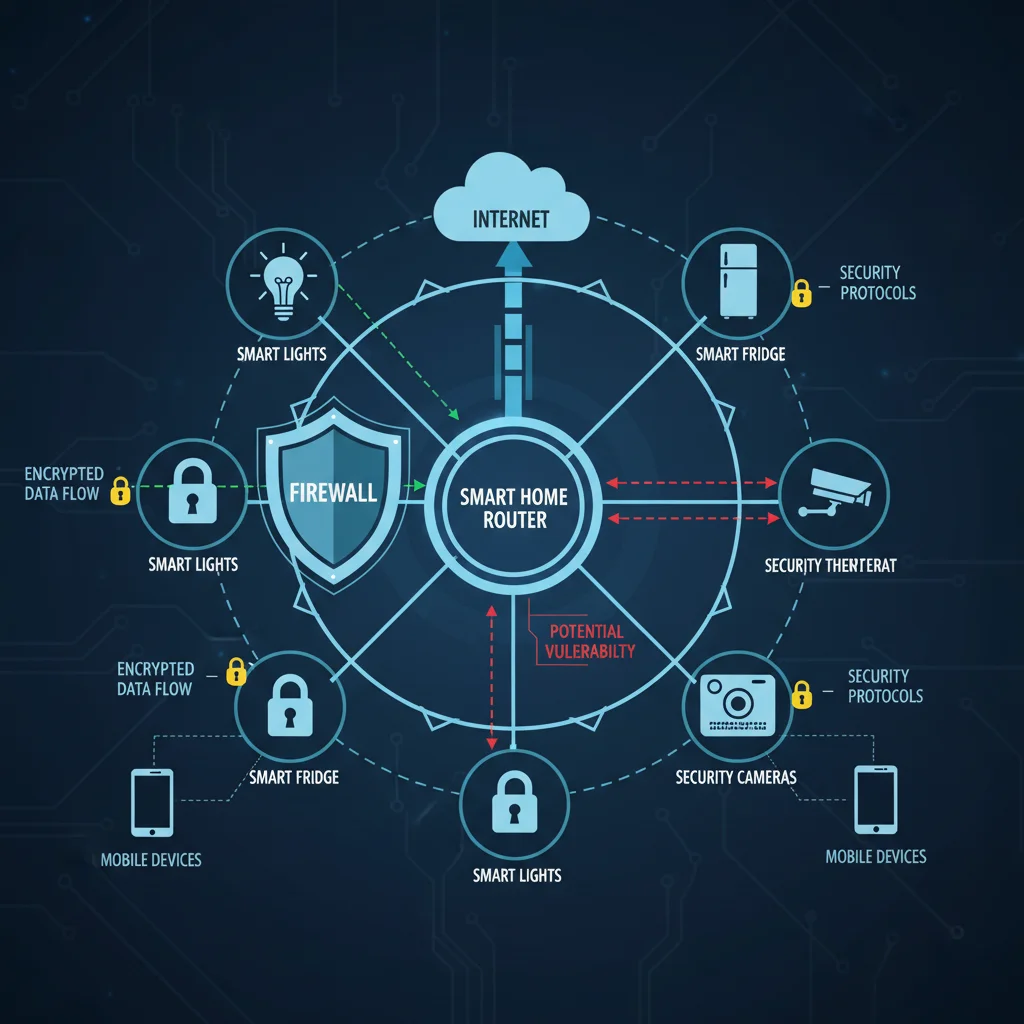
3. Secure Your Home Network: The Foundation of Smart Home Security
While your mobile device is the control center, your home network is the circulatory system that connects all your smart devices. A weak or compromised home network provides an easy entry point for attackers, bypassing even the most robust individual device security. Establishing a secure network foundation is paramount for effective smart home security.
Router Security is Key:
- Change Default Credentials: The very first step after setting up a new router or smart device is to change its default username and password. These are often generic and publicly known, making them an easy target for automated attacks. Use strong, unique passwords for your router’s administrative interface.
- Enable WPA3 Encryption: Always use the strongest available Wi-Fi encryption protocol, which is currently WPA3. If your devices don’t support WPA3, use WPA2-AES. Avoid WPA or WEP, as they are easily crackable.
- Create a Guest Network: Set up a separate guest Wi-Fi network for visitors and, ideally, for your less critical smart devices. This isolates your main network, preventing potential compromises from spreading. If one of your smart devices on the guest network is hacked, it won’t directly expose your personal computers or sensitive data on your primary network.
- Disable UPnP (Universal Plug and Play): While convenient for discovering devices, UPnP has a history of security vulnerabilities. It can automatically open ports on your router, creating potential backdoors for attackers. Disable it if possible, or only enable it for specific, trusted applications with caution.
- Regularly Update Router Firmware: Like your phone and smart devices, your router’s firmware needs regular updates. These updates often include critical security patches. Enable automatic updates if available, or make it a habit to check for and install them manually.
- Strong Wi-Fi Password: Use a long, complex Wi-Fi password for your main network that includes a mix of uppercase and lowercase letters, numbers, and symbols.
Network Segmentation for Enhanced Protection:
For advanced users, consider network segmentation. This involves creating separate subnets or VLANs (Virtual Local Area Networks) for different types of devices. For example, you could have one network for your personal computers and mobile devices, another for your smart home IoT devices, and a third for guests. This limits the lateral movement of an attacker if one segment is compromised, significantly bolstering your overall smart home security.
A secure home network acts as the primary firewall for your smart home. Neglecting its security is akin to leaving your front door wide open, regardless of how many locks you put on individual rooms. Investing time and effort into securing your router and network settings is a fundamental step in protecting your smart home from mobile-initiated or direct network attacks.
4. Be Vigilant Against Phishing and Social Engineering Attacks
Even the most sophisticated technical safeguards can be undermined by human error. Phishing and social engineering attacks are designed to exploit human psychology, tricking individuals into revealing sensitive information or performing actions that compromise their security. In the context of smart home security, these attacks often target your mobile device, aiming to gain access to your smart home accounts or install malicious software.
Recognizing and Avoiding Phishing:
- Unsolicited Communications: Be extremely suspicious of unexpected emails, text messages, or calls, especially if they ask for personal information, login credentials, or immediate action.
- Verify Sender Identity: Always check the sender’s email address or phone number. Phishing emails often use addresses that look similar to legitimate ones but have subtle differences (e.g., ‘amaz0n.com’ instead of ‘amazon.com’).
- Look for Red Flags: Poor grammar, spelling errors, generic greetings (‘Dear Customer’), urgent or threatening language, and requests for financial information are all common indicators of phishing.
- Hover Before Clicking: On a computer, hover your mouse over links to see the actual URL before clicking. On mobile, a long press can often reveal the full URL. If it looks suspicious or leads to an unexpected domain, do not click.
- Never Share Credentials: No legitimate company will ever ask for your password, MFA codes, or full credit card number via email or text message.
- Report Suspicious Messages: Report phishing attempts to your email provider, mobile carrier, or the relevant authorities.
Social Engineering Tactics:
Social engineering goes beyond simple phishing. Attackers might impersonate customer support, utility companies, or even friends and family to gain your trust. They might call you claiming there’s an issue with your smart home device, asking you to install a remote access app or provide login details. Always verify the identity of the caller through official channels before sharing any information or granting access.
Scenario Example: You receive a text message claiming to be from your smart lock manufacturer, stating there’s a critical security update for your lock that requires you to log in through a provided link. Clicking this link could lead to a fake login page designed to steal your credentials, or even install malware on your phone that subsequently compromises your smart lock. A vigilant approach to such communications is a critical layer in your smart home security defense.
Your mobile device is often the first point of contact for these attacks. By cultivating a healthy skepticism and practicing strong digital hygiene, you can significantly reduce the chances of falling victim to phishing and social engineering, thereby protecting your smart home from external manipulation.
5. Regularly Audit and Update Your Smart Devices and Apps
The interconnected nature of smart homes means that the security of your entire system is only as strong as its weakest link. Over time, new vulnerabilities are discovered in hardware and software. Manufacturers release updates to patch these flaws, but it’s up to you to ensure these updates are applied. Neglecting regular audits and updates is a common oversight that can leave gaping holes in your smart home security.
The Importance of Updates:
- Security Patches: The primary reason for updates is to fix security vulnerabilities. Hackers actively scan for devices running outdated firmware or software to exploit known weaknesses.
- Bug Fixes: Updates also address bugs that can affect device performance, stability, and sometimes even lead to unexpected security behaviors.
- New Features: While not directly security-related, new features can sometimes include enhanced security options or better integration with secure platforms.
How to Audit and Update:
- Inventory Your Devices: Create a list of all your smart home devices. This might seem tedious, but it’s crucial for managing their security. Include the manufacturer, model, and the app used to control it.
- Enable Automatic Updates (Where Possible): Many smart devices and apps offer automatic update features. Enable these whenever available. However, be aware that some updates might introduce new bugs or compatibility issues, so keep an eye on community forums or manufacturer announcements.
- Manual Checks: For devices without automatic updates, make it a habit to manually check for firmware updates at least once a month. This usually involves opening the device’s app and navigating to its settings or support section.
- Review App Permissions: As mentioned earlier, regularly review and revoke unnecessary permissions for your smart home apps on your mobile device.
- Remove Unused Devices/Apps: If you stop using a smart device, disconnect it from your network and delete its associated app from your phone. Unused devices and apps can become forgotten vulnerabilities.
- Research Device Security: Before purchasing new smart devices, research their security track record. Look for manufacturers with a good reputation for regular security updates and transparent communication about vulnerabilities.
End-of-Life Devices: Be aware that older smart devices eventually reach their ‘end-of-life’ (EOL), meaning manufacturers no longer provide security updates. Continuing to use EOL devices is a significant smart home security risk. Plan to replace them when they reach this stage.
A proactive approach to device and app management is essential. Regularly cycling through your smart home ecosystem, ensuring everything is up-to-date and configured securely, is a continuous process that forms a strong defense against evolving threats.
6. Understand Data Privacy and Smart Home Permissions
Beyond physical security, your smart home devices collect a vast amount of data about your habits, routines, and even your conversations. This data is often managed and stored through cloud services accessible via your mobile apps. Understanding who has access to this data and how it’s being used is a critical, yet often overlooked, aspect of smart home security and privacy.
Key Data Privacy Considerations:
- Read Privacy Policies: While often lengthy, take the time to read the privacy policies of your smart device manufacturers and service providers. Understand what data they collect, how they use it, and whether they share it with third parties.
- Granular Permissions: Many smart home apps request extensive permissions on your mobile device. Critically evaluate each permission. Does a smart light app truly need access to your contacts or precise location all the time? Grant only the minimum necessary permissions.
- Cloud Storage Security: Your smart home data (e.g., security camera footage, voice assistant recordings) is often stored in the cloud. Ensure these cloud services use strong encryption both in transit and at rest. Look for options to delete data regularly or limit its retention period.
- Voice Assistant Privacy Settings: Voice assistants like Alexa, Google Assistant, and Siri record and process your commands. Review their privacy settings to understand how recordings are stored and used, and opt out of data sharing or voice recording storage if you’re uncomfortable.
- Location Tracking: Smart home devices and apps often track your location to enable features like geofencing (e.g., turning on lights when you arrive home). Be mindful of how this data is used and consider disabling precise location tracking when it’s not essential for a feature.
- Data Sharing: Some smart device ecosystems share anonymized or aggregated data with third parties for research or advertising. Check your settings to see if you can opt out of such sharing.
The Risk of Data Breaches:
Even if you trust the manufacturer, their cloud services can be targets for data breaches. If your personal data, including smart home usage patterns, falls into the wrong hands, it could be used for targeted advertising, identity theft, or even to deduce when your home is vacant. Your mobile device, with its direct access to these cloud services, becomes the primary vector for managing and securing this data.
By being informed and proactive about data privacy and permissions, you not only protect your sensitive information but also reinforce your overall smart home security. Remember, security isn’t just about preventing hacks; it’s also about controlling who has access to your digital footprint within your own home.
The Future of Smart Home Security: Staying Ahead in 2026 and Beyond
The journey towards an impregnable smart home is an ongoing one. As technology advances, so too do the methods of those who seek to exploit it. The 6 essential tips discussed here form a robust framework for enhancing your smart home security against mobile-initiated hacks in 2026. However, true security lies in continuous vigilance and adaptation.
Emerging Trends and What to Watch For:
- AI and Machine Learning for Anomaly Detection: Future smart home hubs will increasingly leverage AI to learn your patterns and detect unusual activity, flagging potential security breaches before they escalate.
- Decentralized Identity and Blockchain: While still nascent, blockchain technology could offer more secure, decentralized ways to manage device identities and permissions, reducing reliance on central servers.
- Matter and Unified Standards: The Matter standard aims to improve interoperability and simplify onboarding for smart devices. While convenience is a goal, ensure that security is a core tenet of its implementation.
- Enhanced Biometric Security: More sophisticated and multimodal biometric authentication methods will become standard, offering greater reliability and resistance to spoofing.
- Privacy-Focused Hardware: Expect to see more smart devices designed with privacy as a core feature, offering on-device processing to reduce reliance on cloud data transfer and storage.
Your Role in Continuous Security:
Ultimately, you are the first and most important line of defense for your smart home. Staying informed about the latest cybersecurity threats, regularly reviewing your security practices, and being proactive in applying updates are crucial responsibilities of a smart home owner. Treat your smart home’s digital perimeter with the same care you would your physical perimeter.
By embracing these principles and consistently applying the practical solutions outlined in this guide, you can enjoy the unparalleled convenience and comfort of your smart home without compromising your peace of mind. In 2026, a truly smart home is not just connected; it is securely connected, protected from the evolving landscape of mobile and cyber threats.