Mobile App Permissions: Your 2026 Security Guide to Auditing and Control
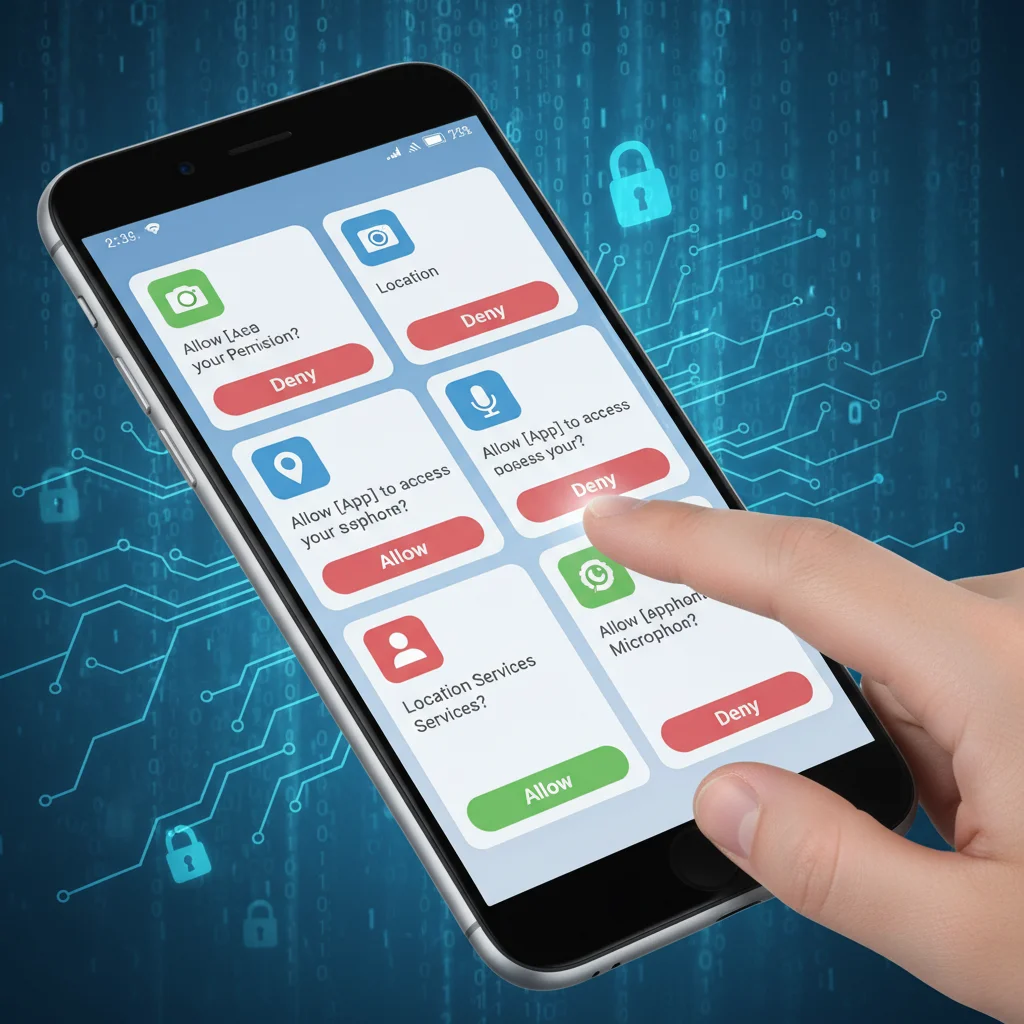
Mobile App Permissions Explained: How to Audit Your Mobile Apps for Security in 2026 (PRACTICAL SOLUTIONS)
In the rapidly evolving digital landscape of 2026, our smartphones have become extensions of ourselves. They hold our most intimate secrets, from financial details and personal communications to health data and precise location history. With this unprecedented level of integration comes an equally unprecedented level of risk, primarily stemming from what are often overlooked: mobile app permissions. These seemingly innocuous requests, often clicked away without a second thought during app installation, are the digital keys to your personal kingdom. Understanding, auditing, and managing these permissions is no longer just a good practice; it’s a critical component of your cybersecurity posture.
This comprehensive guide will demystify mobile app permissions, providing you with practical, actionable strategies to audit your mobile apps for security in 2026. We’ll delve into why these permissions matter, the common pitfalls, and how to reclaim control over your digital privacy on both Android and iOS devices. By the end of this article, you’ll be equipped with the knowledge and tools to transform your smartphone from a potential vulnerability into a fortress of personal data security.
The Crucial Role of Mobile App Permissions in 2026
Every time you download an app, whether it’s a social media platform, a gaming application, or a productivity tool, it asks for certain permissions. These requests are not arbitrary; they dictate what parts of your device and data the app can access. For instance, a camera app needs access to your camera, and a navigation app needs your location. This makes logical sense. However, when a flashlight app requests access to your contacts or microphone, a red flag should immediately go up. These are the kinds of permission discrepancies that can lead to significant privacy breaches and security risks.
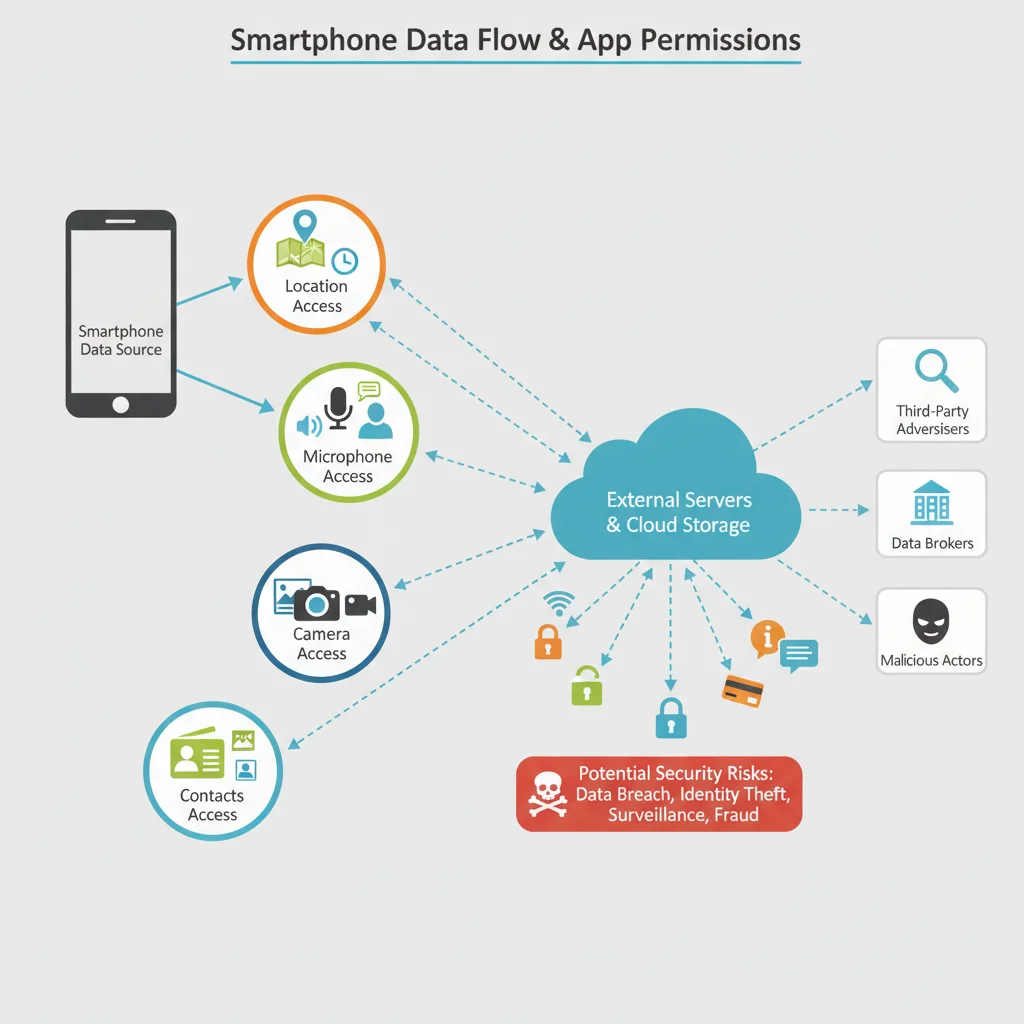
In 2026, the sophistication of data collection and the value of personal information have reached new heights. Malicious actors and even legitimate companies often seek to gather as much data as possible, sometimes for purposes far removed from the app’s core functionality. Unchecked mobile app permissions can grant them access to:
- Your Location: Real-time tracking, building a profile of your movements.
- Your Microphone: Eavesdropping on conversations.
- Your Camera: Taking photos or videos without your knowledge.
- Your Contacts: Harvesting personal information of your entire network.
- Your SMS/Call Logs: Intercepting messages, potentially for two-factor authentication bypasses.
- Your Storage: Accessing personal files, photos, and documents.
- Your Device ID: Unique identifiers used for tracking across multiple apps and services.
The implications of such access range from targeted advertising and identity theft to blackmail and surveillance. Therefore, understanding and meticulously managing your mobile app permissions is paramount for safeguarding your digital life.
Understanding Different Types of Mobile App Permissions
Before we dive into auditing, it’s essential to understand the categories of permissions. While specific names might vary slightly between Android and iOS, the underlying concepts are similar:
Sensitive Permissions (High Risk)
- Location: Access to your precise or approximate geographical coordinates. Highly sensitive.
- Microphone: Allows recording audio. Can be used for eavesdropping.
- Camera: Allows taking pictures and recording videos. Can be used for surveillance.
- Contacts: Access to your address book, including names, phone numbers, and email addresses.
- SMS/Call Logs: Reading or sending SMS messages, making calls, accessing call history.
- Storage (Read/Write): Access to files on your device’s internal or external storage.
- Calendar: Reading, adding, or modifying events.
- Body Sensors: Access to health and fitness data (e.g., heart rate, step count).
Less Sensitive Permissions (Moderate Risk)
- Network Access: Allows the app to connect to the internet. Almost all apps need this.
- Bluetooth: Allows the app to connect to Bluetooth devices.
- Wi-Fi Information: Access to connected Wi-Fi network details.
- Wake Lock: Prevents the device from sleeping.
- Run at Startup: Allows the app to start automatically when your device boots.
The key is context. A messaging app needing network access is normal. A calculator app needing network access might be suspicious. A banking app needing your location for fraud detection might be acceptable, but a simple game needing it might not be. Always consider the app’s core function when evaluating its permission requests.
The Threat Landscape of Mismanaged Mobile App Permissions in 2026
The year 2026 presents a heightened threat landscape where data is a valuable commodity. Mismanaged mobile app permissions can open doors to various malicious activities:
Data Harvesting and Profiling
Many apps, even legitimate ones, collect vast amounts of user data under the guise of improving services or personalized experiences. When they have excessive permissions, they can build incredibly detailed profiles of your habits, interests, and even your social circles. This data is then often sold to third-party advertisers or data brokers, leading to intrusive targeted ads, or worse, being used for manipulative purposes.
Phishing and Social Engineering
If a malicious app gains access to your contacts or SMS messages, it can be used to launch sophisticated phishing attacks against you and your network. Imagine an app reading your banking SMS messages or gaining access to your friends’ phone numbers to send them fraudulent links disguised as coming from you.
Spyware and Surveillance
Apps with access to your camera and microphone can effectively turn your smartphone into a surveillance device. This is a severe privacy violation, with potential implications for personal safety and corporate espionage. Even seemingly innocuous apps can contain hidden code that exploits these permissions.
Financial Fraud and Identity Theft
Permissions like SMS access can be exploited to intercept one-time passwords (OTPs) sent for banking transactions or account recoveries, paving the way for financial fraud. Access to storage might reveal sensitive documents or login credentials stored on your device, leading to identity theft.
Ransomware and Data Extortion
Apps with extensive storage write permissions can encrypt your files and demand a ransom for their release. While less common on mobile than on desktops, the threat is real and evolving, particularly with the increasing storage capacity of modern smartphones.
Practical Solutions: How to Audit Your Mobile Apps for Security in 2026
Now that we understand the ‘why,’ let’s focus on the ‘how.’ Auditing your mobile app permissions is a continuous process, not a one-time task. Here’s a step-by-step guide for both Android and iOS.
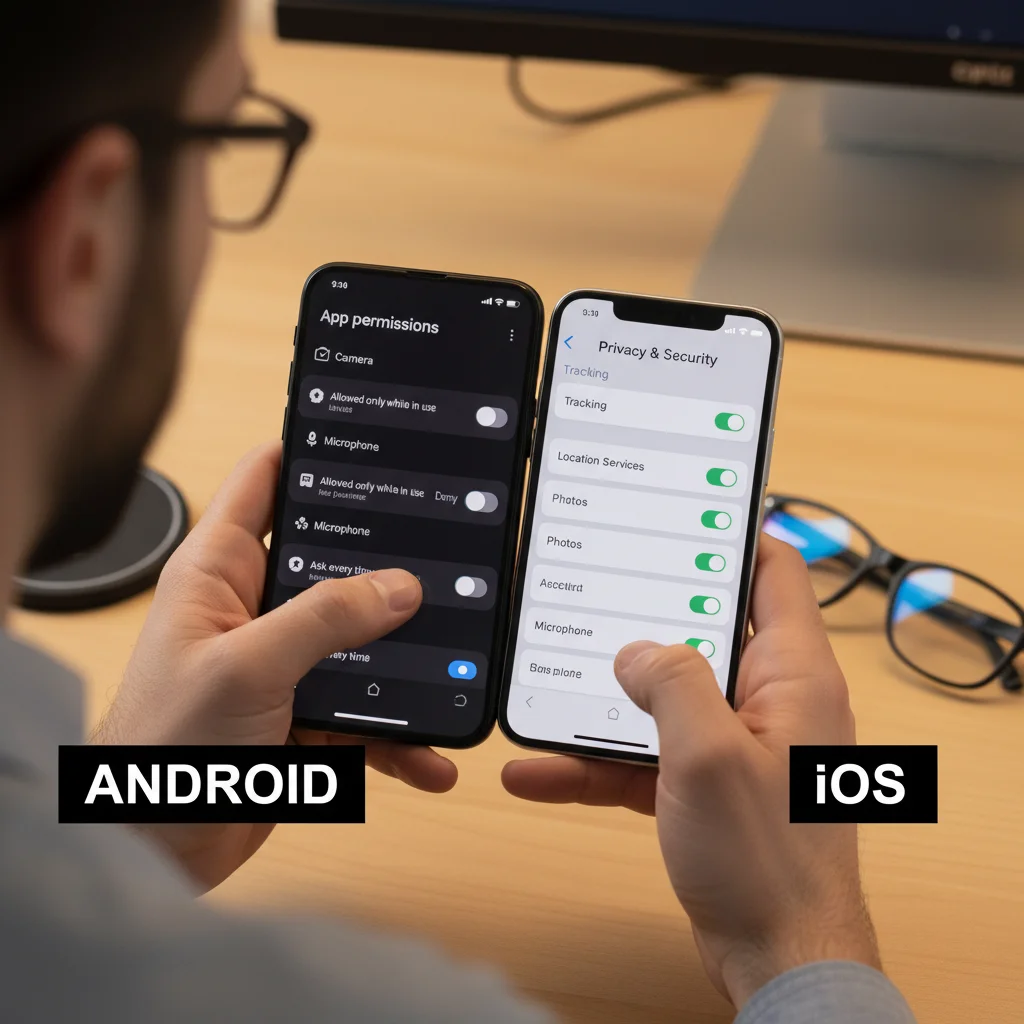
For Android Users: Mastering Mobile App Permissions
Android’s permission system has become more granular over the years, offering users greater control. Here’s how to conduct a thorough audit:
Step 1: Access Permission Manager
Go to Settings > Apps > Permission Manager (or similar, depending on your Android version and manufacturer’s overlay). This central hub allows you to view permissions by type rather than by app, making the audit process more efficient.
Step 2: Review Permissions by Category
Within Permission Manager, you’ll see categories like ‘Location,’ ‘Microphone,’ ‘Camera,’ ‘Contacts,’ ‘Files and Media,’ etc. Tap on each category. Here, you’ll see a list of apps that have requested that specific permission, categorized by ‘Allowed’ and ‘Denied’ (and sometimes ‘Ask every time’ for location).
- Location: For each app, ask yourself: Does this app *really* need my location? Does a simple game need it? Does a calculator? If not, deny access or set it to ‘Ask every time’ or ‘Allow only while using the app.’
- Microphone/Camera: These are extremely sensitive. Only grant these to apps that absolutely require them for their core function (e.g., video calls, voice recorders, camera apps).
- Contacts: Does a photo editor need access to your contacts? Probably not. Social media apps often request this to find friends, but you might prefer to manually add them.
- Files and Media: Many apps request full access to your storage. Consider if they truly need it or if ‘Allow access to media only’ (if available) is sufficient.
- SMS/Call Logs: Be extremely wary of apps requesting these. Only grant to trusted messaging apps or call management tools.
Step 3: Review Permissions by App (Alternative Approach)
Alternatively, you can go to Settings > Apps > See all apps, then select an individual app. Under ‘Permissions,’ you can see all permissions granted and denied for that specific app. This is useful if you suspect a particular app is being overly intrusive.
Step 4: Understand ‘Special App Access’
Under Settings > Apps > Special app access (or similar), you’ll find even more granular controls, including:
- Display over other apps: Allows an app to draw over other apps, potentially obscuring content or creating fake overlays for phishing.
- Install unknown apps: Crucial for security. Only allow this for trusted sources.
- Modify system settings: Allows apps to change system-wide settings.
- Unrestricted data access: Allows apps to use data in the background, even when Data Saver is on.
- Usage access: Allows apps to see what other apps you’re using.
Review these carefully. Most users should restrict these special accesses to a bare minimum of essential system apps.
Step 5: Regularly Re-Audit
New app updates can sometimes introduce new permission requests. Make it a habit to re-audit your mobile app permissions every few months or after significant app updates.
For iOS Users: Enhancing Privacy Controls
iOS has historically been lauded for its strong privacy controls, making it relatively straightforward to manage mobile app permissions. Here’s your guide:
Step 1: Navigate to Privacy & Security Settings
Go to Settings > Privacy & Security. This is your central hub for all permission-related controls.
Step 2: Review Permissions by Category
Similar to Android, iOS lists permissions by type. Tap on categories like ‘Location Services,’ ‘Contacts,’ ‘Photos,’ ‘Microphone,’ ‘Camera,’ ‘Health,’ ‘Local Network,’ ‘Bluetooth,’ etc.
- Location Services: For each app, you can choose ‘Never,’ ‘Ask Next Time or When I Share,’ ‘While Using the App,’ or ‘Always.’ Opt for ‘While Using the App’ or ‘Ask Next Time’ for most non-mapping applications. ‘Always’ should be reserved for critical apps like parental control or security apps if you explicitly need background tracking.
- Photos: Apps can request ‘Add Photos Only,’ ‘Limited Photos Library,’ or ‘Full Access.’ ‘Limited Photos Library’ is often the best choice, allowing you to select specific photos an app can access without giving it carte blanche.
- Microphone/Camera: Again, be highly selective. Only grant to apps whose core function depends on these.
- Contacts/Calendar/Reminders: Similar to Android, consider if the app genuinely needs this data.
- Local Network: This permission allows apps to discover and communicate with devices on your local network. It’s often needed for smart home devices or casting, but be cautious with unknown apps.
Step 3: Review Permissions by App (Alternative Approach)
You can also scroll down in the main ‘Settings’ menu to find individual apps. Tapping on an app will show you all the permissions it has requested and allows you to toggle them on or off. This is useful if you want to quickly adjust settings for a specific app.
Step 4: Check Tracking & App Privacy Report
- Tracking: Under Settings > Privacy & Security > Tracking, you can see which apps have requested to track your activity across other apps and websites. You can generally disable ‘Allow Apps to Request to Track’ for enhanced privacy.
- App Privacy Report: This feature (introduced in iOS 15) is a game-changer. Found under Settings > Privacy & Security > App Privacy Report, it shows you a detailed timeline of when apps have accessed your data and sensitive permissions (like location, camera, microphone, contacts). It also shows network activity. Regularly review this report to identify any suspicious behavior or unexpected data access.
Step 5: Regular Audits and App Deletion
Just like Android, iOS users should regularly review their mobile app permissions. If you haven’t used an app in a while, or if you find its permission requests excessive, consider deleting it. iOS also offers ‘Offload Unused Apps’ which removes the app but keeps its data, allowing you to reinstall later if needed.
Best Practices for Managing Mobile App Permissions in 2026
Beyond the audit process, adopting these best practices will significantly strengthen your mobile security posture concerning mobile app permissions:
1. Adopt a ‘Least Privilege’ Mindset
This is a fundamental security principle: grant only the minimum necessary permissions for an app to function. If an app can work without a specific permission, deny it. Always question why an app needs what it’s asking for.
2. Read App Reviews and Descriptions Carefully
Before downloading, check reviews for any complaints about excessive permissions or suspicious behavior. Read the app description to understand its core functions, which will help you evaluate its permission requests.
3. Be Wary of Free Apps
Many free apps rely on data collection for revenue. While not all are malicious, they often have more aggressive permission requests to gather user data. Consider paying for reputable apps if privacy is a major concern, as they often have less incentive to harvest your data.
4. Update Your Operating System and Apps Regularly
Operating system updates often include security patches that address vulnerabilities related to permissions. App updates can also fix security flaws or sometimes even introduce more appropriate permission handling. Staying updated is crucial.
5. Use Strong Authentication
While not directly related to permissions, strong passcodes, biometrics (fingerprint/Face ID), and two-factor authentication (2FA) for your accounts add layers of security, even if an app somehow gains unauthorized access to some data.
6. Avoid Sideloading Apps (Android)
Sideloading apps (installing from sources other than the official Google Play Store) significantly increases your risk. These apps bypass the security checks of the official store and are far more likely to contain malware or exploit permissions maliciously.
7. Understand Revocable Permissions
Modern Android and iOS allow you to revoke permissions at any time, even after granting them. Don’t feel locked in. If you change your mind or an app starts behaving strangely, go back and adjust its permissions.
8. Utilize Privacy Dashboards and Reports
As mentioned, iOS has the App Privacy Report, and Android devices (especially newer versions) offer similar privacy dashboards that visualize app access to sensitive data. Make use of these tools to identify patterns and potential abuses.
9. Consider Privacy-Focused Alternatives
If an app is overly demanding with permissions, search for privacy-focused alternatives that offer similar functionality with fewer data demands. The market for privacy-respecting apps is growing.
10. Educate Yourself Continuously
The digital world is constantly changing. Stay informed about new privacy features in OS updates and emerging threats. Knowledge is your best defense against evolving cyber risks.
The Evolving Landscape of Mobile App Permissions: What to Expect Beyond 2026
The conversation around mobile app permissions is far from over. As technology advances, so too will the methods of data collection and the need for more sophisticated user controls. Expect to see:
- More Granular Controls: Operating systems will likely continue to offer even finer-grained control over permissions, allowing users to grant access to specific items within a category (e.g., individual photos instead of the entire library, or specific contacts).
- AI-Powered Permission Recommendations: AI might be integrated into OS to analyze app behavior and suggest optimal permission settings based on an app’s typical usage and user preferences, flagging suspicious requests automatically.
- Decentralized Identity and Data Ownership: Emerging technologies like blockchain could play a role in giving users more direct control and ownership over their data, potentially allowing them to grant temporary, verifiable access without relinquishing full control.
- Enhanced Transparency: App stores may enforce stricter requirements for developers to clearly articulate why specific permissions are needed and how the data will be used, perhaps with standardized privacy labels that are easier for the average user to understand.
- Increased Regulatory Scrutiny: Governments worldwide are increasingly focused on data privacy. New regulations similar to GDPR or CCPA will likely emerge, forcing developers to be more responsible with permission requests and data handling.
These future developments underscore the importance of building a strong foundation in understanding and managing your mobile app permissions today. The principles of ‘least privilege’ and continuous auditing will remain relevant, regardless of how the technology evolves.
Conclusion: Take Control of Your Mobile App Permissions Today
In 2026, your mobile device is more than just a communication tool; it’s a vault of personal information. The power to protect that vault lies squarely in your hands, largely through the diligent management of mobile app permissions. By adopting a proactive approach – regularly auditing your apps, understanding what each permission entails, and being judicious with what you grant – you can significantly enhance your digital security and privacy.
Don’t be a passive participant in your digital life. Take control. Use the practical solutions outlined in this guide to inspect, question, and adjust your mobile app permissions. This ongoing vigilance is your best defense against data harvesting, surveillance, and potential cyber threats. Empower yourself with knowledge, and ensure your smartphone remains a powerful, private, and secure extension of your world.