Phishing on Your Phone: Identifying 4 New Scams Targeting U.S. Mobile Users in 2026 (RECENT UPDATES)
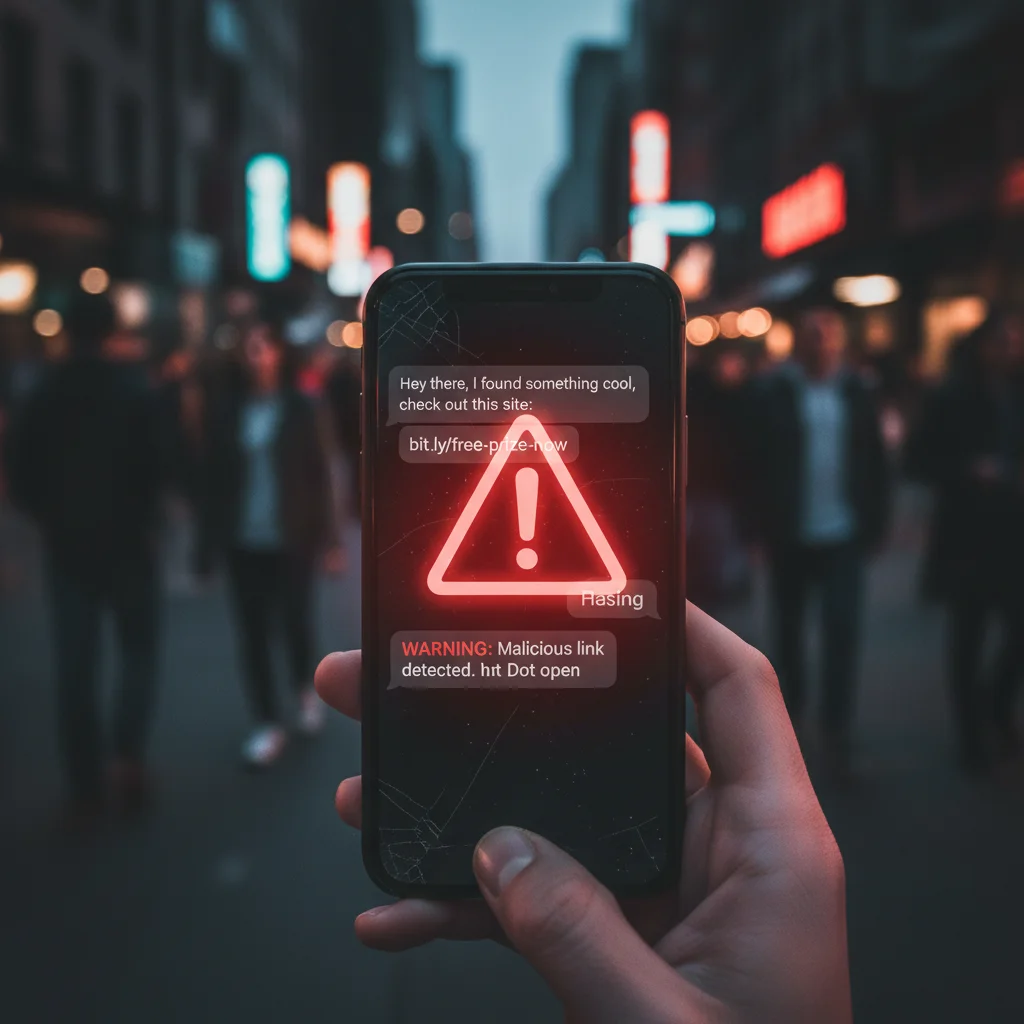
In an increasingly connected world, our smartphones have become extensions of ourselves. From banking to social interactions, almost every facet of our lives is now accessible through these pocket-sized supercomputers. This pervasive integration, while convenient, also presents a fertile ground for cybercriminals. Phishing, a malicious attempt to acquire sensitive information such as usernames, passwords, and credit card details by masquerading as a trustworthy entity, has evolved significantly. Mobile phishing scams, specifically, are on the rise, becoming more sophisticated and harder to detect. As we move further into 2026, new tactics are emerging, making it crucial for U.S. mobile users to stay informed and vigilant.
The landscape of cyber threats is dynamic, with attackers constantly refining their methods. What worked last year might be obsolete today, and new vulnerabilities are exploited daily. This comprehensive guide aims to shed light on four new and particularly insidious types of mobile phishing scams that are actively targeting U.S. mobile users in 2026. Understanding these threats is the first step towards effective protection. We will delve into their mechanics, provide real-world examples, and offer actionable advice on how to identify and defend against them. Your digital safety is paramount, and equipping yourself with knowledge is your best defense.
The Evolving Threat of Mobile Phishing
Phishing attacks are not new, but their mobile counterparts present unique challenges. The smaller screen size, the tendency to quickly skim messages, and the reliance on apps rather than web browsers can make users more susceptible. Furthermore, mobile devices often have fewer robust security features compared to desktop computers, and users might be less inclined to install comprehensive security software. This combination creates a perfect storm for cybercriminals.
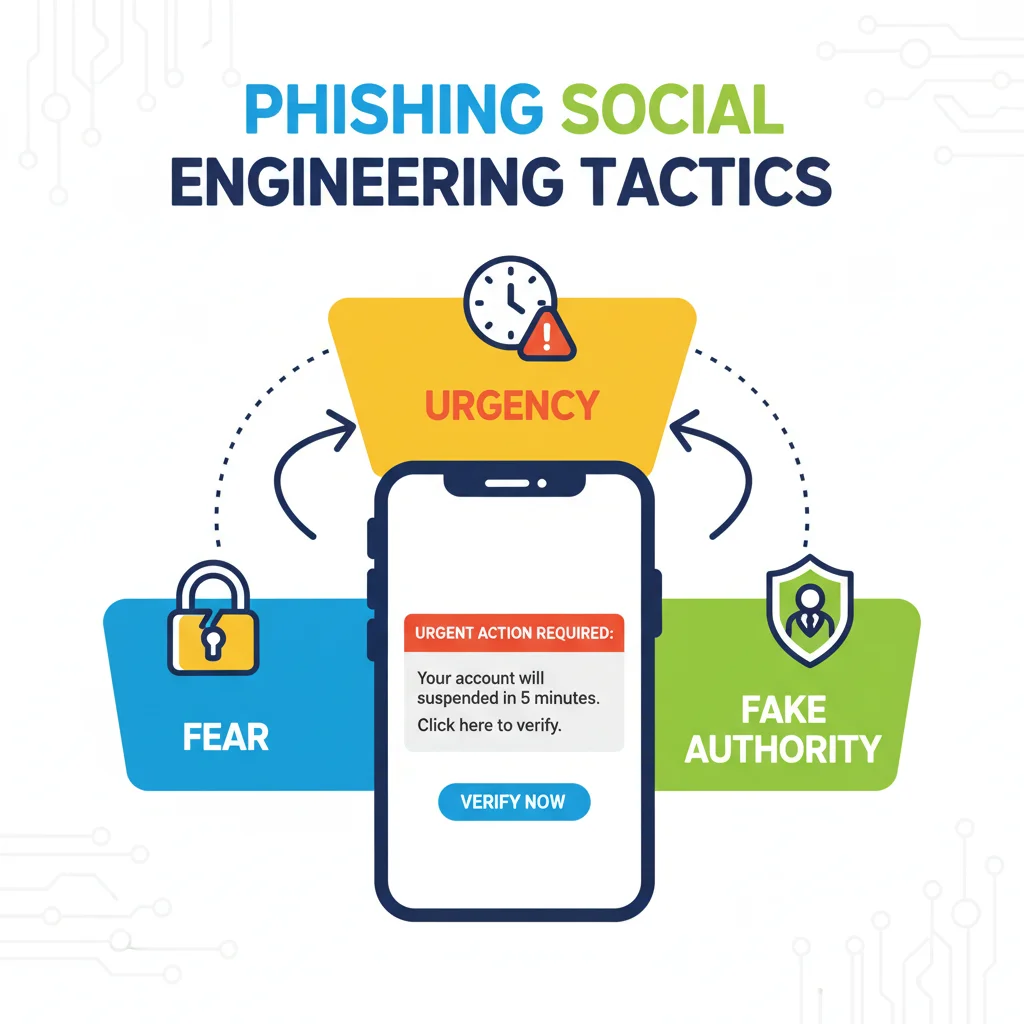
The term ‘smishing’ (SMS phishing) and ‘vishing’ (voice phishing) are now commonplace, but the attacks themselves are becoming increasingly personalized and context-aware. Attackers leverage readily available personal information, often gleaned from social media or data breaches, to craft convincing messages that bypass our natural skepticism. They exploit our trust in familiar brands, government agencies, and even our own social circles.
In 2026, we are observing a significant shift towards highly targeted and technologically advanced mobile phishing campaigns. These are not just generic messages anymore; they are sophisticated operations designed to exploit specific user behaviors and technological vulnerabilities. Let’s explore the four most prominent new mobile phishing scams.
Scam 1: AI-Powered Deepfake Voice Phishing (Vishing 2.0)
What it is:
Deepfake technology, once confined to video, has now matured to create incredibly realistic voice clones. This new wave of vishing, or ‘Vishing 2.0’, leverages AI to synthesize the voices of trusted individuals – family members, colleagues, or even bank representatives – to trick victims into divulging sensitive information or authorizing fraudulent transactions. The attacker might use a small audio clip of the target’s voice (perhaps from a public social media post or voicemail) to train an AI model, then generate entire conversations that sound indistinguishable from the real person.
How it works:
Imagine receiving a call from what sounds exactly like your child, frantic and asking for immediate financial assistance due to an ’emergency.’ Or a call from your bank’s fraud department, with the familiar voice of a specific representative you’ve spoken to before, urging you to confirm account details due to ‘suspicious activity.’ These calls create immense psychological pressure, making it difficult for victims to pause and verify the authenticity. The scammer might claim their usual phone is broken, or they’re using a friend’s phone, to explain any discrepancy in the caller ID.
Why it’s dangerous:
The hyper-realistic voice eliminates one of the primary red flags in traditional vishing – an unfamiliar or robotic voice. The emotional manipulation is extremely potent, preying on our innate desire to help loved ones or protect our finances. By the time a victim realizes it’s a scam, their money might be gone, or their accounts compromised. This scam is particularly effective against elderly individuals or those who are less technologically savvy, but anyone can fall victim under the right circumstances of urgency and emotional distress.
How to identify and protect yourself:
- Verify independently: If you receive an urgent call from a loved one asking for money, hang up and call them back on a known, verified number. Do not use the number that just called you.
- Establish a family code word: Create a secret word or phrase with close family members that can be used to verify identity in emergency situations.
- Be skeptical of urgency: Any request for immediate action, especially financial, should raise a red flag. Legitimate institutions and individuals rarely demand instant decisions.
- Question unusual requests: Even if the voice sounds familiar, an unusual request (e.g., wiring money to an unknown account, buying gift cards) should trigger suspicion.
- Educate others: Share this information with family and friends, especially those who might be more vulnerable to such scams.
Scam 2: RCS Messaging Phishing (Rich Communication Scamming)
What it is:
Rich Communication Services (RCS) is the successor to SMS, offering features like read receipts, typing indicators, and higher-quality media sharing, similar to iMessage or WhatsApp. While it enhances the messaging experience, it also opens new avenues for sophisticated phishing attacks. RCS phishing, or ‘Rich Communication Scamming,’ leverages these advanced features to create more convincing and interactive fraudulent messages.
How it works:
Unlike traditional SMS, RCS messages can include branding, verified sender badges, and interactive buttons. Scammers exploit these features to impersonate legitimate businesses or government agencies with uncanny accuracy. For example, you might receive an RCS message that appears to be from your bank, complete with their official logo and a ‘verified’ badge. The message might contain a link to a fake login page that looks identical to your bank’s actual site, or it might prompt you to download a malicious app disguised as a security update. The interactive nature of RCS allows for more dynamic and engaging scam scenarios, making the interaction feel more legitimate and less like a generic text.
Why it’s dangerous:
The enhanced visual elements and interactive capabilities of RCS make it far more challenging to distinguish legitimate communications from phishing attempts. The ‘verified’ sender badge, in particular, can lull users into a false sense of security. Attackers can embed malicious links that are difficult to preview or discern, and the richer content can bypass basic spam filters that might catch simpler SMS phishing attempts. The familiarity of the RCS interface, which mimics popular chat apps, also makes users more likely to trust the interaction.
How to identify and protect yourself:
- Examine sender details carefully: Even with branding, scrutinize the sender’s full contact information. Look for subtle misspellings or unusual numbers.
- Hover before clicking (if possible): While harder on mobile, try to long-press links to preview the URL without opening it. Look for discrepancies in the domain name.
- Never log in via embedded links: Always navigate directly to the official website or app of the service in question to log in or provide information.
- Be wary of unsolicited messages: If a message from a known entity seems out of the blue or asks for unusual actions, treat it with extreme caution.
- Report suspicious RCS messages: Many messaging apps have reporting features for spam or phishing.
Scam 3: QR Code Phishing (Quishing 2.0)
What it is:
QR codes have become ubiquitous, used for everything from restaurant menus to payment processing. This convenience has been seized upon by scammers, leading to a new form of phishing known as ‘Quishing 2.0’. In this scam, malicious QR codes are used to direct users to phishing websites, download malware, or initiate fraudulent payments.
How it works:
Attackers can place malicious QR codes in various public or seemingly legitimate locations. They might stick fake QR codes over genuine ones on parking meters, public Wi-Fi hotspots, or even promotional flyers. When a user scans the altered QR code with their phone, they are unknowingly redirected to a phishing site designed to steal credentials or download malware. Another tactic involves sending these malicious QR codes directly via email or messaging apps, often disguised as ‘verify your account’ or ‘claim your prize’ prompts. The user scans the code, thinking it’s a quick and easy way to access information, but instead falls into a trap. The visual nature of QR codes makes them appear harmless and efficient, which is precisely what scammers exploit.
Why it’s dangerous:
QR codes bypass the traditional URL inspection that users might perform. A quick scan offers no immediate visual cues about the destination. The speed and ease of scanning make users less likely to pause and consider the legitimacy of the source. Furthermore, malicious QR codes can be printed and distributed physically, making them harder to trace and remove. The trust instilled by their common use for legitimate purposes makes people less suspicious of scanning them in various contexts.
How to identify and protect yourself:
- Inspect physical QR codes: Before scanning, check if the QR code sticker appears to be placed over another code or if it looks tampered with.
- Verify the source: Only scan QR codes from trusted and official sources. If it’s on a public poster, consider if the source is reputable.
- Preview the URL: Many modern camera apps and QR code scanners will show you the URL before navigating. Always review the URL for suspicious characters or unfamiliar domains.
- Be wary of unsolicited QR codes: If you receive a QR code via email or message that you didn’t request, do not scan it.
- Use a secure scanner: Some security apps include built-in QR code scanners that can flag malicious links.
Scam 4: Mobile App Impersonation & Malvertising
What it is:
This scam involves creating fake mobile applications that mimic legitimate ones or using malicious advertisements (malvertising) to trick users into downloading these fraudulent apps. These imposter apps often look identical to their legitimate counterparts, complete with similar logos, interfaces, and even fake reviews in app stores. Their true purpose is to steal personal data, inject malware, or subscribe users to premium services without their consent.
How it works:
Scammers promote these fake apps through malvertising on social media, deceptive websites, or even within other legitimate apps. An ad might promise a free premium service, a special discount, or a ‘critical security update’ for a popular app. When a user clicks on the ad, they are directed to a fake app store page or a direct download link for the malicious APK (Android Package Kit) file. Once installed, these apps request extensive permissions, which, if granted, allow them to access contacts, messages, photos, location data, and even banking app credentials. Some might even overlay legitimate banking apps with fake login screens to capture credentials.
Why it’s dangerous:
The visual similarity to legitimate apps makes detection incredibly difficult, especially for less experienced users. The malicious apps often function just enough to appear legitimate, while secretly siphoning off data in the background. The broad permissions requested can give attackers full control over significant aspects of the user’s mobile life. Furthermore, malvertising can appear on reputable websites, making it harder to discern the threat. The sheer volume of apps available makes it easy for malicious ones to hide in plain sight.
How to identify and protect yourself:
- Download from official app stores only: Stick to Google Play Store for Android and Apple App Store for iOS. Avoid third-party app stores or direct APK downloads unless you are absolutely certain of the source.
- Check developer information: Before downloading, verify the developer’s name, website, and other apps they have published. Look for inconsistencies.
- Read reviews carefully: While fake reviews exist, a pattern of negative reviews or very generic positive ones can be a red flag.
- Examine app permissions: Before installation, review the permissions the app requests. Does a flashlight app really need access to your contacts or microphone? If it seems excessive, don’t install it.
- Keep your OS updated: Regular operating system updates often include security patches that protect against known vulnerabilities exploited by malware.
- Use a reputable mobile security solution: Antivirus apps for mobile devices can help detect and remove malicious applications.
General Best Practices for Mobile Security in 2026
Beyond identifying these specific new mobile phishing scams, a strong foundation of general mobile security practices is essential. These practices act as your first line of defense against both known and unknown threats:
1. Implement Multi-Factor Authentication (MFA):
MFA adds an extra layer of security by requiring two or more verification factors to gain access to an account. Even if a phisher steals your password, they won’t be able to log in without the second factor (e.g., a code from an authenticator app, a fingerprint scan, or a facial recognition scan). This is arguably the most crucial step you can take to protect your online accounts.
2. Be Skeptical of Unsolicited Communications:
Whether it’s an email, a text message, a phone call, or a message on a social media platform, always approach unsolicited communications with caution. Assume it’s a scam until proven otherwise. Legitimate organizations will rarely ask for sensitive information via these channels, especially not under pressure.
3. Verify Information Independently:
If you receive a message or call claiming to be from your bank, a government agency, or a service provider, do not click on any links or call back the number provided in the message. Instead, use official contact information (from their official website or a statement you know is legitimate) to verify the request. A quick search on their official website for announcements or warnings about scams can also be helpful.
4. Keep Your Software Updated:
Regularly update your phone’s operating system and all your applications. Software updates often include critical security patches that fix vulnerabilities exploited by attackers. Enabling automatic updates can help ensure you’re always running the most secure version of your software.
5. Use Strong, Unique Passwords:
Never reuse passwords across different accounts. Use a combination of uppercase and lowercase letters, numbers, and symbols. A password manager can help you create and store strong, unique passwords for all your accounts, significantly enhancing your overall security posture.
6. Review App Permissions Regularly:
Take the time to review the permissions granted to your installed apps. If an app no longer needs access to your camera, microphone, or location, revoke those permissions. Be particularly vigilant about apps that request access to sensitive data or functions that seem unrelated to their core purpose.
7. Avoid Public Wi-Fi for Sensitive Transactions:
Public Wi-Fi networks are often unsecured and can be easily intercepted by attackers. Avoid conducting sensitive activities like online banking or shopping when connected to public Wi-Fi. If you must use public Wi-Fi, consider using a Virtual Private Network (VPN) to encrypt your traffic.
8. Backup Your Data:
Regularly back up your important data to a secure cloud service or an external hard drive. In the event of a successful malware attack or phone loss, having a backup ensures you don’t lose precious photos, documents, or contacts.
9. Report Suspicious Activity:
If you encounter a phishing attempt, report it to the relevant authorities (e.g., the FTC, FBI’s IC3, or your mobile carrier). Reporting helps law enforcement track down cybercriminals and warn others about emerging threats. Many email providers and messaging apps also have built-in reporting features for spam and phishing.
10. Educate Yourself Continuously:
The threat landscape is constantly evolving. Stay informed about the latest scams and security best practices. Follow reputable cybersecurity news sources, attend webinars, and share knowledge with your friends and family. A well-informed user is the hardest target for criminals.
The Future of Mobile Phishing: What to Expect
As technology advances, so too will the methods of cybercriminals. Looking ahead, we can anticipate several trends in mobile phishing scams:
- More sophisticated AI integration: Beyond deepfake voices, AI could be used to generate hyper-realistic phishing emails and messages tailored to individual users, making them virtually indistinguishable from legitimate communications.
- Exploitation of IoT devices: As more internet-of-things (IoT) devices become integrated with our mobile phones, these devices could become new entry points for phishing attacks, sending fake alerts or notifications to trick users.
- Advanced social engineering: Scammers will continue to refine their psychological manipulation tactics, leveraging current events, popular trends, and even personalized emotional triggers to increase their success rates.
- Supply chain attacks: Phishing attacks might increasingly target third-party service providers or app developers, compromising their systems to then launch attacks against their users.
The key to staying safe will always be a combination of technological safeguards and human awareness. No amount of software can fully protect a user who is not vigilant and informed.
Conclusion: Your Vigilance is Your Strongest Shield
The battle against mobile phishing scams is ongoing, and as the threats evolve, so too must our defenses. The four new scams outlined – AI-Powered Deepfake Voice Phishing, RCS Messaging Phishing, QR Code Phishing, and Mobile App Impersonation & Malvertising – represent the cutting edge of cybercriminal ingenuity in 2026. They exploit both technological advancements and human psychology, making them particularly dangerous.
By understanding the mechanisms behind these attacks, recognizing their tell-tale signs, and consistently applying robust security practices, U.S. mobile users can significantly reduce their risk of falling victim. Remember, the goal of a phisher is to trick you into making a mistake. Taking a moment to pause, verify, and question anything that seems suspicious is your most powerful tool. Stay informed, stay vigilant, and protect your digital life.