Top 3 Note-Taking Apps 2026: Students & Professionals Guide

Choosing the Right Fit: A Comparison of 3 Leading Note-Taking Apps for US Students and Professionals in 2026
In the fast-paced academic and professional landscapes of 2026, the ability to effectively capture, organize, and retrieve information is more critical than ever. The digital revolution has ushered in an era where pen and paper, while still cherished by some, have largely been supplanted by sophisticated note-taking applications. These tools are no longer just digital notebooks; they are comprehensive productivity hubs, offering features ranging from simple text entry to advanced project management, multimedia integration, and collaborative workspaces. For US students navigating complex curricula and professionals juggling multiple projects, selecting the best note-taking apps is paramount to academic success and career advancement.
The market is saturated with options, each promising to revolutionize your workflow. However, sifting through countless reviews and feature lists can be daunting. This article aims to cut through the noise, providing a detailed, unbiased comparison of three leading note-taking applications poised to dominate the scene in 2026: Evernote, Notion, and Microsoft OneNote. We will delve into their core functionalities, unique selling propositions, pricing structures, and ideal user profiles, helping you make an informed decision tailored to your specific needs.
Whether you’re a college student preparing for exams, a researcher compiling data, a project manager coordinating teams, or an entrepreneur brainstorming new ideas, the right note-taking app can significantly enhance your productivity, creativity, and organizational prowess. Let’s explore which of these powerful tools stands out as the best choice for you.
The Evolving Landscape of Digital Note-Taking in 2026
Before diving into the specifics of each app, it’s essential to understand the trends shaping digital note-taking in 2026. Artificial intelligence (AI) is increasingly integrated, offering features like smart search, automated tagging, and even content generation. Cross-device synchronization is no longer a luxury but a fundamental expectation, ensuring seamless access to notes from any device, anywhere. Collaboration tools have become indispensable, allowing multiple users to work on the same document in real-time. Security and privacy are also paramount concerns, with users demanding robust encryption and data protection measures.
The demand for versatility has also grown. Users want apps that can handle various forms of media – text, images, audio, video, and even handwritten notes. The ability to link notes, create knowledge bases, and integrate with other productivity tools (calendars, task managers) is highly valued. These evolving expectations set the bar high for what constitutes the best note-taking apps today.
Evernote: The Veteran Powerhouse for Information Capture
Evernote has long been a household name in the digital note-taking sphere, establishing itself as a robust solution for capturing and organizing virtually any type of information. Its enduring popularity, especially among those who prioritize comprehensive archiving and powerful search capabilities, speaks volumes about its effectiveness. In 2026, Evernote continues to refine its offerings, maintaining its position as a go-to for many US students and professionals.
Core Features and Strengths
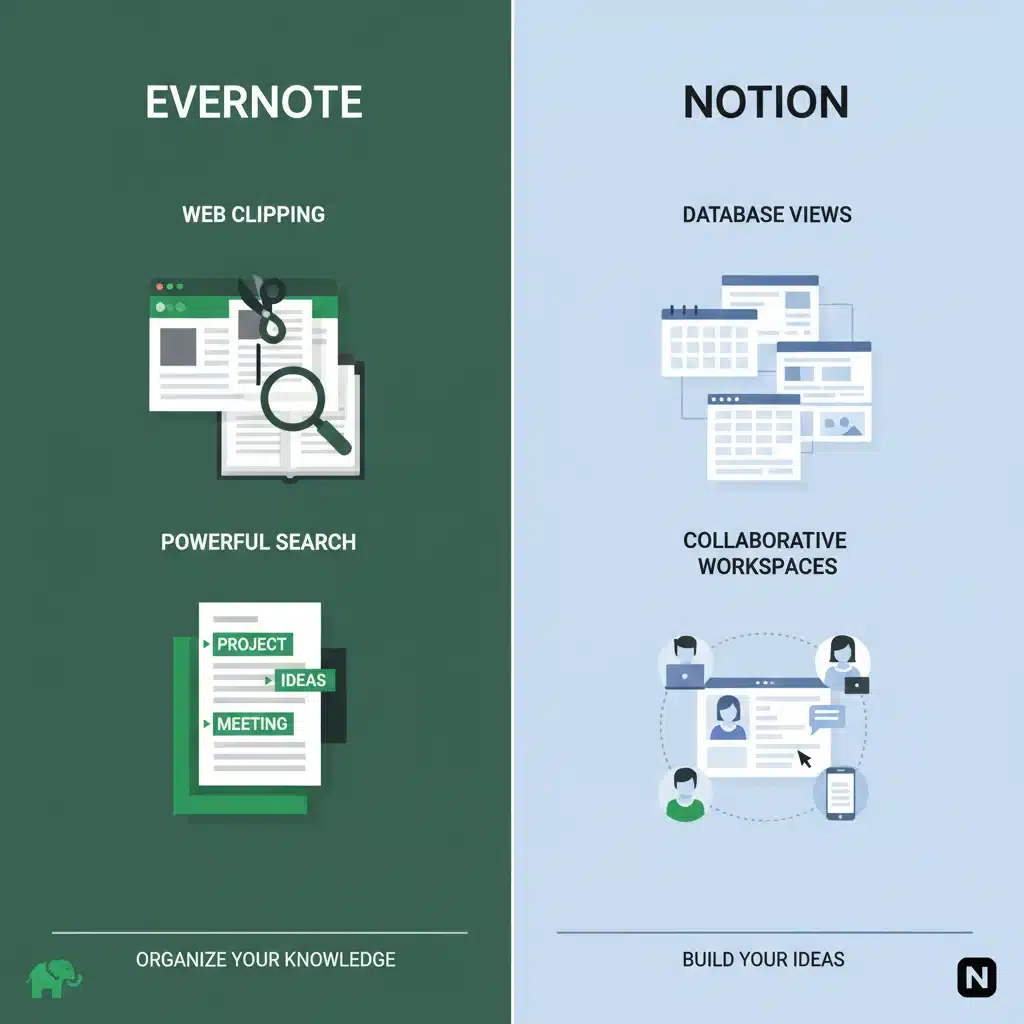
- Web Clipping: One of Evernote’s most celebrated features is its web clipper, allowing users to save entire web pages, articles, or specific sections directly into their notebooks. This is invaluable for researchers, journalists, and students compiling resources.
- Powerful Search: Evernote’s search functionality is legendary. It can find text within images, PDFs, and even handwritten notes, making it incredibly easy to retrieve specific information from a vast archive. This is a significant advantage for anyone dealing with a large volume of diverse notes.
- Rich Note Types: Beyond plain text, Evernote supports a wide array of note formats, including audio recordings, images, PDFs, and attachments. This multimedia capability ensures that all forms of information can be captured and stored in one place.
- Notebooks and Tags: Organization in Evernote revolves around notebooks and a highly flexible tagging system. Users can create a hierarchical structure with notebooks and stacks of notebooks, while tags provide an additional layer of categorization, enabling cross-referencing and nuanced organization.
- Cross-Platform Sync: Evernote offers seamless synchronization across all major platforms, including Windows, macOS, iOS, Android, and web browsers, ensuring your notes are always accessible.
- Templates: A growing library of templates for various uses, from meeting notes to project planning, helps users get started quickly and maintain consistency.
Ideal User Profile
Evernote is particularly well-suited for:
- Researchers and Academics: Its web clipping and powerful search are perfect for compiling research materials, articles, and citations.
- Journalists and Content Creators: For gathering information, conducting interviews (audio notes), and organizing sources.
- Professionals with Extensive Archives: Anyone who needs to keep detailed records, meeting notes, and project documentation over long periods and requires easy retrieval.
- Individuals Prioritizing Information Capture: If your primary need is to capture a wide variety of information quickly and reliably, Evernote excels.
Limitations to Consider
While powerful, Evernote has faced criticism for its pricing model and sometimes perceived interface complexity compared to newer, sleeker alternatives. Its collaborative features, while present, are not as deeply integrated or intuitive as some competitors.
Notion: The All-in-One Workspace for Modern Productivity
Notion has rapidly ascended to prominence, captivating a vast user base with its unparalleled flexibility and ‘all-in-one workspace’ philosophy. It’s more than just a note-taking app; it’s a customizable platform for project management, knowledge bases, task tracking, and much more. For US students and professionals seeking a highly adaptable and integrated solution, Notion often tops the list of best note-taking apps.
Core Features and Strengths
- Blocks-Based Editor: Notion’s core is its blocks-based editor, allowing users to combine various content types (text, images, databases, to-do lists, code snippets, embedded files) seamlessly on a single page. This modularity offers immense creative freedom.
- Databases: This is arguably Notion’s killer feature. Users can create highly customizable databases that can function as task lists, CRM systems, content calendars, or student planners. These databases support multiple views (table, board, calendar, gallery, list, timeline) and powerful filtering/sorting.
- Interconnected Pages: Every piece of content in Notion is a page, and pages can be linked to each other, creating a rich, interconnected web of information. This is excellent for building personal wikis, knowledge bases, or academic portfolios.
- Templates: Notion boasts an extensive community-driven template gallery, providing ready-to-use setups for almost any use case imaginable, from personal habit trackers to complex team wikis.
- Collaboration: Notion shines in collaborative environments. Teams can share pages, workspaces, and databases, with granular permission controls, real-time editing, and commenting features.
- Versatility: Its adaptability means it can replace multiple apps – a note-taker, project manager, wiki, and even a simple website builder.
Ideal User Profile
Notion is an excellent fit for:
- Project Managers and Teams: For coordinating tasks, managing projects, and building team wikis.
- Students and Academics: Especially those who prefer highly structured organization for courses, research, and assignments, and enjoy building interconnected knowledge systems.
- Freelancers and Entrepreneurs: For managing clients, projects, content calendars, and personal productivity.
- Anyone Seeking Ultimate Customization: If you want to design your own perfect workspace from the ground up, Notion offers the tools.
- Collaborative Environments: Teams that need a shared workspace for documentation, task management, and communication.
Limitations to Consider
Notion’s greatest strength, its flexibility, can also be its biggest hurdle for new users. The learning curve can be steep, and it might feel overwhelming initially due to the sheer number of options. Its offline capabilities have traditionally been weaker than some competitors, though this is continuously improving.
Microsoft OneNote: The Digital Binder for Microsoft Ecosystem Users
Microsoft OneNote, often overlooked in favor of its flashier counterparts, is a surprisingly powerful and incredibly versatile note-taking application, especially for those embedded in the Microsoft ecosystem. It functions like a digital binder, allowing users to organize notes into notebooks, sections, and pages, offering a free-form canvas for creativity and information capture. For many US students and professionals, OneNote stands out as one of the best note-taking apps due to its deep integration with other Microsoft products and its unique canvas approach.
Core Features and Strengths
- Free-Form Canvas: Unlike traditional document editors, OneNote provides an infinite canvas where you can place text boxes, images, drawings, and other media anywhere on the page. This non-linear approach is fantastic for brainstorming, mind mapping, and visual note-takers.
- Handwriting and Drawing: OneNote excels with stylus input, making it a favorite for tablet users. You can handwrite notes, draw diagrams, annotate PDFs, and even convert handwriting to text. This is a huge plus for students taking notes in lectures or professionals sketching ideas.
- Deep Microsoft Integration: As a Microsoft product, OneNote seamlessly integrates with Office 365 applications like Outlook, Word, Excel, and PowerPoint. You can embed files, send emails directly to OneNote, and access notes from various Microsoft services.
- Multimedia Support: Beyond text and handwriting, OneNote allows you to embed audio recordings (which can be linked to typed notes, playing back what was said when you typed a specific phrase), videos, files, and even mathematical equations.
- Robust Organization: The notebook > section > page hierarchy provides a clear and intuitive way to organize vast amounts of information, mimicking physical binders.
- Search Functionality: Similar to Evernote, OneNote offers powerful search capabilities, including finding text within images and handwritten notes.
- Collaboration: Shared notebooks allow multiple users to collaborate in real-time, making it suitable for group projects and team meetings.
Ideal User Profile
Microsoft OneNote is particularly effective for:
- Students with Tablets: Its superior handwriting and drawing capabilities make it ideal for taking notes during lectures, annotating textbooks, and solving problems.
- Microsoft Ecosystem Users: If you already rely heavily on Office 365, Outlook, and other Microsoft services, OneNote’s integration will be a huge advantage.
- Visual Thinkers and Brainstormers: The free-form canvas is perfect for mind mapping, sketching ideas, and non-linear note-taking.
- Anyone Seeking a Digital Binder: Those who prefer a structured yet flexible way to organize notes, similar to a physical binder with tabs.
Limitations to Consider
While powerful, OneNote’s interface can sometimes feel less modern or sleek compared to Notion. Its web clipper is functional but not as robust as Evernote’s. Some users might find the free-form canvas overwhelming if they prefer a strictly linear note-taking experience.
Comparative Analysis: Evernote vs. Notion vs. OneNote
To further clarify which of these best note-taking apps might be right for you, let’s compare them across several key dimensions:
Organization and Structure
- Evernote: Relies on notebooks, stacks, and a powerful tagging system. Best for a flat hierarchy with deep search capabilities.
- Notion: Highly flexible, blocks-based system with interconnected pages and customizable databases. Ideal for creating complex, interconnected knowledge bases and project management systems.
- OneNote: Mimics a physical binder with notebooks, sections, and pages. Offers a free-form canvas within pages, excellent for visual organization.
Information Capture
- Evernote: Unrivaled web clipping, strong multimedia support (audio, images, PDFs).
- Notion: Good for embedding various content types, but its web clipper is less robust than Evernote’s. Excellent for structured data entry.
- OneNote: Superior for handwriting, drawing, and audio recording with text sync. Good for embedding files and multimedia.
Collaboration
- Evernote: Basic sharing and collaboration features, but not its primary strength.
- Notion: Excellent, deeply integrated collaboration features for teams, with granular permissions and real-time editing.
- OneNote: Real-time collaboration on shared notebooks, effective for group projects.
Customization and Flexibility
- Evernote: Moderate customization through notebooks, tags, and templates.
- Notion: Unmatched customization, allowing users to build almost any system they can imagine. High learning curve.
- OneNote: Flexible free-form canvas, but the overall structure is more predefined (notebooks/sections/pages).
Learning Curve
- Evernote: Relatively easy to pick up for basic note-taking, with advanced features accessible as needed.
- Notion: Can be steep due to its vast capabilities and block-based system. Requires an investment of time to master.
- OneNote: Easy for basic use, especially for those familiar with Microsoft Office. Advanced features like linking audio to text might require some exploration.
Pricing Models (as of 2026, subject to change)
- Evernote: Offers a free tier with limited features and sync. Paid plans (Personal, Professional) unlock more storage, features, and offline access.
- Notion: Generous free tier for personal use, allowing unlimited blocks and pages. Paid plans (Plus, Business, Enterprise) offer more storage, advanced features, and team capabilities.
- OneNote: Largely free as part of Windows and Office 365, with storage tied to OneDrive. Premium features may be linked to Office 365 subscriptions.
Choosing Your Ideal Note-Taking Companion in 2026
The quest for the best note-taking apps is highly personal, as the ideal choice depends entirely on your specific workflow, priorities, and existing technological ecosystem. Here’s a summary to guide your decision:
Opt for Evernote if:
- You need a powerful tool for capturing and archiving a wide variety of information, especially web content.
- You frequently search through vast amounts of notes and require highly accurate search capabilities, including text in images.
- You value a robust, reliable system that has stood the test of time for personal knowledge management.
- Your primary goal is information retrieval and comprehensive documentation.
Choose Notion if:
- You desire an all-in-one workspace that can handle notes, tasks, projects, and databases.
- You thrive on customization and want to design your own highly interconnected systems.
- You work in a collaborative environment and need a shared workspace for team projects and documentation.
- You’re willing to invest time in learning a powerful, flexible tool that can replace multiple applications.
Select Microsoft OneNote if:
- You are a student or professional who frequently uses a stylus for handwriting, drawing, or annotating documents.
- You are deeply integrated into the Microsoft Office 365 ecosystem and value seamless integration with Word, Outlook, etc.
- You prefer a free-form canvas for brainstorming, mind mapping, and non-linear note-taking.
- You appreciate the familiar structure of notebooks, sections, and pages, similar to a physical binder.

Beyond the Big Three: Other Notable Mentions
While Evernote, Notion, and OneNote represent some of the most comprehensive solutions, it’s worth acknowledging other excellent note-taking apps that might cater to niche needs:
- Obsidian: A powerful, local-first knowledge base that uses plain text Markdown files and emphasizes linking notes to build a ‘second brain.’ Ideal for power users and those concerned with data ownership.
- Google Keep: Excellent for quick notes, checklists, and reminders, especially for users within the Google ecosystem. Simple, fast, and highly accessible.
- Simplenote: True to its name, Simplenote offers a minimalist, fast, and efficient note-taking experience for plain text.
- Apple Notes: For macOS and iOS users, Apple Notes has significantly improved over the years, offering robust features like rich text, checklists, tables, scanning documents, and strong integration within the Apple ecosystem.
Future Trends in Note-Taking Applications
Looking ahead, the landscape of best note-taking apps will continue to evolve rapidly. Expect even deeper AI integration, with features like:
- Advanced Semantic Search: Understanding the context and meaning of your notes, not just keywords.
- Automated Summarization: AI tools that can condense long notes or documents into key takeaways.
- Proactive Organization: Apps suggesting how to organize new notes based on your existing patterns.
- Enhanced Multimodal Input: Seamlessly blending voice, text, handwriting, and gestures.
- Spatial Computing Integration: As AR/VR technologies advance, note-taking in three-dimensional spaces could become a reality.
The focus will remain on reducing friction in information capture and maximizing the utility of stored knowledge. Interoperability between different tools will also become increasingly important, allowing users to move their data and workflows between platforms more easily.
Conclusion: Empowering Your Productivity in 2026
The choice of the best note-taking apps for US students and professionals in 2026 is a strategic decision that can significantly impact productivity, organization, and overall success. Evernote, Notion, and Microsoft OneNote each offer a compelling suite of features, catering to different preferences and workflows.
Evernote remains the champion for comprehensive information capture and unparalleled search, ideal for those who curate vast digital archives. Notion stands out as the ultimate customizable workspace, perfect for project management, knowledge base building, and collaborative teams willing to invest in its learning curve. Microsoft OneNote, with its free-form canvas and superior handwriting support, is an indispensable tool for visual thinkers, tablet users, and those deeply embedded in the Microsoft ecosystem.
We encourage you to experiment with the free tiers or trials of these applications. Pay attention to how each app integrates into your daily routines, whether it supports your preferred learning or working style, and how easily you can retrieve the information you need. By carefully considering your individual requirements and leveraging the insights from this comparison, you can select the perfect digital companion to empower your academic and professional journey in 2026 and beyond.