The 2026 Shift: Comparing Top 4 Note-Taking Apps for US Knowledge Workers

The 2026 Shift: Comparing the Top 4 Note-Taking Apps for US Knowledge Workers for Optimal Efficiency
The year 2026 is upon us, and with it comes an ever-accelerating pace of information, innovation, and the constant demand for peak productivity. For US knowledge workers, the ability to capture, organize, and retrieve information efficiently is not just a convenience; it’s a critical competitive advantage. The right note-taking apps 2026 can be the linchpin of this efficiency, transforming a chaotic deluge of data into an organized, actionable knowledge base. But with a plethora of options available, how does one choose the best tool for the job?
This comprehensive guide dives deep into the top four note-taking applications poised to dominate the landscape for US knowledge workers in 2026: Evernote, Notion, OneNote, and Obsidian. We’ll explore their core features, evaluate their strengths and weaknesses, discuss pricing models, and provide insights into which app might best suit your specific professional needs. Our goal is to equip you with the knowledge to make an informed decision, ensuring your digital workspace is optimized for the challenges and opportunities of the coming years.
The Evolving Landscape of Digital Note-Taking in 2026
The concept of note-taking has evolved dramatically since the days of pen and paper. Today, digital note-taking apps 2026 are sophisticated platforms that do far more than just record text. They integrate multimedia, support complex organization systems, facilitate collaboration, and often leverage AI to enhance search and content generation. The modern knowledge worker juggles multiple projects, attends countless meetings, and consumes vast amounts of information daily. Without an effective system to manage this influx, cognitive overload is inevitable.
In 2026, the demand for seamless cross-device synchronization, robust search capabilities, and intuitive user interfaces is higher than ever. Security and data privacy are also paramount concerns, especially for professionals handling sensitive information. As we delve into each application, consider how these overarching trends influence their design and functionality, and ultimately, their suitability for your workflow.
Evernote: The Veteran’s Resurgence
Evernote has long been a household name in the digital note-taking space, often considered the pioneer of the modern note app. After some periods of uncertainty, Evernote has demonstrated a renewed focus on its core strengths and user experience, making it a strong contender among note-taking apps 2026. Its enduring appeal lies in its simplicity, powerful search, and versatile capture capabilities.
Core Features and Strengths of Evernote
- Robust Web Clipper: Evernote’s web clipper remains one of the best in the business, allowing users to save articles, entire web pages, or just snippets with ease. This is invaluable for research, content curation, and keeping track of online resources.
- Powerful Search: The ability to search not only text but also handwriting within images and PDFs is a standout feature. This makes finding that needle in a haystack of notes surprisingly efficient.
- Versatile Note Types: Beyond text, Evernote supports audio notes, sketches, file attachments, and checklists, making it suitable for a wide range of information capture.
- Notebooks and Tags: Its hierarchical organization system with notebooks and tags provides flexibility for structuring information, from broad categories to granular details.
- Cross-Platform Availability: Available on virtually every platform, Evernote ensures your notes are always accessible, whether you’re on your desktop, tablet, or smartphone.
Weaknesses and Considerations
- Pricing Model: While a free tier exists, its limitations (e.g., sync to only two devices, smaller monthly upload limit) often push power users towards the paid plans, which can feel a bit steep compared to some competitors.
- Interface Clutter: Some users find the interface, while functional, can feel a bit dated or cluttered compared to the more minimalist designs of newer apps.
- Limited Database Functionality: Unlike Notion, Evernote isn’t designed for complex database management or project tracking. Its strength lies purely in note capture and organization.
Who is Evernote Best Suited For in 2026?
Evernote is ideal for knowledge workers who primarily need a reliable, feature-rich tool for capturing and retrieving information quickly. Researchers, journalists, content creators, and anyone who deals with a high volume of web content or diverse note types will find its web clipper and search capabilities indispensable. If your workflow revolves around efficient information retrieval and less around collaborative project management or complex data structuring, Evernote remains a top choice among note-taking apps 2026.
Notion: The All-in-One Workspace Powerhouse
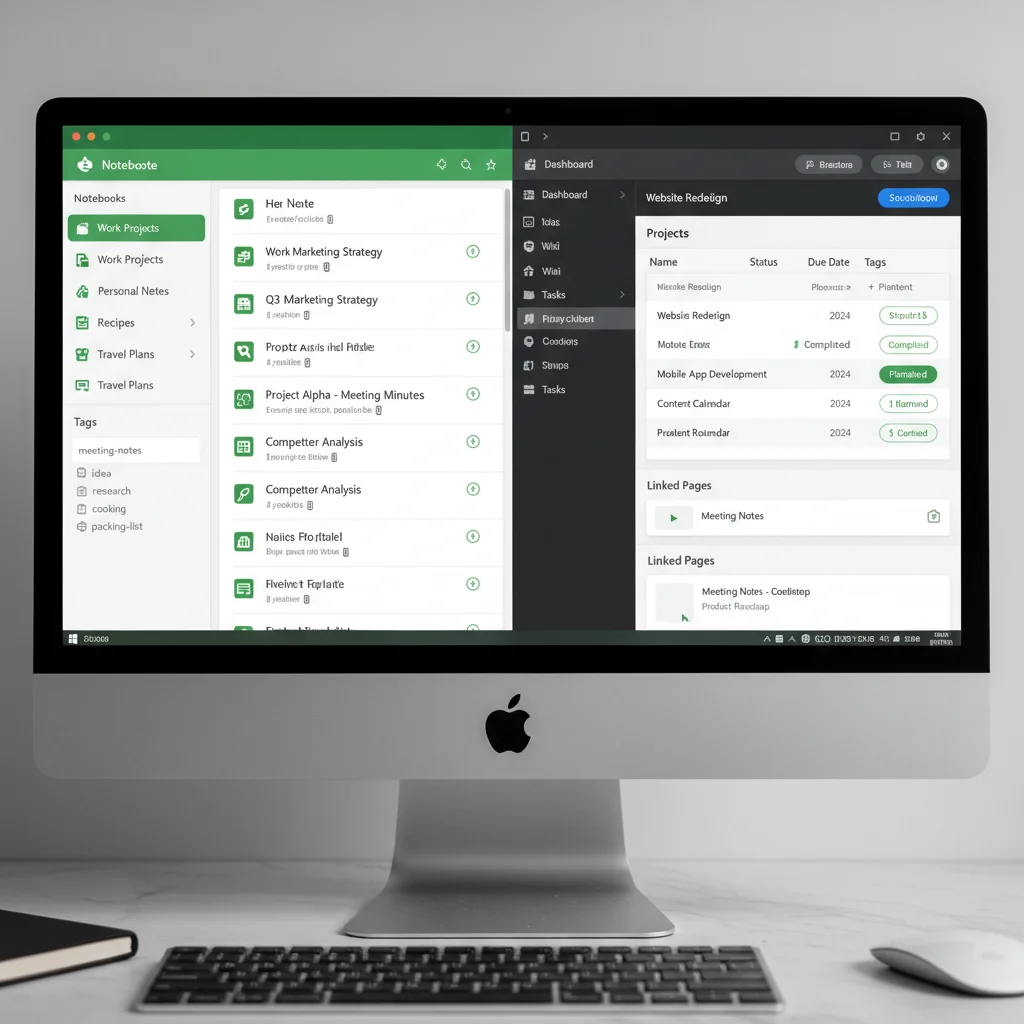
Notion has exploded in popularity, becoming much more than just a note-taking app. It’s a versatile workspace that combines notes, databases, wikis, project management tools, and more into a single, highly customizable platform. Its modular block-based editor allows for unparalleled flexibility, making it a favorite among teams and individuals looking for an integrated solution.
Core Features and Strengths of Notion
- Extreme Versatility: Notion truly shines in its ability to be whatever you need it to be. You can create simple notes, complex databases, project trackers, CRMs, personal wikis, and even entire websites.
- Block-Based Editor: Everything in Notion is a block – text, images, tables, embedded content, code blocks, etc. This modularity allows for incredible customization and organization.
- Powerful Databases: Notion’s databases are incredibly flexible, allowing for different views (table, board, calendar, gallery, list, timeline), custom properties, and relations between databases. This is a game-changer for managing complex information.
- Collaboration Features: Built-in team collaboration, sharing, and commenting make it an excellent choice for teams working on shared projects or knowledge bases.
- Templates and Community: A vast library of community-created templates means you don’t have to start from scratch, and a thriving community offers endless inspiration and support.
Weaknesses and Considerations
- Steep Learning Curve: The sheer power and flexibility of Notion can be overwhelming for new users. It takes time to understand its full potential and customize it to your needs.
- Offline Mode Limitations: While improving, Notion’s offline capabilities have historically been less robust than some dedicated note-taking apps, which can be an issue for users frequently without internet access.
- Performance: For very large workspaces with many linked databases and complex pages, Notion can sometimes experience performance slowdowns.
Who is Notion Best Suited For in 2026?
Notion is ideal for knowledge workers and teams who need an all-encompassing digital workspace. Project managers, product managers, developers, startups, and anyone looking to consolidate multiple tools into one will benefit immensely. If you’re willing to invest time in learning its intricacies, Notion can become the central hub for all your professional and even personal information, making it a standout among note-taking apps 2026 for integrated workflows.
Microsoft OneNote: The Integrated Office Solution
Microsoft OneNote is often overlooked but holds a powerful position, especially for those deeply embedded in the Microsoft ecosystem. It offers a free-form canvas approach to note-taking, resembling a digital binder with sections and pages, and integrates seamlessly with other Microsoft Office applications.
Core Features and Strengths of OneNote
- Free-Form Canvas: Unlike linear documents, OneNote allows you to place text, images, and other media anywhere on a page, mimicking the flexibility of a physical notebook. This is excellent for brainstorming and visual organization.
- Deep Microsoft Integration: For users of Microsoft 365, OneNote’s integration with Outlook, Word, PowerPoint, and Excel is a huge advantage. You can send emails directly to OneNote, embed Office files, and collaborate effortlessly within the Microsoft environment.
- Unlimited Storage (with OneDrive): As part of Microsoft 365, notes are stored on OneDrive, often providing ample storage space for most users.
- Robust Search: Similar to Evernote, OneNote offers strong search capabilities, including text within images and handwritten notes.
- Sketching and Inking: Excellent support for stylus input makes it a top choice for tablet users who prefer to handwrite or sketch diagrams.
- Completely Free (Desktop & Web): The core OneNote application is free for everyone, making it incredibly accessible.
Weaknesses and Considerations
- Inconsistent User Experience: The different versions of OneNote (desktop, web, mobile) sometimes have slightly varying features and interfaces, which can be confusing.
- Less Flexible Databases: While it can handle tables, it lacks the sophisticated database functionalities found in Notion.
- Sharing and Collaboration: While present, sharing and collaboration can sometimes be less intuitive or robust compared to more modern, cloud-native collaboration tools.
Who is OneNote Best Suited For in 2026?
OneNote is the perfect fit for US knowledge workers who are already heavily invested in the Microsoft 365 ecosystem. Students, educators, and professionals in corporate environments that standardize on Microsoft products will find its seamless integration invaluable. If you appreciate a free-form canvas for brainstorming, enjoy sketching, and need a reliable, free note-taking solution that plays well with your existing tools, OneNote stands out among note-taking apps 2026.
Obsidian: The Local-First Knowledge Graph
Obsidian is a relatively newer player that has rapidly gained a cult following, particularly among those who prioritize data ownership, privacy, and building interconnected knowledge graphs. Unlike cloud-based solutions, Obsidian stores notes as plain Markdown files locally on your computer, giving you complete control over your data.
Core Features and Strengths of Obsidian
- Local-First and Plain Markdown: Your notes are stored as simple Markdown files in a local folder, meaning you own your data, and it’s future-proof. You can open them with any text editor.
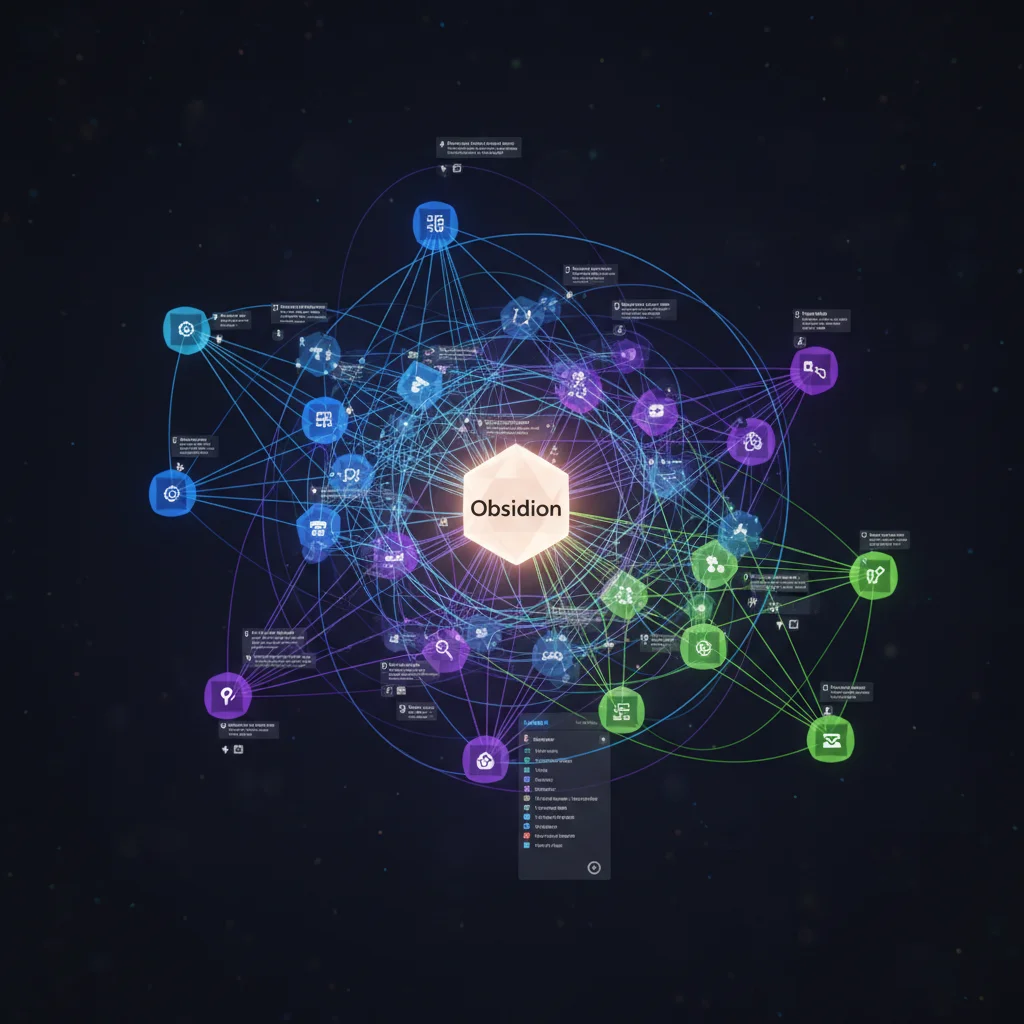
- Bi-directional Linking: This is Obsidian’s killer feature. You can link notes together, and see not only which notes a particular note links to but also which notes link back to it. This creates a powerful ‘knowledge graph’ or ‘second brain.’
- Graph View: A visual representation of all your linked notes, allowing you to see connections and discover insights you might otherwise miss.
- Extensive Plugin Ecosystem: Obsidian is highly customizable through a vast array of community plugins that add features like daily notes, kanban boards, calendar views, spaced repetition, and much more.
- Privacy and Security: Since your notes are local, you have maximum control over their privacy and security.
- No Vendor Lock-in: Because notes are plain text, you’re not locked into a proprietary format or service.
Weaknesses and Considerations
- Learning Curve for Markdown: While Markdown is relatively simple, it’s still a markup language that requires a bit of learning for those unfamiliar.
- No Native Cloud Sync (Paid Add-on or Third-Party): For syncing across devices, you’ll need to use Obsidian Sync (a paid service) or integrate with third-party cloud storage like Dropbox or Google Drive, which requires manual setup.
- Less Collaborative Out-of-the-Box: While plugins exist for sharing, Obsidian isn’t inherently designed for real-time collaborative editing in the same way Notion or OneNote are.
- Focus on Text: While it supports images and embeds, its strength lies in text-based knowledge management and less in rich multimedia capture like Evernote.
Who is Obsidian Best Suited For in 2026?
Obsidian is perfect for knowledge workers who are serious about building a personal knowledge management system, a ‘second brain,’ or a knowledge graph. Academics, writers, researchers, developers, and anyone who thinks in interconnected ideas will find its bi-directional linking and graph view incredibly powerful. If data ownership, privacy, and the ability to customize your note-taking experience extensively are your top priorities, Obsidian is a revolutionary choice among note-taking apps 2026.
Comparative Analysis: Features, Pricing, and Efficiency
To provide a clearer picture, let’s summarize the key differences and how they impact efficiency for US knowledge workers in 2026.
Feature Set Comparison
- Information Capture: Evernote excels with its web clipper and multimedia support. OneNote offers a free-form canvas for diverse inputs. Notion is good for structured data. Obsidian focuses on text and linked ideas.
- Organization: Evernote uses notebooks and tags. Notion offers unparalleled flexibility with databases and linked pages. OneNote uses notebooks, sections, and pages. Obsidian builds a knowledge graph with bi-directional links.
- Collaboration: Notion leads with robust built-in team features. OneNote offers good sharing within the Microsoft ecosystem. Evernote has basic sharing. Obsidian is more geared towards individual knowledge management, though sharing options exist via plugins or exports.
- Customization: Notion and Obsidian are highly customizable, Notion through its block system and databases, Obsidian through its vast plugin ecosystem. Evernote and OneNote offer less in terms of deep customization but are simpler to use out-of-the-box.
- Search: Evernote and OneNote have exceptionally powerful search, including within images and PDFs. Notion’s search is good within its structured data. Obsidian’s search is robust for text and linked notes.
Pricing Models in 2026
- Evernote: Free tier with limitations; paid plans (Personal, Professional) starting around $7.99/month, offering increased storage, device sync, and features.
- Notion: Generous free personal plan; paid plans (Plus, Business, Enterprise) starting around $8/month per member, offering more block storage, guest access, and advanced admin features.
- OneNote: Completely free for desktop, web, and mobile apps. Premium features are tied to a Microsoft 365 subscription, which many knowledge workers already have.
- Obsidian: Free for personal use; paid add-ons like Obsidian Sync ($10/month) and Publish ($20/month) for cloud sync and web publishing.
When evaluating pricing, consider not just the monthly fee but also the value proposition. A free tool like OneNote might be sufficient if you’re already in the Microsoft ecosystem, while a paid Notion plan could replace several other tools, justifying its cost. Obsidian’s core is free, but its most convenient sync method is a paid add-on.
Efficiency and Workflow Integration
The most efficient note-taking apps 2026 are those that seamlessly integrate into your daily workflow, rather than creating additional friction. Consider:
- Learning Curve: Do you have the time to master a complex tool like Notion or Obsidian, or do you need something immediately intuitive like Evernote or OneNote?
- Ecosystem Integration: How well does the app play with your existing tools (email, calendar, project management software)? Microsoft 365 users will gravitate towards OneNote, while those who want an all-in-one hub might prefer Notion.
- Collaboration Needs: Are you primarily working solo, or do you need robust team collaboration features?
- Data Ownership and Privacy: Is it critical for you to have your notes stored locally and in an open format, as offered by Obsidian?
- Mobile Experience: How critical is the mobile app for your workflow? All four offer mobile apps, but their capabilities and user experience can vary.
The 2026 Verdict: Choosing Your Champion
There is no single best note-taking app for all US knowledge workers in 2026. The ideal choice depends entirely on your specific needs, workflow, and priorities. However, based on our analysis, we can offer some tailored recommendations:
- For the Information Hoarder and Researcher: Evernote remains a powerhouse for capturing and finding vast amounts of diverse information. Its web clipper and search are unmatched for quick retrieval.
- For the All-in-One Workspace Seeker and Team Player: Notion is the ultimate customizable hub for notes, tasks, databases, and collaboration. It’s a system builder’s dream.
- For the Microsoft 365 User and Visual Thinker: OneNote offers a robust, free-form digital notebook experience with deep integration into the Microsoft ecosystem, perfect for those who already live in Office apps.
- For the Knowledge Architect and Privacy Advocate: Obsidian is the go-to for building a personal, interconnected knowledge base with complete data ownership and powerful linking capabilities.
Looking Ahead: The Future of Note-Taking
As we move further into 2026 and beyond, the evolution of note-taking apps 2026 will undoubtedly continue. We can anticipate even greater integration with AI for summarization, content generation, and intelligent organization. Real-time collaboration will become even more seamless, and privacy concerns will drive further innovation in local-first and encrypted solutions. The rise of spatial computing and augmented reality might also introduce entirely new paradigms for capturing and interacting with information.
The key takeaway for US knowledge workers is to remain agile and open to exploring new tools. What works today might be surpassed by a more efficient solution tomorrow. Regularly evaluate your workflow, assess your current tools, and don’t be afraid to experiment with new technologies that promise to enhance your productivity and knowledge management capabilities.
Conclusion
In the dynamic professional landscape of 2026, selecting the right note-taking apps 2026 is more crucial than ever. Whether you prioritize robust information capture, an all-encompassing workspace, seamless ecosystem integration, or a powerful personal knowledge graph, Evernote, Notion, OneNote, and Obsidian each offer compelling solutions. By understanding their unique strengths and weaknesses, you can empower yourself to make a choice that significantly boosts your efficiency, creativity, and overall professional success. Invest in your digital brain, and watch your productivity soar.