Combating Mobile Malware: Identifying Top 3 Threats & Removal in 2026

In our increasingly connected world, mobile devices have transcended their role as mere communication tools to become indispensable extensions of our personal and professional lives. From banking and shopping to managing smart homes and accessing sensitive work data, our smartphones and tablets hold a treasure trove of information. This pervasive integration, however, comes with a significant caveat: mobile devices are prime targets for cybercriminals. As we step into early 2026, the landscape of mobile malware is more sophisticated and insidious than ever before. Understanding the evolving threats and knowing how to effectively combat them is no longer optional; it’s a critical component of digital literacy and personal security.
The sheer volume of mobile transactions and data exchanges makes these devices extremely attractive to malicious actors. Unlike traditional desktop computers, mobile phones are often perceived as less vulnerable, leading to a lax attitude towards security practices among many users. This misconception is a dangerous one. Mobile operating systems, while robust, are not impregnable, and the constant development of new malware strains means that vigilance must be a continuous effort.
This comprehensive guide aims to arm you with the knowledge and tools necessary to protect your mobile devices. We will delve deep into the world of Mobile Malware Threats 2026, identifying the top three most prevalent and dangerous types you’re likely to encounter. More importantly, we’ll provide you with practical, actionable steps for both identifying these threats and, crucially, removing them from your device. Our goal is to empower you to navigate the digital world safely, ensuring your personal data remains private and your mobile experience uncompromised.
The Evolving Landscape of Mobile Malware in 2026
The year 2026 brings with it new challenges in mobile cybersecurity. Attackers are leveraging advanced techniques, including AI-driven phishing, sophisticated evasion tactics, and exploits targeting supply chains. The days of simple, easily detectable viruses are largely behind us. Today’s mobile malware is often designed to be stealthy, persistent, and highly effective at bypassing conventional security measures. Moreover, the convergence of IoT devices with mobile ecosystems creates new attack vectors, making the defense perimeter even more complex.
Understanding the adversary is the first step towards effective defense. Cybercriminals are motivated by various factors, including financial gain, espionage, and disruption. Their methods are constantly refined, making it imperative for users to stay informed about the latest threats.
Top 3 Mobile Malware Threats of Early 2026
Based on current trends and projections, three types of mobile malware stand out as particularly dominant and dangerous in early 2026. These threats represent significant risks to user data, privacy, and financial security.
1. Advanced Mobile Ransomware 2.0 (AMR 2.0)
Ransomware is not a new threat, but its mobile incarnation has evolved dramatically. Advanced Mobile Ransomware 2.0 (AMR 2.0) is far more sophisticated than its predecessors. Instead of merely locking your device or encrypting a few files, AMR 2.0 is capable of deep system-level encryption, targeting critical system files and even cloud backups if your device is continuously synced. It often employs polymorphic code to evade detection by traditional antivirus software and can leverage zero-day exploits to gain root access.
How it works: AMR 2.0 typically infiltrates devices through highly convincing phishing attacks (often AI-generated deepfake voice messages or video calls), malicious app downloads, or compromised websites. Once inside, it quickly escalates privileges, encrypts user data, and sometimes even the device’s bootloader, rendering the device completely unusable. The ransom demands are often in untraceable cryptocurrencies, and the attackers may threaten to leak sensitive data if payment is not made within a strict timeframe.
Identification:
- Device Lockout/Encryption: The most obvious sign is an inability to access your device or files, accompanied by a ransom note.
- Unusual Pop-ups: Persistent, unclosable pop-ups demanding payment.
- Performance Degradation: While less common for full-blown encryption, initial stages might show unusual slowdowns.
- Battery Drain: Aggressive encryption processes can consume significant battery life.
2. Sophisticated Mobile Spyware & Data Exfiltration (SMSE)
Sophisticated Mobile Spyware & Data Exfiltration (SMSE) is designed for covert surveillance and data theft. Unlike simpler spyware, SMSE in 2026 is highly modular, often leveraging rootkits to hide its presence deep within the operating system. It can record calls, log keystrokes, access microphones and cameras, track GPS locations, steal banking credentials, and exfiltrate virtually any data stored on the device or accessible through linked accounts. These threats are frequently deployed by state-sponsored actors or sophisticated criminal organizations.
How it works: SMSE often enters devices through targeted spear-phishing campaigns, malicious links in messages, or by exploiting vulnerabilities in legitimate apps or the OS itself. It can also be installed physically if an attacker gains brief access to the device. Once installed, it operates silently in the background, continuously monitoring and transmitting data to command-and-control servers. Its modular nature allows attackers to dynamically load new functionalities or adapt to device security updates.
Identification:
- Excessive Data Usage: Constant data exfiltration leads to unusually high data consumption.
- Rapid Battery Drain: Spyware running continuously consumes significant power.
- Device Overheating: Continuous background processes can cause the device to heat up.
- Unusual Device Behavior: Apps opening unexpectedly, strange sounds during calls, or camera/microphone indicators activating without user input.
- Slow Performance: Resources being consumed by the spyware can lead to a sluggish device.
- Unexplained Charges: Premium SMS charges or unauthorized purchases.
3. AI-Powered Phishing & Credential Harvesters (AIPCH)
While not strictly malware in the traditional sense, AI-Powered Phishing & Credential Harvesters (AIPCH) are the primary vector for delivering other malware and are increasingly sophisticated. In 2026, AI is used to craft highly personalized and contextually relevant phishing messages across various platforms – email, SMS, messaging apps, and even social media. These attacks are designed to trick users into revealing sensitive information (passwords, credit card numbers, OTPs) or downloading malicious payloads.
How it works: AI algorithms analyze publicly available data and past interactions to generate hyper-realistic phishing attempts. This could involve deepfake voice calls impersonating colleagues, highly customized emails mimicking bank alerts, or fake login pages for services you actually use, complete with convincing URLs that are only subtly different from the legitimate ones. Once credentials are stolen, they are often used to access accounts directly or as a stepping stone for further, more damaging attacks like AMR 2.0 or SMSE.
Identification:
- Unusual Sender/Grammar: Even with AI, slight inconsistencies can exist. Always check sender details carefully.
- Urgent or Threatening Language: Phishing often creates a sense of urgency or fear to bypass rational thought.
- Requests for Sensitive Information: Legitimate organizations rarely ask for passwords or full credit card numbers via email/SMS.
- Suspicious Links: Hover over links (or long-press on mobile) to see the actual URL before clicking. Look for discrepancies.
- Deepfake Anomalies: While advanced, deepfakes can sometimes have subtle visual or audio glitches.
- Mismatched Information: If a message references an account or transaction you don’t recognize.
Practical Steps for Identifying Mobile Malware
Early detection is key to mitigating the damage caused by mobile malware. By being aware of the common symptoms, you can act swiftly. Here’s a detailed approach to identifying potential infections:
1. Monitor Performance & Battery Life
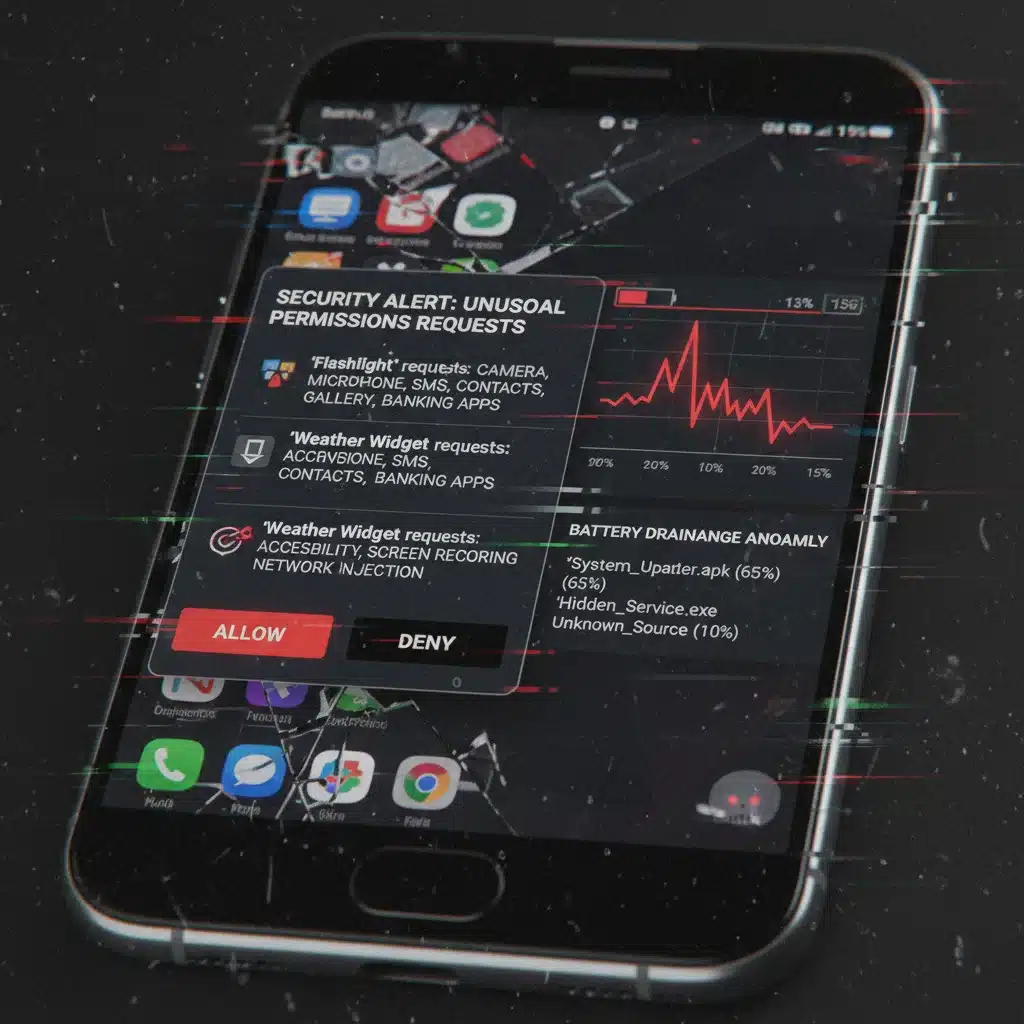
A sudden and significant decrease in battery life or a noticeable slowdown in device performance are major red flags. Malicious apps often run continuously in the background, consuming CPU cycles and draining power. Check your battery usage statistics (Settings > Battery) to see which apps are consuming the most power. If an app you rarely use or don’t recognize is at the top of the list, it warrants investigation.
2. Check Data Usage
Malware, especially spyware and data exfiltration tools, constantly communicates with remote servers to send stolen data or receive commands. This activity will manifest as unusually high mobile data usage. Go to your device settings (Settings > Network & Internet > Data usage on Android; Settings > Cellular > Cellular Data on iOS) and review the data consumption by individual apps. Any app showing excessive data usage without a clear reason is suspicious.
3. Review App Permissions
Many malicious apps trick users into granting excessive permissions during installation. Regularly review the permissions granted to your apps. If a flashlight app asks for access to your contacts, microphone, or SMS, that’s highly suspicious. On Android, go to Settings > Apps > [App Name] > Permissions. On iOS, go to Settings > Privacy & Security > [Permission Type, e.g., Microphone, Camera]. Revoke unnecessary permissions.
4. Look for Unfamiliar Apps or Settings Changes
Malware can sometimes install new apps without your knowledge or alter system settings. Regularly scroll through your app drawer and home screens. If you see an app you don’t recognize, do not open it. Also, check your browser homepage, default search engine, and system settings for any unauthorized changes.
5. Observe Unusual Pop-ups or Ads
While some legitimate apps display ads, a sudden influx of aggressive pop-up advertisements, especially when using apps that normally don’t show them, can indicate adware or other malware. These often lead to malicious websites or further infections.
6. Monitor for Suspicious Calls/Texts
If your contacts report receiving strange messages or calls from your number that you didn’t send, your device might be compromised. This could indicate a botnet or a spyware attempting to spread itself.
7. Device Overheating
Excessive background processing by malware can cause your device to become unusually warm, even when not in heavy use. While some heating is normal, persistent and significant overheating is a symptom to watch for.
Practical Steps for Mobile Malware Removal
Once you suspect or confirm a malware infection, swift and systematic action is crucial. The removal process can vary slightly between Android and iOS, but the core principles remain the same.
General First Steps (Android & iOS)
- Disconnect from the Internet: Immediately turn off Wi-Fi and mobile data. This prevents the malware from communicating with its command-and-control servers, exfiltrating more data, or receiving further instructions.
- Backup Essential Data (If Possible): If you suspect the malware hasn’t yet encrypted or corrupted your data, try to back up essential files (photos, documents) to a cloud service or an external drive. Use a different device to access the backup. Be cautious not to back up malicious apps.
- Boot into Safe Mode (Android) / Force Restart (iOS):
- Android: Power off your device. Press and hold the power button, then when the manufacturer logo appears, release the power button and immediately press and hold the volume down button. Keep holding it until the device boots into Safe Mode (you’ll see ‘Safe Mode’ at the bottom of the screen). Safe Mode loads only essential system apps, often disabling third-party malware.
- iOS: There isn’t a ‘Safe Mode’ equivalent for malware removal on iOS in the same way as Android. Forcing a restart (holding power and volume down until the Apple logo appears) can sometimes temporarily halt malicious processes, but it won’t prevent them from restarting.
Malware Removal Steps for Android
- Identify and Uninstall Malicious Apps:
- In Safe Mode, go to Settings > Apps > See all apps.
- Look for any suspicious apps you don’t recognize, especially those with generic names or unusual icons, or apps that were installed just before the symptoms appeared.
- If an app won’t uninstall, it might have Device Administrator privileges. Go to Settings > Security > Device admin apps (or similar, path varies by Android version) and deactivate the malicious app’s admin rights before attempting to uninstall again.
- Uninstall all suspicious apps.
- Clear Cache and Data for Suspicious Apps: Even if you can’t uninstall, clearing cache and data can sometimes disrupt malware activity.
- Run a Reputable Mobile Antivirus Scan: Once you’ve uninstalled suspicious apps, exit Safe Mode and install a trusted mobile antivirus application (e.g., Bitdefender, Norton, ESET, Avast). Run a full system scan to detect and remove any remnants or other hidden threats.
- Change All Passwords: Assume any passwords stored on or accessed by your device have been compromised. Change all critical passwords (email, banking, social media) from a clean, secure device.
- Review and Revoke Permissions: As mentioned in identification, review all app permissions and revoke any that are excessive or suspicious.
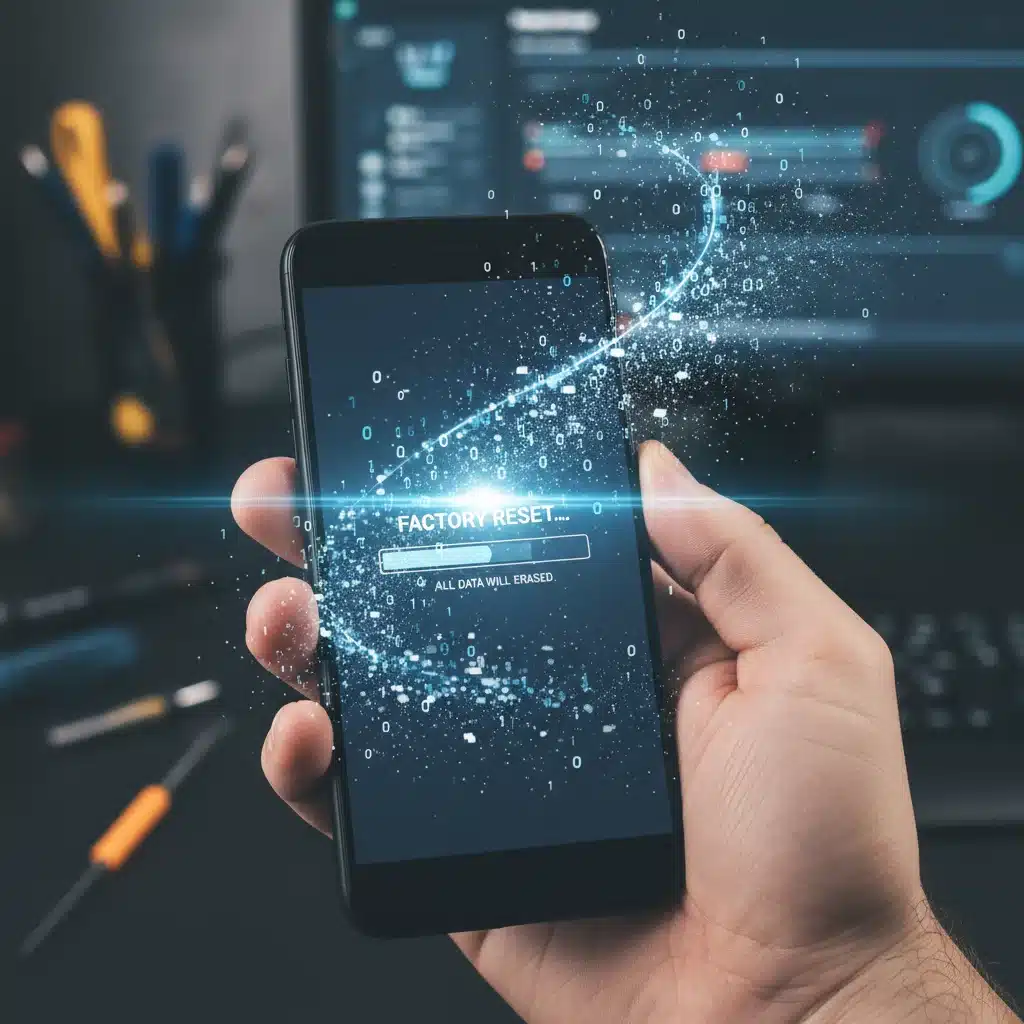
- Factory Reset (Last Resort): If all else fails, or if the malware has deeply embedded itself (especially with AMR 2.0 or SMSE), a factory reset is often the most effective solution. This will wipe all data from your device, returning it to its factory state. Make sure you have backed up essential data first. Go to Settings > System > Reset options > Erase all data (factory reset).
Malware Removal Steps for iOS
While iOS is generally more secure due to its sandboxing and strict app review process, it’s not immune, especially from sophisticated threats like SMSE or through jailbreaking.
- Uninstall Suspicious Apps: If you suspect a specific app is malicious, long-press its icon until it jiggles, then tap the ‘X’ to delete it.
- Clear Safari Website Data: Go to Settings > Safari > Clear History and Website Data. This can remove malicious scripts or persistent cookies from compromised websites.
- Review App Permissions & Location Services: Go to Settings > Privacy & Security and review access granted to photos, microphone, camera, contacts, and location services. Revoke anything suspicious.
- Check for Configuration Profiles: Malicious profiles can alter device settings. Go to Settings > General > VPN & Device Management. If you see any profiles you didn’t install, remove them.
- Update iOS: Ensure your device runs the latest iOS version. Updates often include critical security patches.
- Change All Passwords: As with Android, assume all passwords accessed on the device are compromised and change them from a secure machine.
- Restore from a Clean Backup / Factory Reset:
- Restore from a Clean Backup: If you have an iCloud or iTunes backup from before the infection, restoring from that might resolve the issue. Ensure the backup itself is clean.
- Factory Reset: If no clean backup is available or the issue persists, a factory reset is the safest option. Go to Settings > General > Transfer or Reset iPhone > Erase All Content and Settings.
Prevention: Your Best Defense Against Mobile Malware Threats 2026
While knowing how to remove malware is vital, preventing infection in the first place is always the preferred strategy. Here are essential best practices for maintaining mobile security:
1. Keep Your OS and Apps Updated
Software updates often contain critical security patches that close vulnerabilities exploited by malware. Enable automatic updates for your operating system and all installed applications.
2. Download Apps Only from Official Stores
Stick to the Google Play Store for Android and the Apple App Store for iOS. These stores have review processes that help filter out malicious applications, though some still slip through.
3. Be Wary of Phishing Attempts
Exercise extreme caution with unsolicited messages, emails, or calls. Never click on suspicious links or download attachments from unknown senders. Verify the sender’s identity through an alternative, trusted channel if you’re unsure. Remember the sophistication of AIPCH.
4. Review App Permissions Carefully
Before installing an app, review the permissions it requests. If a flashlight app asks for access to your contacts or SMS, it’s a red flag. Only grant necessary permissions.
5. Use a Strong, Unique Passcode/Biometrics
Secure your device with a strong passcode, fingerprint, or facial recognition. This prevents unauthorized physical access to your device.
6. Enable Two-Factor Authentication (2FA)
Enable 2FA on all your important accounts (email, banking, social media). Even if your password is stolen, 2FA adds an extra layer of security.
7. Use a Reputable Mobile Security Solution
Consider installing a trusted mobile antivirus or security suite. These tools can offer real-time protection, scan for malware, and provide safe browsing features. Research and choose a well-regarded provider.
8. Be Cautious with Public Wi-Fi
Avoid accessing sensitive information (banking, online shopping) over unsecured public Wi-Fi networks, as they can be vulnerable to eavesdropping. Use a VPN if you must use public Wi-Fi.
9. Regularly Backup Your Data
Frequent backups ensure that even if your device is compromised beyond recovery, your valuable data can be restored to a new device.
10. Avoid Jailbreaking/Rooting
Jailbreaking (iOS) or rooting (Android) bypasses built-in security features, making your device significantly more vulnerable to malware and exploits.
Conclusion: Staying Secure in the Face of Evolving Mobile Malware Threats 2026
The mobile landscape in early 2026 is characterized by increasingly sophisticated and stealthy malware. Threats like Advanced Mobile Ransomware 2.0, Sophisticated Mobile Spyware & Data Exfiltration, and AI-Powered Phishing & Credential Harvesters demand a proactive and informed approach to mobile security. By understanding these top threats, recognizing the signs of infection, and following the practical removal steps outlined in this guide, you can significantly enhance your device’s security posture.
However, the best defense is always prevention. Adopting strong security habits – keeping software updated, being vigilant against phishing, reviewing app permissions, and using reputable security tools – will provide the strongest shield against the dynamic world of Mobile Malware Threats 2026. Your mobile device is a powerful tool; ensure it remains a safe and secure one.