Mastering Hybrid Work: Essential Productivity Tools for US Teams in 2026

Mastering Hybrid Work: Essential Productivity Tools for US Teams in 2026
The landscape of work has irrevocably shifted, and by 2026, hybrid models are not just an option but a strategic imperative for many organizations across the United States. Navigating this evolving digital workspace effectively demands more than just a blend of in-office and remote presence; it requires a robust ecosystem of hybrid work tools that empower seamless collaboration, foster clear communication, and maintain high levels of productivity. This comprehensive guide delves into the essential tools and strategies that US teams need to not only survive but thrive in the hybrid work environment of tomorrow.
The move towards hybrid work, accelerated by global events, has presented both unprecedented challenges and remarkable opportunities. Companies that successfully implement hybrid models often report increased employee satisfaction, reduced operational costs, and access to a wider talent pool. However, these benefits are only fully realized when the right technological infrastructure is in place. Without the proper hybrid work tools, teams can face communication breakdowns, project delays, and a sense of disconnect that undermines morale and efficiency. This article aims to provide a definitive roadmap for US businesses seeking to optimize their hybrid operations in 2026.
The Evolution of Hybrid Work in the US
Before diving into specific hybrid work tools, it’s crucial to understand the trajectory of hybrid work itself. In the US, the initial reactive shift to remote work has matured into a more deliberate, strategic adoption of hybrid models. This means that while some employees might spend a few days a week in the office, others might be fully remote, and the composition can change based on roles, projects, and individual preferences. This fluidity necessitates tools that are equally flexible and adaptable.
Key trends influencing hybrid work in the US include:
- Increased Employee Demand for Flexibility: A significant portion of the workforce now expects flexibility in where and how they work. Companies that don’t offer hybrid options risk losing top talent.
- Technological Advancements: The rapid evolution of cloud computing, AI-powered assistants, and advanced collaboration platforms has made hybrid work more feasible and efficient than ever before.
- Focus on Outcomes, Not Hours: There’s a growing emphasis on measuring productivity by results rather than time spent in an office chair, pushing for tools that track progress and facilitate asynchronous work.
- Geographic Diversity: Hybrid models allow companies to hire talent from across the nation, breaking down traditional geographical barriers and fostering more diverse teams.
Understanding these trends helps frame the discussion around why specific hybrid work tools are becoming indispensable for US organizations aiming for sustained success.
Category 1: Communication and Collaboration Hubs
Effective communication is the cornerstone of any successful team, and in a hybrid environment, it becomes even more critical. Dispersed teams need centralized platforms that can handle instant messaging, video conferencing, file sharing, and even project-specific channels. These hybrid work tools are designed to replicate and often enhance the spontaneous interactions and structured discussions that occur in a traditional office setting.
1.1. Unified Communication Platforms: The Digital Watercooler
These platforms serve as the central nervous system for hybrid teams. They integrate various communication modalities into a single interface, ensuring that team members, regardless of their location, can stay connected and informed.
- Slack: Still a dominant player, Slack excels in channel-based communication, allowing teams to organize conversations by project, department, or topic. Its extensive integration capabilities with other business applications make it a powerful hub for many teams. For US businesses, Slack’s widespread adoption means many employees are already familiar with its interface, easing onboarding.
- Microsoft Teams: A strong contender, especially for organizations already invested in the Microsoft ecosystem. Teams offers robust video conferencing, chat, file sharing (integrated with SharePoint and OneDrive), and deep integration with Office 365 applications. Its ability to create dedicated team spaces and host virtual meetings with advanced features makes it an indispensable hybrid work tool for many.
- Google Workspace (formerly G Suite): Combining Gmail, Chat, Meet, Drive, Docs, Sheets, and Slides, Google Workspace provides a comprehensive suite of cloud-native tools. Its ease of use, real-time collaboration features, and strong search capabilities make it ideal for teams that prioritize cloud-based productivity and seamless document co-creation.
1.2. Advanced Video Conferencing Solutions: Beyond Basic Calls
While integrated into many communication hubs, dedicated video conferencing tools often offer more advanced features for larger meetings, webinars, and more formal presentations.
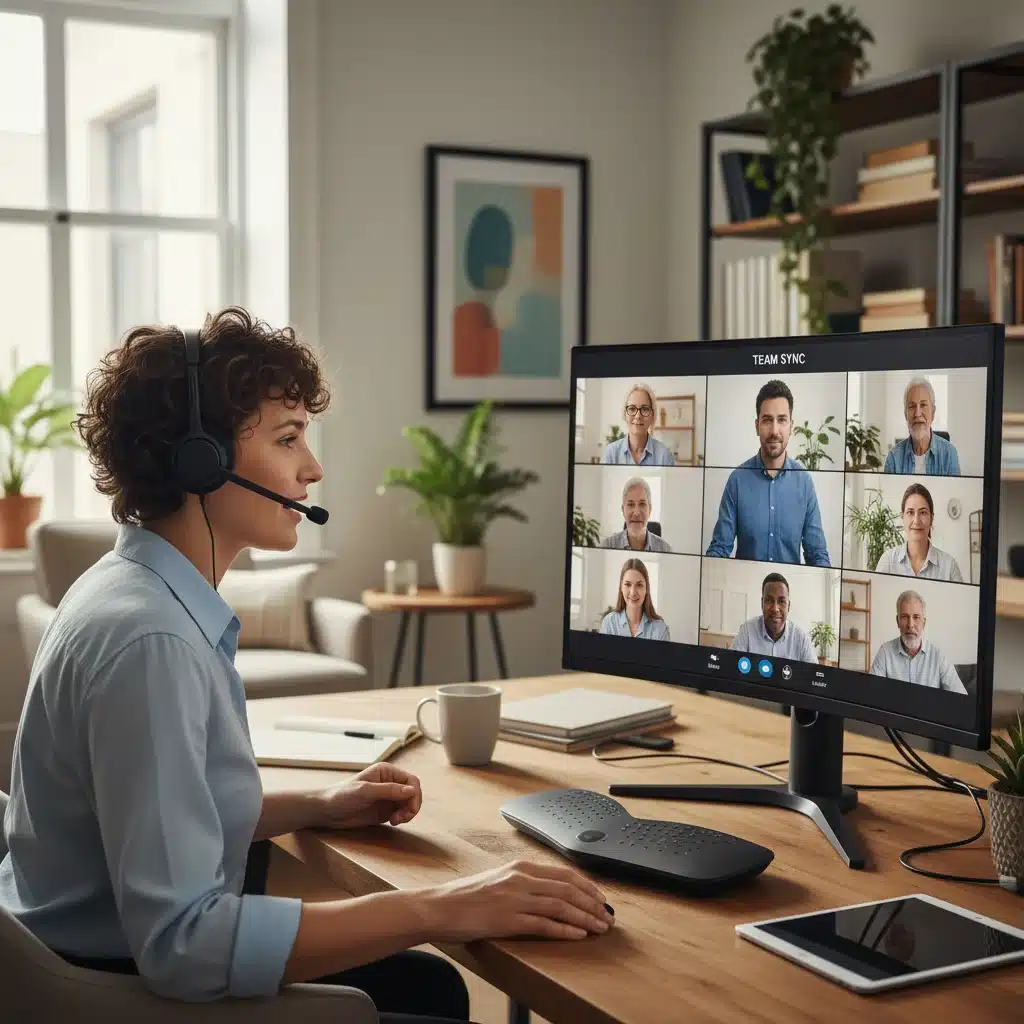
- Zoom: Continues to be a leader for its reliability, ease of use, and advanced features like breakout rooms, virtual backgrounds, and robust webinar capabilities. For hybrid teams, Zoom Rooms (dedicated conference room systems) bridge the gap between in-person and remote participants seamlessly.
- Cisco Webex: Offering enterprise-grade security and advanced features, Webex is a strong choice for organizations with strict compliance requirements. Its integration with physical meeting room hardware and AI-powered meeting assistants makes it a sophisticated option for complex hybrid setups.
Category 2: Project Management and Workflow Optimization
Managing projects with a distributed workforce requires clarity, transparency, and efficient task tracking. Hybrid work tools in this category ensure everyone knows their responsibilities, deadlines are met, and progress is visible to all stakeholders, irrespective of their physical location.
2.1. Task and Project Tracking Platforms: Keeping Everyone on Track
These tools provide a centralized source of truth for all project-related activities, helping teams visualize workflows and manage dependencies.
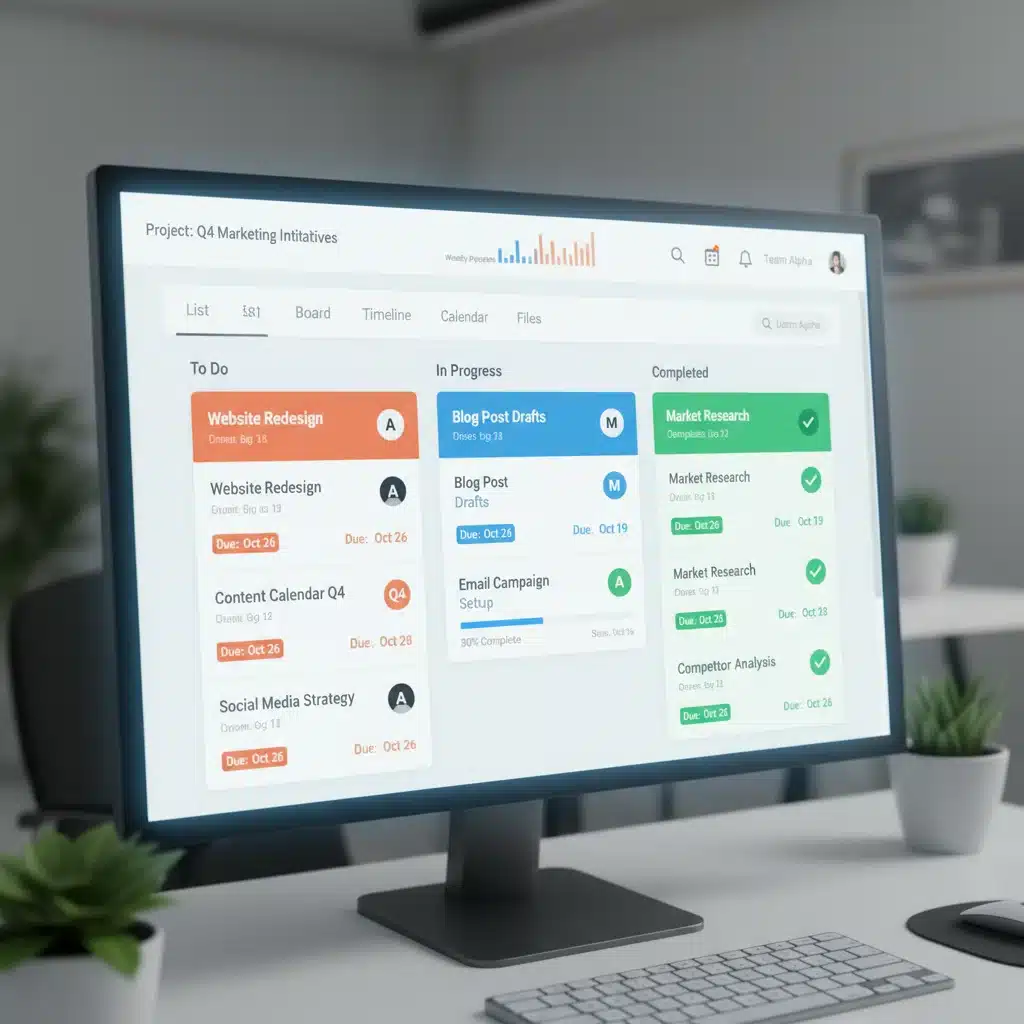
- Asana: Known for its intuitive interface and flexible project views (list, board, timeline, calendar), Asana is excellent for managing diverse projects, from marketing campaigns to product launches. Its ability to assign tasks, set deadlines, and track progress makes it a core hybrid work tool for many US businesses.
- Monday.com: Offering highly customizable visual dashboards, Monday.com is a versatile platform for managing projects, workflows, and operations. Its drag-and-drop interface and extensive template library allow teams to adapt it to almost any use case, making it a favorite for visual learners.
- Jira: While traditionally favored by software development teams for agile project management, Jira’s capabilities extend to various business functions. Its robust issue tracking, customizable workflows, and integration with development tools make it suitable for complex projects requiring detailed oversight.
- Trello: For simpler projects or teams adopting Kanban methodologies, Trello’s board-based system (cards, lists, boards) offers a straightforward way to visualize tasks and progress. It’s highly accessible and easy to learn, making it a good entry-level project management tool.
2.2. Workflow Automation Tools: Streamlining Repetitive Tasks
Automation is key to boosting productivity in any work setting, but especially in hybrid environments where manual handoffs can become bottlenecks. These hybrid work tools reduce administrative burden and ensure consistent processes.
- Zapier: Connects thousands of web applications, allowing users to automate workflows between them without coding. For example, a new email attachment can automatically be saved to a cloud storage service and trigger a notification in a communication channel. This is invaluable for streamlining cross-platform processes in a hybrid setup.
- Microsoft Power Automate: Similar to Zapier but deeply integrated within the Microsoft ecosystem, Power Automate allows users to create automated workflows between apps and services. It’s particularly powerful for organizations leveraging SharePoint, Dynamics 365, and other Microsoft products.
Category 3: Document Management and Cloud Storage
Accessing, sharing, and co-editing documents securely and efficiently is paramount for hybrid teams. Cloud-based solutions eliminate the need for physical servers and ensure that everyone always works on the latest version of a document, regardless of their location. These hybrid work tools form the backbone of a truly agile digital workspace.
3.1. Cloud Storage and File Sharing: Universal Access
Reliable cloud storage is non-negotiable for hybrid teams, providing a central repository for all company files.
- Google Drive: Offers generous storage, robust search capabilities, and seamless integration with Google Workspace applications for real-time collaborative editing. Its shareable links and permission controls make it easy to manage access.
- Microsoft OneDrive/SharePoint: OneDrive provides personal cloud storage, while SharePoint is designed for team and organizational file management, offering advanced collaboration features, version control, and compliance capabilities. Essential for teams using Microsoft 365.
- Dropbox Business: A popular choice for its simplicity, fast syncing, and strong security features. Dropbox offers intuitive file sharing and collaboration tools, making it easy for teams to work on shared documents.
3.2. Collaborative Document Editing: Real-time Co-creation
Moving beyond simple file sharing, these tools enable multiple team members to work on the same document simultaneously, enhancing efficiency and reducing version control issues.
- Google Docs/Sheets/Slides: The gold standard for real-time collaborative editing, allowing multiple users to edit documents, spreadsheets, and presentations simultaneously, with changes instantly visible to all.
- Microsoft Office Online (Word, Excel, PowerPoint): Offers web-based versions of popular Office applications with real-time co-authoring capabilities, especially effective when integrated with OneDrive or SharePoint.
Category 4: Employee Engagement and Well-being
In a hybrid setup, maintaining team cohesion, fostering a positive company culture, and supporting employee well-being can be challenging. Hybrid work tools in this category aim to bridge the physical distance and ensure that employees feel connected, valued, and supported.
4.1. Employee Experience Platforms: Building Connection
These platforms help foster a sense of community and provide resources for employees.
- Culture Amp: Focuses on employee feedback, engagement surveys, and performance management. It helps organizations understand employee sentiment and identify areas for improvement, crucial for adapting to the needs of a hybrid workforce.
- Glint (LinkedIn): Provides real-time employee feedback and analytics, helping leaders understand engagement levels and take action to improve the employee experience. This is vital for retaining talent in a flexible work environment.
4.2. Virtual Whiteboards and Brainstorming Tools: Sparking Creativity Remotely
Replicating the spontaneous brainstorming sessions of an in-person meeting requires specialized tools that allow for visual collaboration.
- Miro: A highly versatile online collaborative whiteboard platform that allows teams to brainstorm, map out ideas, design workflows, and conduct workshops remotely. Its vast template library and integration capabilities make it an excellent hybrid work tool for creative problem-solving.
- Mural: Similar to Miro, Mural offers a digital workspace for visual collaboration, designed for remote and hybrid teams. It provides features for agile ceremonies, design thinking, and strategic planning, fostering engaging virtual sessions.
Category 5: Security and Compliance
With data being accessed from various locations and devices, robust security measures are more critical than ever. Hybrid work tools must be selected with a strong emphasis on data protection and regulatory compliance, especially for US businesses dealing with sensitive information.
5.1. Identity and Access Management (IAM): Securing Endpoints
IAM solutions ensure that only authorized users can access company resources, regardless of where they are working from.
- Okta: Provides single sign-on (SSO), multi-factor authentication (MFA), and lifecycle management, securing access to applications and data for a distributed workforce.
- Microsoft Azure Active Directory: Offers comprehensive identity and access management for cloud and on-premises resources, integrating seamlessly with Microsoft 365 and Azure services.
5.2. Endpoint Security and VPNs: Protecting Devices and Networks
Protecting devices used by remote and hybrid employees from cyber threats is paramount.
- VPN Services (e.g., NordLayer, ExpressVPN for Business): Create secure, encrypted connections over public networks, protecting data in transit for remote workers accessing company resources.
- Endpoint Detection and Response (EDR) Solutions (e.g., CrowdStrike, SentinelOne): Provide advanced threat detection, prevention, and response capabilities for laptops, desktops, and mobile devices, crucial for securing a distributed IT environment.
Implementing Hybrid Work Tools: Best Practices for US Businesses
Simply adopting a suite of hybrid work tools is not enough. Successful implementation requires careful planning, thoughtful execution, and continuous optimization. Here are some best practices for US organizations:
6.1. Assess Your Current Needs and Infrastructure
Before investing in new tools, conduct a thorough assessment of your existing technology stack, team workflows, and specific challenges. What are your communication gaps? Where are the bottlenecks in your project management? Understanding these will guide your tool selection.
6.2. Prioritize Integration and Interoperability
The most effective hybrid work tools don’t operate in silos. Look for platforms that integrate seamlessly with each other, creating a cohesive digital ecosystem. This reduces context switching, improves data flow, and enhances overall efficiency.
6.3. Provide Comprehensive Training and Support
New tools, no matter how intuitive, require proper training. Develop clear guides, conduct workshops, and offer ongoing support to ensure all employees are comfortable and proficient with the new platforms. This is particularly important for diverse teams with varying levels of tech literacy.
6.4. Foster a Culture of Digital Etiquette
Establish clear guidelines for using communication and collaboration tools. When should an email be used versus an instant message? What are the expectations for video call participation? Defining digital etiquette helps prevent communication overload and ensures respectful interactions.
6.5. Gather Feedback and Iterate
The hybrid work environment is dynamic. Regularly solicit feedback from employees on the effectiveness of the tools and processes. Be prepared to make adjustments, explore new features, or even switch tools if they are not meeting the team’s needs. Continuous improvement is key.
6.6. Emphasize Security and Data Privacy
With increased reliance on cloud services and remote access, reinforce security best practices among employees. Implement strong password policies, multi-factor authentication, and regular security awareness training. Ensure all chosen hybrid work tools comply with relevant data privacy regulations (e.g., CCPA, HIPAA where applicable).
The Future of Hybrid Work and Tool Adaptation
As we look towards 2026 and beyond, the landscape of hybrid work tools will continue to evolve. Artificial intelligence (AI) and machine learning (ML) are set to play an even larger role, offering features like:
- AI-powered meeting summaries: Automatically generating recaps and action items from virtual meetings.
- Predictive analytics for project management: Identifying potential delays or resource shortages before they become critical.
- Personalized productivity insights: Helping individuals optimize their work habits based on data.
- Enhanced virtual reality (VR) and augmented reality (AR) collaboration: Creating more immersive and interactive virtual meeting spaces.
US businesses that stay abreast of these technological advancements and proactively integrate them into their hybrid work strategies will be best positioned for long-term success. The key is to view technology not just as a solution, but as an enabler for a more flexible, efficient, and human-centric work experience.
Conclusion: Building a Resilient Hybrid Workspace
The journey to mastering hybrid work in 2026 is an ongoing one, requiring continuous adaptation and a strategic approach to technology. By carefully selecting and thoughtfully implementing the right hybrid work tools, US teams can overcome the challenges of distributed work and unlock new levels of productivity, collaboration, and employee satisfaction.
From robust communication platforms like Microsoft Teams and Slack, to agile project management solutions like Asana and Monday.com, to secure cloud storage with Google Drive and SharePoint, the options are vast. The ultimate goal is to create a seamless digital workspace where every team member feels connected, empowered, and able to contribute their best work, regardless of where they are located. Investing in these essential tools is not just an expense; it’s an investment in the future resilience and success of your organization in the dynamic US business landscape.