Top Collaboration Platforms 2026: Remote & Hybrid US Teams

In the rapidly evolving landscape of modern work, the ability to collaborate effectively is no longer a luxury but a fundamental necessity. As we move further into 2026, the distinctions between traditional office environments, fully remote setups, and hybrid models continue to blur. US businesses, in particular, are at the forefront of adopting flexible work arrangements, making the choice of the right collaboration platform more critical than ever. This comprehensive guide dives deep into the premier Collaboration Platforms 2026, offering a detailed comparison tailored for US remote and hybrid teams.
The past few years have accelerated digital transformation at an unprecedented pace. What was once considered a niche solution for tech startups has now become standard operating procedure for companies across all sectors. From small businesses striving for agility to large enterprises managing distributed workforces, the demand for robust, intuitive, and secure collaboration tools has skyrocketed. Our aim is to provide you with the insights needed to navigate this complex market and select a platform that not only meets your current needs but also scales with your future growth.
Choosing the ideal collaboration platform involves more than just picking the most popular name. It requires a thorough understanding of your team’s specific workflows, communication styles, security requirements, and budget constraints. This article will break down the key players in the market, analyze their strengths and weaknesses, and offer practical advice to help you make an informed decision. We’ll explore everything from real-time communication and project management to document sharing and integrations, ensuring you have a holistic view of what each platform brings to the table.
The Shifting Paradigm: Why Collaboration Platforms are Essential for US Teams in 2026
The workforce of 2026 is characterized by flexibility and geographical diversity. US companies are increasingly embracing remote and hybrid models, recognizing the benefits of expanded talent pools, reduced overheads, and improved employee satisfaction. However, these benefits come with challenges, primarily maintaining cohesion, fostering a strong company culture, and ensuring seamless communication and productivity across dispersed teams.
This is precisely where advanced Collaboration Platforms 2026 step in. They act as the digital glue that holds teams together, providing a centralized hub for all work-related activities. Without a well-chosen platform, businesses risk communication silos, duplicated efforts, missed deadlines, and a general decline in morale and efficiency. The right platform, conversely, can empower teams to achieve more, innovate faster, and stay connected regardless of their physical location.
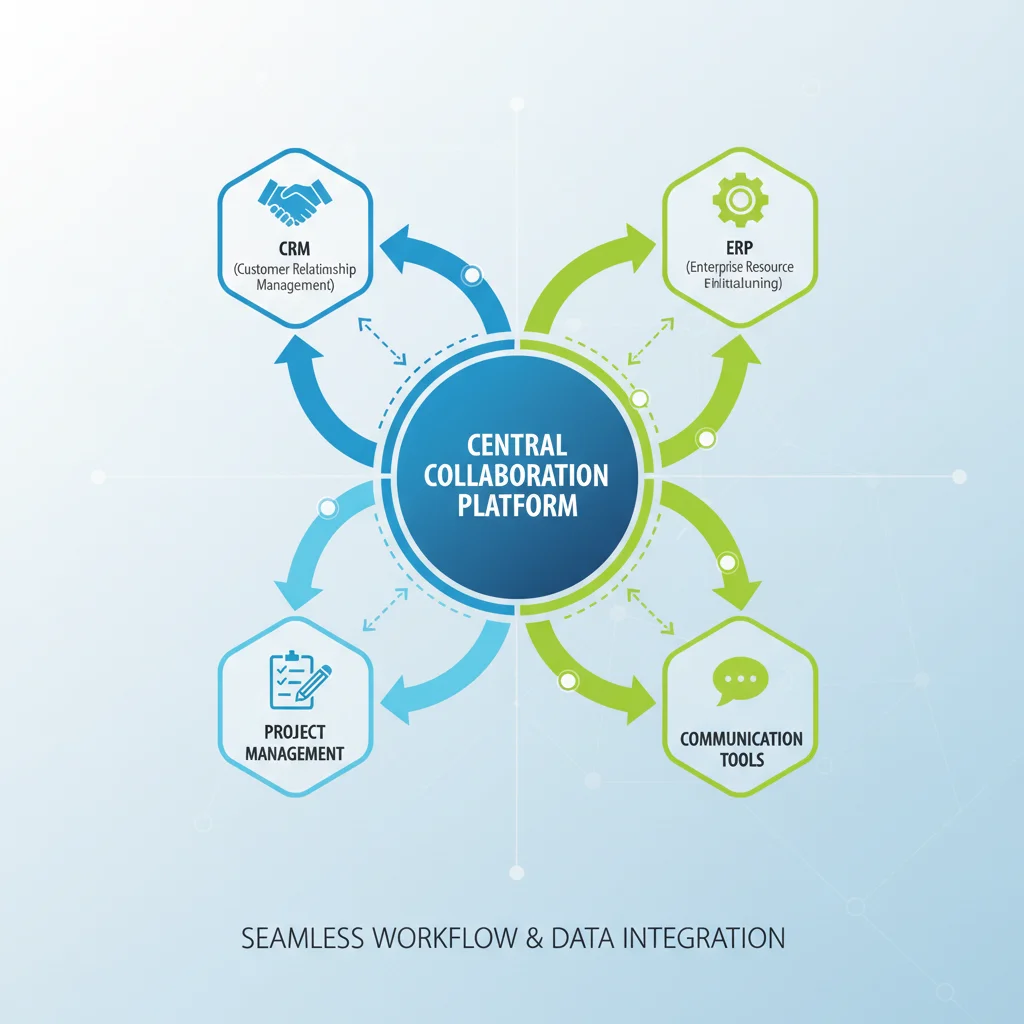
For US-based organizations, compliance with data privacy regulations, robust security features, and reliable uptime are paramount. The platforms we will examine prioritize these aspects, offering solutions that are not only powerful but also trustworthy. Furthermore, the ability to integrate with existing business tools – such as CRM systems, HR software, and enterprise resource planning (ERP) platforms – is a non-negotiable for many, streamlining workflows and preventing context switching.
Understanding these foundational needs is the first step in identifying the platform that will truly transform your team’s collaborative capabilities. Let’s delve into the features that define a leading collaboration tool in today’s environment.
Key Features to Look for in Collaboration Platforms for 2026
When evaluating Collaboration Platforms 2026, it’s crucial to consider a comprehensive set of features that address the multifaceted needs of modern teams. Here are the core functionalities that should be at the top of your checklist:
Real-time Communication Tools
- Instant Messaging: Essential for quick queries, informal discussions, and team announcements. Look for channels, direct messages, and threaded conversations.
- Video Conferencing: High-quality video and audio are non-negotiable for virtual meetings. Features like screen sharing, virtual backgrounds, recording, and breakout rooms enhance meeting effectiveness.
- Voice Calls: Integrated voice calling capabilities can simplify internal communication, reducing reliance on external phone services.
Project Management & Task Tracking
- Task Assignment & Tracking: The ability to assign tasks, set deadlines, and monitor progress is fundamental.
- Project Workflows: Support for various methodologies like Kanban boards, Gantt charts, or simple to-do lists.
- File Sharing & Version Control: Securely share documents, spreadsheets, and presentations, with robust version control to prevent data loss and ensure everyone works on the latest iteration.
Document Collaboration
- Co-editing: Multiple users should be able to edit the same document simultaneously, with changes updated in real-time.
- Commenting & Feedback: Tools for providing contextual feedback and resolving comments efficiently.
- Centralized Storage: A secure, cloud-based repository for all team documents, accessible from anywhere.
Integrations & Extensibility
- Third-Party App Integration: Seamless connectivity with other essential business applications (e.g., CRM, calendar, email, design tools).
- APIs & Webhooks: For custom integrations and automation, allowing the platform to fit into your unique tech stack.
Security & Compliance
- Data Encryption: End-to-end encryption for data in transit and at rest.
- Access Controls: Granular permissions and role-based access to ensure sensitive information is protected.
- Compliance Standards: Adherence to relevant industry standards and regulations (e.g., GDPR, HIPAA, SOC 2 for US businesses).
- Two-Factor Authentication (2FA): An essential layer of security for user accounts.
User Experience & Scalability
- Intuitive Interface: An easy-to-use platform reduces the learning curve and encourages adoption.
- Mobile Accessibility: Robust mobile apps are crucial for employees working on the go or from different devices.
- Scalability: The platform should be able to grow with your team, accommodating more users and increasing data volumes without performance degradation.
Top Collaboration Platforms for US Remote & Hybrid Teams in 2026: A Deep Dive
Now, let’s explore the leading Collaboration Platforms 2026 that are dominating the US market, examining their unique strengths, target audiences, and key offerings.
1. Microsoft Teams
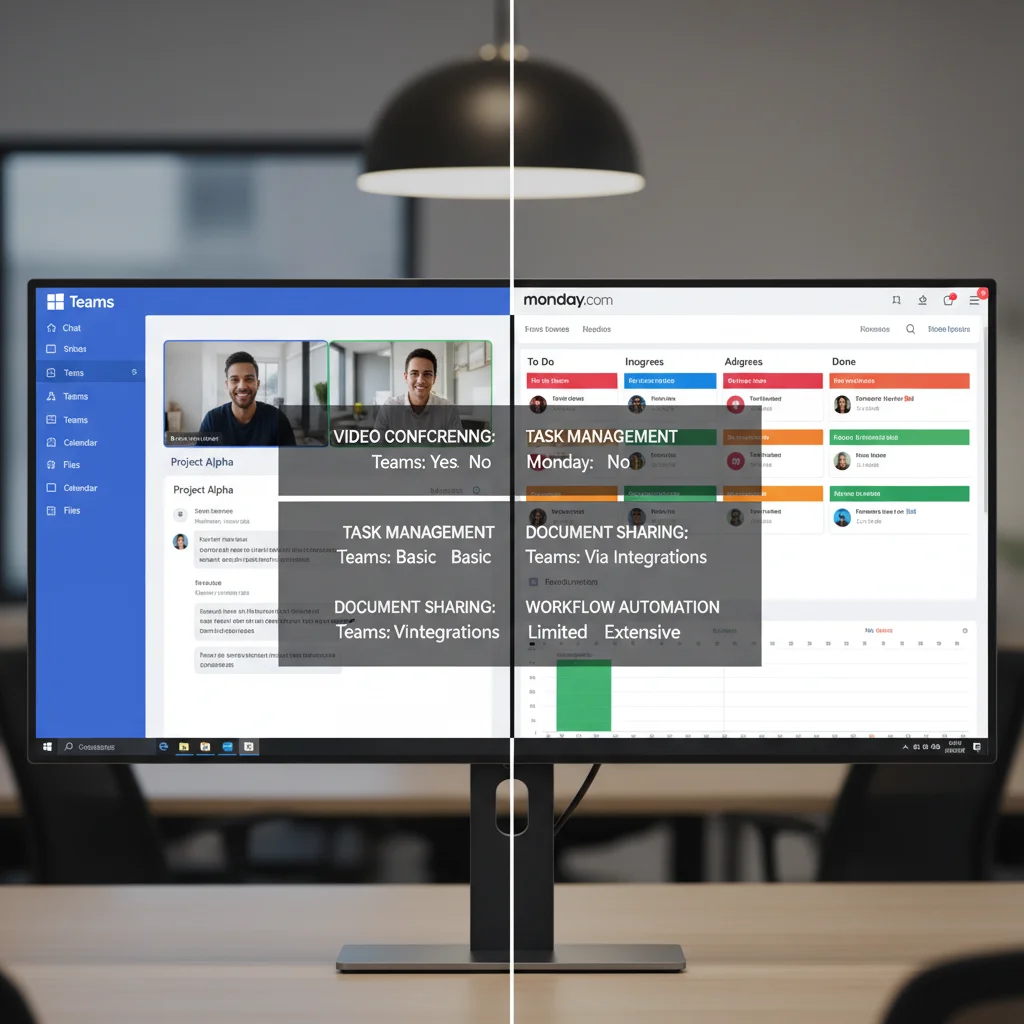
Overview: As a cornerstone of the Microsoft 365 ecosystem, Teams has evolved into a powerhouse for communication and collaboration. It’s particularly strong for organizations already invested in Microsoft products.
Strengths:
- Deep Integration with Microsoft 365: Seamlessly connects with Outlook, Word, Excel, PowerPoint, SharePoint, and OneDrive, creating a unified workspace.
- Robust Video Conferencing: High-quality meetings with features like live captions, background effects, and breakout rooms.
- Comprehensive Communication: Offers chat, voice calls, and video calls all within one application.
- Enterprise-Grade Security & Compliance: Meets numerous global and industry-specific compliance standards, crucial for many US businesses.
- Extensive App Ecosystem: Thousands of third-party app integrations available through the Teams app store.
Considerations:
- Can be resource-intensive, especially on older hardware.
- Interface can feel cluttered to new users due to the sheer number of features.
- Best value is realized when integrated with a broader Microsoft 365 subscription.
Ideal For: Large enterprises and medium-sized businesses in the US already utilizing Microsoft 365, seeking an all-in-one solution for unified communication and document collaboration.
2. Slack
Overview: A pioneer in modern team communication, Slack continues to be a favorite for its intuitive chat-centric interface and extensive integration capabilities. Now part of Salesforce, it’s increasingly catering to sales and customer service teams as well.
Strengths:
- Exceptional Real-time Communication: Channels, direct messages, huddles (audio calls), and robust search functionality make communication highly efficient.
- Powerful Integrations: Boasts one of the largest app directories, allowing teams to connect virtually any tool they use.
- User-Friendly Interface: Known for its clean design and ease of use, leading to high adoption rates.
- Slack Connect: Enables secure, seamless collaboration with external organizations, a huge plus for partnerships and client work.
Considerations:
- Can lead to information overload if not managed with clear channel guidelines.
- Video conferencing is functional but less feature-rich than dedicated platforms.
- Costs can add up for larger teams, especially when needing extensive message history.
Ideal For: Tech companies, startups, creative agencies, and teams that prioritize real-time communication, extensive integrations, and a highly customizable workspace.
3. Google Workspace (formerly G Suite)
Overview: Google Workspace offers a suite of cloud-native productivity and collaboration tools, including Gmail, Calendar, Drive, Docs, Sheets, Slides, and Google Meet. It’s renowned for its real-time document collaboration and accessibility.
Strengths:
- Unparalleled Document Collaboration: Co-editing in Docs, Sheets, and Slides is industry-leading, allowing multiple users to work on the same file simultaneously with ease.
- Cloud-Native & Highly Accessible: All tools are web-based, making them accessible from any device with an internet connection.
- Robust Search Capabilities: Google’s search technology extends across all Workspace apps, making it easy to find information.
- Google Meet: Reliable video conferencing with features like live captions and noise cancellation.
- Affordability: Often more cost-effective for smaller businesses and startups.
Considerations:
- While strong in document collaboration, its integrated project management features are less sophisticated than dedicated PM tools.
- Some advanced enterprise features might require add-ons or integrations.
- Offline functionality, while improved, can still be a consideration for certain use cases.
Ideal For: Small to medium-sized US businesses, educational institutions, and teams that heavily rely on document creation and collaboration, and prefer a fully cloud-based ecosystem.
4. Asana
Overview: While primarily a project management tool, Asana has robust collaboration features that make it a strong contender for teams focused on structured work and task tracking.
Strengths:
- Visual Project Management: Offers various views (list, board, timeline, calendar) to manage projects and tasks effectively.
- Clear Task Assignments & Deadlines: Excellent for defining responsibilities and tracking progress.
- Workflow Automation: Allows teams to automate routine tasks and processes, saving time and reducing errors.
- Goal Tracking: Helps align individual tasks with broader company objectives.
Considerations:
- Less emphasis on real-time chat compared to platforms like Slack or Teams, often requiring integration with a separate communication tool.
- Can be overwhelming for very small teams or those not needing complex project management.
- Pricing can escalate for advanced features and larger teams.
Ideal For: Project-driven teams, marketing departments, product development teams, and any US business that requires strong task organization and workflow management alongside communication.
5. Monday.com
Overview: Monday.com is a highly customizable work operating system (Work OS) that allows teams to build, run, and scale their workflows. Its visual interface and flexibility make it suitable for a wide range of use cases beyond traditional project management.
Strengths:
- Highly Customizable Workflows: Users can build custom boards and templates for virtually any project or process.
- Visual & Intuitive Interface: Utilizes color-coded columns and a clean layout, making it easy to understand project status at a glance.
- Automation Capabilities: Extensive automation recipes to streamline repetitive tasks.
- Robust Integrations: Connects with many popular tools, enhancing its versatility.
- Team Collaboration Features: Includes commenting, file sharing, and activity logs for centralized communication within tasks.
Considerations:
- The sheer flexibility can be daunting for new users without clear guidelines.
- Pricing can be on the higher side, especially for advanced features and larger teams.
- Not a dedicated communication platform; often used in conjunction with a chat tool.
Ideal For: Teams of all sizes in the US looking for a flexible, visual, and highly customizable platform to manage diverse projects, workflows, and operations.
6. Zoom Workplace (formerly Zoom One)
Overview: While famously known for its video conferencing, Zoom has significantly expanded its offering into a comprehensive collaboration suite called Zoom Workplace, including chat, phone, whiteboards, and project management features.
Strengths:
- Industry-Leading Video Conferencing: Unmatched reliability and feature set for virtual meetings.
- Integrated Communication: Combines video, voice (Zoom Phone), and chat into a single application.
- Zoom Whiteboard: Powerful digital whiteboard for brainstorming and visual collaboration.
- Zoom Mail & Calendar: Recent additions to create a more unified experience.
Considerations:
- Project management features are still evolving and may not be as robust as dedicated PM tools.
- The suite approach is newer; some organizations may still perceive Zoom primarily as a meeting tool.
- Pricing for the full suite can be substantial for larger organizations.
Ideal For: US businesses where video communication is paramount, and those looking for a consolidated platform that builds upon a familiar and trusted meeting solution.
Factors for US Businesses to Consider When Choosing a Platform
Beyond the features, several strategic considerations are vital for US businesses evaluating Collaboration Platforms 2026:
1. Team Size and Structure
- Small Teams (1-20 employees): May prefer simpler, more affordable solutions like Google Workspace or the basic tiers of Slack, focusing on core communication and document sharing.
- Medium Teams (20-200 employees): Might benefit from more comprehensive platforms like Microsoft Teams, Asana, or Monday.com, balancing features with cost-effectiveness.
- Large Enterprises (200+ employees): Require enterprise-grade security, scalability, extensive integrations, and robust administrative controls, making Microsoft Teams, Slack Enterprise Grid, or Zoom Workplace strong contenders.
2. Industry-Specific Needs
- Healthcare/Finance: Strict compliance requirements (HIPAA, FINRA) necessitate platforms with advanced security, data encryption, and audit trails.
- Creative/Design: Tools with strong file-sharing capabilities, annotation features, and integrations with design software are crucial.
- Software Development: Integration with code repositories (GitHub, GitLab), bug tracking systems (Jira), and agile project management features are key.
3. Budget
Pricing models vary significantly, from per-user monthly subscriptions to tiered plans based on features. Factor in not just the subscription cost but also potential training expenses, integration costs, and any necessary hardware upgrades. Many platforms offer free tiers or trials, which are excellent for testing their suitability.
4. Existing Tech Stack
Consider how well the new collaboration platform integrates with your current software ecosystem (CRM, ERP, HRIS, email, calendar). Seamless integrations reduce friction, automate workflows, and prevent data silos.
5. Security and Compliance
For US businesses, data privacy and security are paramount. Ensure the platform adheres to relevant regulations (e.g., CCPA, state-specific privacy laws) and offers robust security features like end-to-end encryption, multi-factor authentication, and granular access controls. Hosting data within the US might also be a requirement for some organizations.
6. User Adoption and Training
The best platform is useless if your team doesn’t use it. Prioritize platforms with intuitive interfaces and provide adequate training and support to ensure high user adoption. A phased rollout can also help manage the transition.
Remember, the goal is not just to implement a tool, but to foster a culture of collaboration. The chosen platform should facilitate this cultural shift, not hinder it.
Implementing and Optimizing Your Chosen Collaboration Platform
Once you’ve selected the ideal Collaboration Platform 2026 for your US remote or hybrid team, the implementation phase is critical for success. It’s not enough to simply subscribe; strategic deployment and ongoing optimization are key to maximizing your investment.
1. Phased Rollout and Training
Avoid a ‘big bang’ launch. Start with a pilot group or a specific department to gather feedback and refine your approach. Provide comprehensive training that goes beyond just technical ‘how-to’s.’ Focus on the ‘why’ – how the platform will improve their work lives, streamline processes, and enhance communication. Offer hands-on workshops, create internal guides, and designate ‘champions’ within teams who can assist their colleagues.
2. Establish Clear Guidelines and Best Practices
To prevent chaos and ensure efficient use, set clear guidelines for how the platform should be used. This includes:
- Channel Etiquette: When to use public channels vs. private messages, naming conventions for channels, and appropriate content.
- Notification Management: Advise on how to manage notifications to avoid overwhelm while staying informed.
- File Management: Best practices for naming, organizing, and sharing files.
- Meeting Protocols: Expectations for virtual meetings, including agenda setting, participation, and follow-up.
- Response Times: Set expectations for response times in different communication channels.
3. Integrate with Existing Tools
Leverage the integration capabilities of your chosen platform. Connect it with your CRM, project management software, calendar, and other essential business applications. This creates a more seamless workflow, reduces context switching, and ensures data consistency across your ecosystem. For instance, connecting your collaboration platform with a project management tool like Asana or Monday.com allows task updates to automatically appear in chat channels, keeping everyone informed without manual effort.
4. Monitor Usage and Gather Feedback
Regularly monitor how the platform is being used. Are certain features underutilized? Are there common pain points? Conduct surveys, hold feedback sessions, and analyze usage data. This continuous feedback loop allows you to identify areas for improvement, provide additional training, or even adjust your guidelines. The goal is to ensure the platform genuinely serves the team’s needs and evolves with your organization.
5. Foster a Culture of Digital Collaboration
Technology alone won’t create collaboration. Leaders must model desired behaviors, actively participate in the platform, and encourage open communication. Recognize and celebrate successful collaborative efforts. Promote asynchronous communication where appropriate to respect different time zones and work styles, especially within diverse US teams. A thriving digital workspace is a reflection of a strong digital culture.
The Future of Collaboration: Trends for 2026 and Beyond
The landscape of Collaboration Platforms 2026 is dynamic, with continuous innovation shaping how teams interact. Here are some key trends to watch:
1. AI and Automation
Artificial intelligence will play an even larger role, offering features like intelligent meeting summaries, automated task creation from conversations, predictive analytics for project risks, and personalized knowledge recommendations. AI-powered chatbots will become more sophisticated, handling routine queries and freeing up human agents.
2. Enhanced Spatial Computing and Metaverse Integration
While still nascent, expect to see more experimentation with spatial computing, augmented reality (AR), and virtual reality (VR) in collaboration platforms. Immersive virtual meeting spaces, 3D whiteboards, and digital twins for design and engineering could become more common, offering richer collaborative experiences, particularly for remote teams that need to interact with physical objects or environments.
3. Hyper-Personalization and Adaptive Workflows
Platforms will become even more adept at adapting to individual work styles and team preferences. This means more customizable dashboards, personalized notification settings, and AI-driven recommendations for optimal workflow configurations. The goal is to reduce cognitive load and maximize individual productivity within the collaborative ecosystem.
4. Focus on Employee Well-being and Digital Overload
As collaboration tools become more pervasive, there will be an increased focus on features that promote employee well-being. This includes tools for managing digital overload, setting boundaries, integrating mindfulness breaks, and providing insights into work-life balance. Platforms will aim to foster connection without contributing to burnout.
5. Advanced Security and Compliance by Design
With increasing cyber threats and evolving data privacy regulations, security and compliance will be built into the core architecture of collaboration platforms from the ground up, rather than being an afterthought. Zero-trust security models, enhanced data residency options, and more granular access controls will become standard, especially important for US federal and highly regulated industries.
Conclusion: Empowering Your US Remote and Hybrid Workforce with the Right Tools
The decision of which Collaboration Platform 2026 to adopt is a strategic one that will profoundly impact your US remote and hybrid teams’ productivity, communication, and overall success. There is no one-size-fits-all solution, and the ‘best’ platform is ultimately the one that aligns most closely with your organization’s unique needs, culture, and long-term goals.
By carefully evaluating the options presented – from the all-encompassing power of Microsoft Teams and the communication prowess of Slack, to the document collaboration excellence of Google Workspace, the project management strengths of Asana and Monday.com, and the evolving suite of Zoom Workplace – you can make an informed choice. Remember to prioritize core features like real-time communication, robust project management, seamless document collaboration, and critical integrations. Crucially, always factor in security, compliance, and user experience, especially for the diverse regulatory and operational landscape of the United States.
Investing in the right collaboration platform is an investment in your team’s future. It’s about empowering your employees to work smarter, communicate more effectively, and connect meaningfully, regardless of where they are physically located. As the world of work continues its dynamic transformation, embracing cutting-edge collaboration technology will be a key differentiator for US businesses striving for innovation, efficiency, and sustained growth. Choose wisely, implement strategically, and watch your remote and hybrid teams thrive in 2026 and beyond.