Mobile Banking Security in 2026: 7 Essential Practices to Safeguard Your Financial Apps from Cyber Threats
Mobile Banking Security in 2026: 7 Essential Practices to Safeguard Your Financial Apps from Cyber Threats
In an increasingly digital world, mobile banking has become an indispensable part of our financial lives. The convenience of managing your money from anywhere, at any time, is undeniably appealing. However, this accessibility also comes with inherent risks. As we look ahead to 2026, the landscape of cyber threats is constantly evolving, becoming more sophisticated and pervasive. Protecting your financial apps and ensuring robust Mobile Banking Security is no longer just a recommendation; it’s an absolute necessity. This comprehensive guide will delve into seven essential practices that every mobile banking user must adopt to safeguard their financial apps from the ever-present dangers of cyber threats.
The global pandemic accelerated the adoption of digital financial services, making mobile banking the primary mode of interaction for millions. This surge in usage, while beneficial for consumers and institutions alike, has also created a fertile ground for cybercriminals. From phishing scams to sophisticated malware, the methods employed by attackers are becoming increasingly complex. Therefore, understanding and implementing strong Mobile Banking Security measures is paramount to preventing financial fraud, identity theft, and data breaches. Our goal here is to equip you with the knowledge and actionable steps to navigate the digital financial world safely and confidently in 2026 and beyond.
1. Prioritize Strong, Unique Passwords and Biometric Authentication
The foundation of any robust Mobile Banking Security strategy begins with strong authentication. In 2026, relying solely on simple, easily guessable passwords is akin to leaving your front door unlocked. Cybercriminals often employ brute-force attacks and credential stuffing techniques, leveraging databases of compromised passwords from other breaches. Therefore, it is crucial to use unique, complex passwords for each of your financial apps.
Creating Unbreakable Passwords
- Length and Complexity: Aim for passwords that are at least 12-16 characters long. Combine uppercase and lowercase letters, numbers, and special characters.
- Uniqueness: Never reuse passwords across different accounts. If one service is compromised, all your accounts using the same password become vulnerable.
- Password Managers: Consider using a reputable password manager. These tools can generate strong, unique passwords for you and securely store them, eliminating the need to remember dozens of complex combinations.
Embracing Biometric Authentication
Beyond traditional passwords, biometric authentication offers an enhanced layer of Mobile Banking Security. Most modern smartphones come equipped with fingerprint scanners, facial recognition, or iris scanners. These methods provide a convenient yet highly secure way to access your banking apps.
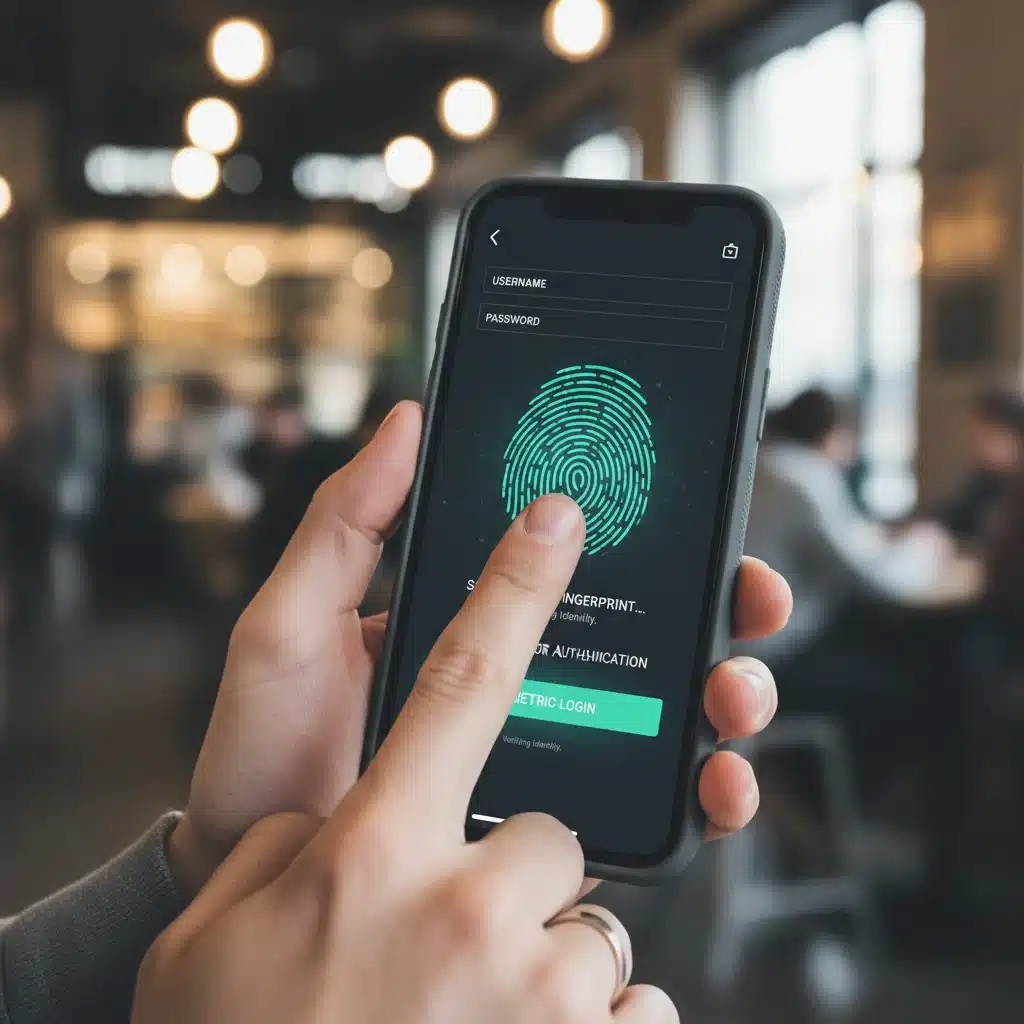
- Fingerprint Recognition: Fast and generally reliable, fingerprint scanning is a popular choice for quick and secure access.
- Facial Recognition: Advanced facial recognition systems, like Apple’s Face ID, use 3D mapping to prevent spoofing with photos or masks, offering a high level of security.
- Iris Scans: While less common, iris scans provide an extremely unique and secure biometric identifier.
Always enable biometric authentication whenever available for your banking apps. It significantly reduces the risk of unauthorized access, even if your password is compromised. Remember, these biometric factors are typically stored securely on your device and are not transmitted over networks, further enhancing your Mobile Banking Security.
2. Enable Multi-Factor Authentication (MFA) for All Financial Accounts
Even with strong passwords and biometric authentication, an additional layer of security is always beneficial. Multi-Factor Authentication (MFA), sometimes referred to as Two-Factor Authentication (2FA), is a critical component of modern Mobile Banking Security. MFA requires you to provide two or more verification factors to gain access to your account, making it significantly harder for unauthorized users to break in.
How MFA Works
MFA typically combines something you know (your password), something you have (your phone or a hardware token), and/or something you are (your fingerprint or face). Common MFA methods include:
- SMS Codes: A one-time code sent to your registered mobile number. While convenient, SMS can be vulnerable to SIM-swapping attacks.
- Authenticator Apps: Apps like Google Authenticator or Authy generate time-based one-time passwords (TOTP). These are generally more secure than SMS codes as they don’t rely on your mobile carrier.
- Hardware Security Keys: Physical devices that plug into your phone or connect via Bluetooth, providing the strongest form of MFA.
- Biometric Prompts: Your banking app might send a push notification to your registered device, asking for a fingerprint or face scan to approve a login attempt.
By enabling MFA on all your financial apps and related services (like email accounts linked to your banking), you create a formidable barrier against unauthorized access. Even if a cybercriminal manages to steal your password, they won’t be able to log in without the second factor. This practice is non-negotiable for robust Mobile Banking Security in 2026.
3. Keep Your Operating System and Apps Updated
Software updates are not just about new features; they are primarily about security. Developers constantly work to identify and patch vulnerabilities that could be exploited by cybercriminals. Running outdated software, whether it’s your phone’s operating system (iOS or Android) or your banking apps, leaves you exposed to known security flaws.
The Importance of Regular Updates
- Operating System Updates: These updates often contain critical security patches that protect your device from the latest threats. Enable automatic updates for your phone’s OS to ensure you’re always running the most secure version.
- Banking App Updates: Financial institutions regularly release updates for their mobile apps to enhance security, fix bugs, and introduce new protective features. Make sure your banking apps are set to update automatically or check for updates manually on a regular basis.
- Other App Updates: While not directly banking apps, other applications on your phone can also introduce vulnerabilities. Keep all your apps updated to maintain overall device security, as compromised apps can sometimes be used as entry points for attackers.
Neglecting updates is a common mistake that can have severe consequences for your Mobile Banking Security. Treat updates as an essential part of your digital hygiene. A proactive approach to software maintenance is a cornerstone of effective cybersecurity.
4. Be Vigilant Against Phishing and Social Engineering Attacks
Even the most sophisticated technical safeguards can be bypassed if users fall victim to social engineering. Phishing, smishing (SMS phishing), and vishing (voice phishing) attacks are designed to trick you into revealing sensitive information, such as your login credentials, PINs, or one-time passcodes. These attacks are becoming increasingly sophisticated and harder to detect.
Recognizing and Avoiding Scams
- Suspicious Links and Attachments: Never click on links or open attachments from unknown senders. Even if the sender appears to be your bank, scrutinize the email address and look for inconsistencies.
- Urgency and Threat Tactics: Scammers often create a sense of urgency or threaten account closure to pressure you into immediate action. Banks will rarely ask for sensitive information via email or SMS with such urgency.
- Grammar and Spelling Errors: While less common in highly sophisticated attacks, poor grammar and spelling are often red flags.
- Verify Directly: If you receive a suspicious message claiming to be from your bank, do not respond directly. Instead, open your banking app or visit the bank’s official website (by typing the URL directly into your browser) and log in to check for any alerts or messages. Alternatively, call the bank using the official number listed on their website or your bank statement.
- Beware of Impersonation: Scammers can spoof phone numbers and email addresses. Always be skeptical of unsolicited requests for personal or financial information.
Your awareness and critical thinking are your first line of defense against these attacks. Educating yourself on the latest phishing tactics is a vital component of maintaining strong Mobile Banking Security.
5. Secure Your Device: Lock Screens, Remote Wipe, and Antivirus
Your smartphone is the gateway to your financial life, making its physical and digital security paramount. A lost or stolen device, or one infected with malware, can compromise your Mobile Banking Security instantly.
Essential Device Security Measures
- Strong Lock Screen: Always use a strong PIN, pattern, or biometric lock for your device. This prevents unauthorized access if your phone falls into the wrong hands.
- Enable Remote Wipe: Most modern smartphones offer a ‘Find My Phone’ feature (e.g., Find My for iOS, Find My Device for Android). This allows you to remotely locate, lock, or even erase your device’s data if it’s lost or stolen. This is a critical last resort for protecting your financial information.
- Antivirus/Anti-Malware Software: While built-in security features in iOS and Android are robust, consider installing a reputable antivirus or anti-malware app, especially for Android devices, which are more susceptible to malware from third-party app stores. These apps can detect and remove malicious software that might try to steal your banking credentials.
- Review App Permissions: Regularly check the permissions requested by your apps. A banking app needs access to the internet, but it likely doesn’t need access to your microphone or contacts. Limit permissions to only what is absolutely necessary.

These device-level security practices form the bedrock of your overall Mobile Banking Security. Don’t underestimate their importance, as a compromised device is a direct threat to your financial well-being.
6. Exercise Caution with Public Wi-Fi Networks and VPN Usage
Public Wi-Fi networks, while convenient, are inherently insecure. They often lack proper encryption and are susceptible to various attacks, such as ‘man-in-the-middle’ attacks, where cybercriminals can intercept your data, including your banking login details. Using your banking apps on unsecured public Wi-Fi is a significant risk to your Mobile Banking Security.
Safer Network Practices
- Avoid Banking on Public Wi-Fi: Whenever possible, refrain from accessing your banking apps or performing financial transactions when connected to public Wi-Fi networks in cafes, airports, or hotels.
- Use Your Mobile Data: Your mobile data connection (3G, 4G, 5G) is generally more secure than public Wi-Fi, as it creates a direct, encrypted connection to your mobile carrier.
- Utilize a Virtual Private Network (VPN): If you must use public Wi-Fi, always connect through a reputable VPN service. A VPN encrypts your internet traffic, creating a secure tunnel between your device and the internet, thus protecting your data from eavesdropping. Choose a trusted VPN provider with a strong no-logs policy.
- Disable Auto-Connect: Turn off your phone’s auto-connect feature for Wi-Fi networks to prevent it from automatically joining unknown or malicious networks.
Understanding the risks associated with network connectivity is crucial for maintaining effective Mobile Banking Security. Prioritize secure connections, especially when dealing with sensitive financial information.
7. Regularly Monitor Your Accounts and Statements
Even with all the preventative measures in place, no security system is foolproof. Cybercriminals are relentless, and new threats emerge constantly. Therefore, proactive monitoring of your financial accounts is a critical final line of defense for your Mobile Banking Security.
Vigilant Financial Monitoring
- Daily Review: Make it a habit to check your banking and credit card statements regularly, preferably daily or every few days. Look for any unfamiliar transactions, no matter how small.
- Set Up Transaction Alerts: Most banks offer free alert services that notify you via SMS or email for every transaction, large withdrawals, or suspicious activity. Enable these alerts for all your accounts.
- Review Credit Reports: Periodically check your credit reports for any unauthorized accounts or inquiries. Services like AnnualCreditReport.com allow you to get free reports from the three major credit bureaus.
- Report Suspicious Activity Immediately: If you spot any unauthorized transactions or suspicious activity, contact your bank or financial institution immediately. The sooner you report it, the better your chances of recovering funds and preventing further damage.
Regular monitoring acts as an early warning system, allowing you to detect and respond to potential breaches quickly. This diligence is a cornerstone of responsible financial management and an indispensable part of comprehensive Mobile Banking Security.
The Future of Mobile Banking Security in 2026 and Beyond
As technology advances, so too will the methods used by cybercriminals. In 2026, we can expect to see further integration of AI and machine learning in both attack and defense strategies. Banks will continue to invest in advanced fraud detection systems, behavioral biometrics, and quantum-resistant encryption. However, the human element remains the weakest link in the security chain.
Your role in maintaining robust Mobile Banking Security cannot be overstated. By adopting these seven essential practices, you are not only protecting your own finances but also contributing to a safer digital ecosystem for everyone. Stay informed, stay vigilant, and make security a priority in your mobile banking habits. The convenience of mobile banking is a privilege that comes with the responsibility of securing your digital footprint.
Key Takeaways for Enhanced Mobile Banking Security:
- Strong Passwords & Biometrics: The first line of defense.
- Multi-Factor Authentication (MFA): An essential second layer of protection.
- Regular Updates: Keep your OS and apps current to patch vulnerabilities.
- Phishing Awareness: Be skeptical of unsolicited communications.
- Device Security: Lock screen, remote wipe, and antivirus are crucial.
- Secure Networks: Avoid public Wi-Fi for banking; use mobile data or VPNs.
- Account Monitoring: Regularly check statements and set up alerts.
By consistently applying these practices, you can confidently navigate the world of mobile banking in 2026, knowing that your financial apps are well-protected against the evolving landscape of cyber threats.