Boost Efficiency: Top Workflow Automation Tools for US Small Businesses

Are you a small business owner in the United States constantly seeking ways to optimize operations, reduce manual errors, and free up valuable time for strategic growth? If so, you’re not alone. In today’s competitive landscape, leveraging technology to enhance efficiency is no longer a luxury but a necessity. The answer lies in effective workflow automation tools.
In this comprehensive guide, we delve into the power of workflow automation, exploring how it can transform your small business. We’ll highlight the top three tools that are making a significant impact for US small businesses, promising to increase operational efficiency by a remarkable 22% or more this year. By the end of this article, you’ll have a clear understanding of which solutions can best serve your unique needs and how to implement them for maximum benefit.
Understanding Workflow Automation: A Game Changer for Small Businesses
Before we dive into specific solutions, let’s establish a foundational understanding of what workflow automation entails. At its core, workflow automation is the use of technology to execute repetitive, rule-based business processes without human intervention. This can range from simple tasks like sending automated email responses to complex multi-step processes like onboarding new employees or processing customer orders.
The “Why” Behind Automation: Benefits for US Small Businesses
For small businesses, the benefits of implementing workflow automation tools are profound and far-reaching:
- Increased Efficiency and Productivity: By automating mundane tasks, your team can focus on higher-value activities that require human creativity and problem-solving. This directly translates to more work done in less time.
- Reduced Operational Costs: Automation minimizes the need for manual labor on repetitive tasks, leading to significant cost savings in wages and overhead. It also reduces errors, which can be costly to rectify.
- Improved Accuracy and Reduced Errors: Machines are less prone to errors than humans, especially when performing repetitive tasks. Automation ensures consistency and accuracy across all automated processes.
- Enhanced Customer Experience: Faster response times, more accurate order processing, and personalized communication all contribute to a superior customer experience, fostering loyalty and repeat business.
- Better Data Management and Reporting: Automated workflows often integrate with data systems, providing real-time insights and comprehensive reports that empower better decision-making.
- Scalability: As your business grows, automated workflows can easily scale to handle increased volume without a proportional increase in resources, allowing for sustainable growth.
- Compliance and Audit Trails: Many automation tools provide detailed logs of every action, making it easier to ensure compliance with regulations and to conduct audits.
- Employee Satisfaction: By removing tedious tasks, employees are more engaged, motivated, and can dedicate their skills to more challenging and rewarding work.
Consider the cumulative effect of these benefits. A 22% increase in operational efficiency isn’t just a number; it represents a significant competitive advantage, allowing your small business to operate more leanly, effectively, and profitably.
Identifying Your Automation Needs: Where to Begin
Before selecting any workflow automation tools, it’s crucial to identify which areas of your business would benefit most from automation. Start by asking yourself:
- Which tasks are highly repetitive and consume a lot of time?
- Where do manual errors most frequently occur?
- Which processes involve multiple steps and hand-offs between different team members or departments?
- Are there bottlenecks in our current workflows that slow down operations?
- What data entry tasks could be streamlined?
- How can we improve communication and collaboration within our team?
Common areas ripe for automation in small businesses include:
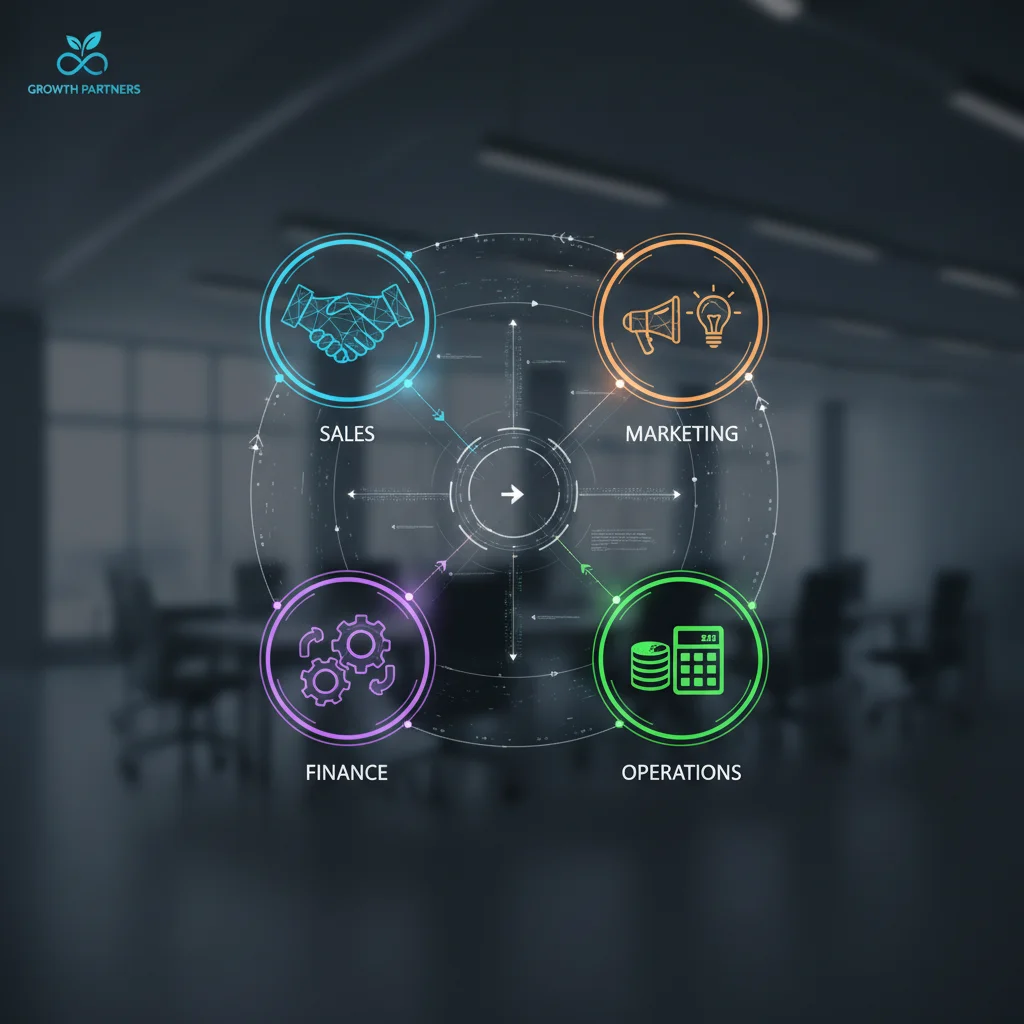
- Sales and Marketing: Lead nurturing, email campaigns, CRM updates, social media scheduling.
- Customer Service: FAQ responses, support ticket routing, feedback collection.
- HR and Onboarding: New hire paperwork, training assignments, payroll data entry.
- Finance and Accounting: Invoice generation, expense reporting, payment reminders.
- Operations: Inventory management, order processing, project task assignment.
Once you have a clear picture of your pain points and automation opportunities, you can more effectively evaluate the best workflow automation tools for your specific context.
Top 3 Workflow Automation Tools for US Small Businesses
The market is flooded with automation solutions, but not all are created equal, especially for the unique needs and budgets of small businesses. We’ve handpicked three leading workflow automation tools that offer a powerful combination of features, ease of use, scalability, and affordability, making them ideal for US small businesses aiming for significant efficiency gains.
1. Zapier: The Ultimate Integrator for Seamless Workflows
What it is: Zapier is arguably one of the most popular and versatile integration platforms available. It acts as a bridge between thousands of web applications, allowing them to “talk” to each other. Instead of coding integrations, users can create “Zaps” – automated workflows that trigger an action in one app based on an event in another.
Key Features for Small Businesses:
- Extensive App Library: Connects with over 5,000 apps, including popular tools like Gmail, Slack, Salesforce, Mailchimp, QuickBooks, Google Sheets, Trello, and many more.
- No-Code Interface: Its intuitive drag-and-drop interface makes it accessible even for those without technical expertise.
- Multi-Step Zaps: Create complex workflows with multiple actions and conditional logic.
- Filters and Paths: Refine your Zaps to only run under specific conditions or to take different actions based on different criteria.
- Pre-built Templates: A vast library of ready-to-use Zap templates for common business scenarios.
How it Boosts Efficiency:
- Automate Data Transfer: Automatically move customer data from your CRM to your email marketing platform when a new lead is added.
- Streamline Communication: Get Slack notifications when a new support ticket comes in or when a specific keyword is mentioned in a Google Sheet.
- Marketing Automation: Post new blog articles to social media automatically, or add new form submissions to a Google Sheet and then to your email list.
- Sales Process Automation: When a sale closes in your CRM, automatically create a new project in your project management tool and notify the relevant team.
- HR & Admin Tasks: Automatically add new hires to your HR software and send them a welcome email.
Use Case Example: A small e-commerce business uses Zapier to automatically add new customer orders from their Shopify store to a Google Sheet for tracking, then creates a new customer record in their CRM, and finally sends a personalized order confirmation email via Mailchimp. This single Zap eliminates manual data entry, reduces errors, and ensures timely customer communication, saving hours each week.
Pricing: Zapier offers a free plan with limited Zaps and tasks, making it great for testing. Paid plans are tiered based on the number of Zaps and tasks, starting at a very reasonable price for small businesses.

2. Asana: Project and Task Management with Integrated Automation
What it is: Asana is a powerful work management platform designed to help teams organize, track, and manage their work. While primarily known for project management, its robust automation capabilities make it a formidable tool for streamlining workflows within teams and across projects.
Key Features for Small Businesses:
- Task and Project Management: Create tasks, subtasks, set due dates, assign responsibilities, and categorize work.
- Customizable Workflows (Rules): Set up automated rules to trigger actions based on specific conditions. For example, when a task is marked “complete,” automatically move it to the “review” section.
- Templates: Utilize pre-built or create custom project templates for recurring workflows (e.g., client onboarding, content creation).
- Integrations: Connects with popular tools like Slack, Google Drive, Microsoft Teams, Zoom, and more, extending its automation reach.
- Reporting and Dashboards: Gain insights into project progress, team workload, and potential bottlenecks.
How it Boosts Efficiency:
- Automated Task Assignment: When a new project is created from a template, tasks are automatically assigned to the relevant team members.
- Status Updates: Automatically update task status as certain actions are completed, keeping everyone informed without manual check-ins.
- Conditional Actions: Set rules to alert specific team members if a task is overdue, or to move it to an “escalation” column.
- Approval Workflows: Automate the approval process for documents, designs, or content, ensuring nothing gets missed.
- Onboarding Processes: Create automated checklists for new hires, ensuring all necessary steps are completed.
Use Case Example: A small marketing agency uses Asana to manage client campaigns. When a client campaign project is initiated, a template automatically creates all necessary tasks (content creation, graphic design, ad setup, reporting), assigns them to the respective team members, and sets due dates. Automated rules then move tasks through different stages (e.g., “Drafting” to “For Review” to “Approved”), notifying the next person in the chain. This ensures consistent execution, reduces delays, and provides clear visibility into project status.
Pricing: Asana offers a robust free tier for small teams (up to 15 users) and various paid plans that unlock advanced features, including more extensive automation capabilities, making it flexible for growing small businesses.
3. HubSpot CRM: All-in-One Sales, Marketing, and Service Automation
What it is: HubSpot offers a comprehensive suite of tools for customer relationship management (CRM), marketing, sales, and customer service. Its strength lies in its integrated approach, allowing businesses to automate processes across the entire customer journey, from lead generation to post-sale support.
Key Features for Small Businesses:
- CRM Core: A powerful free CRM that tracks all customer interactions.
- Marketing Hub Automation: Automate email sequences, lead nurturing workflows, social media publishing, and ad management.
- Sales Hub Automation: Automate sales tasks, meeting scheduling, quotation generation, and deal tracking.
- Service Hub Automation: Automate customer support ticket routing, knowledge base suggestions, and customer feedback surveys.
- Workflow Editor: A visual workflow builder allows you to design complex automation sequences based on triggers and conditions.
- Reporting and Analytics: Comprehensive dashboards provide insights into the performance of your automated workflows.
How it Boosts Efficiency:
- Lead Nurturing: Automatically send personalized email sequences to new leads based on their behavior (e.g., website visits, content downloads).
- Sales Follow-ups: Automate task creation for sales reps to follow up with prospects who haven’t responded, or schedule automated emails.
- Customer Onboarding: After a sale, automatically enroll new customers in an onboarding email series and assign a customer success manager.
- Service Ticket Management: Automatically assign support tickets to the right agent based on keywords or customer history, and send automated confirmation emails.
- Data Synchronization: Ensures that all customer data is consistent and up-to-date across marketing, sales, and service teams, eliminating manual updates and discrepancies.
Use Case Example: A small SaaS company utilizes HubSpot to manage its entire customer lifecycle. When a new user signs up for a free trial (trigger), HubSpot automatically sends a welcome email (action), then tracks their in-app behavior. If the user completes a key action (e.g., uses a specific feature), they are enrolled in a ‘feature adoption’ email workflow. If they become inactive, they are added to a ‘re-engagement’ workflow. If they convert to a paid customer, they are automatically assigned to a customer success manager and receive a tailored onboarding sequence. This holistic automation significantly reduces manual effort in sales, marketing, and service, leading to higher conversion rates and customer retention.
Pricing: HubSpot offers a robust free CRM and free versions of its marketing, sales, and service hubs, which are excellent starting points for small businesses. Paid plans unlock more advanced automation features and higher usage limits, scaling with your business needs.
Implementing Workflow Automation: Best Practices for Small Businesses
Choosing the right workflow automation tools is just the first step. Successful implementation requires a thoughtful approach. Here are some best practices to ensure your automation efforts yield the desired 22% efficiency increase:
1. Start Small and Scale Up
Don’t try to automate everything at once. Begin with one or two high-impact, repetitive processes that are causing significant bottlenecks or consuming a lot of time. This allows your team to get comfortable with the tools and the concept of automation. As you see success, you can gradually expand your automation efforts to other areas of the business.
2. Document Your Current Workflows
Before automating, clearly map out your existing manual processes. Understand each step, who is responsible, what triggers the next step, and where potential errors or delays occur. This documentation will be invaluable when designing your automated workflows and identifying areas for improvement.
3. Define Clear Goals and KPIs
What do you hope to achieve with automation? Is it to reduce the time spent on a specific task by 50%? To decrease customer response time by 24 hours? To reduce data entry errors by 10%? Define measurable key performance indicators (KPIs) so you can track the success of your automation initiatives and demonstrate ROI.
4. Involve Your Team
Your employees are on the front lines and understand the intricacies of daily operations. Involve them in the automation process from the beginning. Gather their input on pain points, potential solutions, and training needs. This fosters buy-in and ensures the automated workflows are practical and user-friendly.
5. Train Your Team Thoroughly
Even the most intuitive tools require some training. Provide comprehensive training to ensure your team understands how to use the new automation tools, how their roles might change, and how to troubleshoot minor issues. Ongoing support and resources are also crucial.
6. Test, Iterate, and Optimize
Automated workflows rarely work perfectly on the first try. Rigorously test your Zaps, rules, and sequences before fully deploying them. Gather feedback, identify areas for improvement, and be prepared to iterate and optimize your workflows over time. Automation is an ongoing process of refinement.
7. Secure Your Data
When connecting different applications and automating data transfer, ensure that your chosen workflow automation tools have robust security measures in place. Understand how they handle your data and comply with relevant privacy regulations (e.g., GDPR, CCPA). Data security should always be a top priority.
8. Monitor Performance and ROI
Regularly review the performance of your automated workflows. Are they meeting your KPIs? Are there new opportunities for automation? Calculate the return on investment (ROI) by comparing the time and resources saved against the cost of the automation tools. This helps justify your investment and identify further areas for expansion.
The Future is Automated: Embracing Efficiency for Growth
The journey to increased operational efficiency through workflow automation tools is a continuous one. For US small businesses, embracing automation is not just about saving time; it’s about building a more resilient, scalable, and competitive enterprise. By strategically implementing solutions like Zapier, Asana, and HubSpot, you can free your team from the shackles of repetitive tasks, allowing them to focus on innovation, customer relationships, and strategic growth initiatives.
Imagine a business where leads are nurtured automatically, customer queries are resolved swiftly, projects move seamlessly from one stage to the next, and data flows effortlessly between systems. This isn’t a futuristic dream; it’s the reality that workflow automation offers today. By aiming for that 22% efficiency increase, you’re not just optimizing processes; you’re fundamentally transforming your business for sustainable success in the digital age.
Take the leap, explore these powerful tools, and start your journey towards a more efficient and prosperous future for your small business.