Top Digital Drawing Apps 2026: A US Creative’s Guide
In the dynamic world of digital artistry, the tools at a creative’s disposal are constantly evolving. For US creatives, staying ahead means not just mastering techniques but also leveraging the most advanced and intuitive software available. As we navigate 2026, the landscape of digital drawing apps offers an unprecedented array of choices, each promising to elevate your creative output. Whether you’re a seasoned professional, an aspiring illustrator, a graphic designer, or a hobbyist looking to explore new mediums, selecting the right digital drawing app is paramount. This comprehensive review delves into four leading digital drawing apps, providing an in-depth analysis to help you make an informed decision and unlock your full artistic potential.
The journey of digital creation begins with the right foundation, and for many, that foundation is a powerful drawing application. These aren’t just simple sketchpads; they are sophisticated ecosystems designed to simulate traditional art forms, introduce innovative digital techniques, and streamline workflows. From realistic brush engines to intricate layer management, vector capabilities, and seamless integration with other creative suites, the best digital drawing apps are more than just software – they are extensions of the artist’s imagination. Our focus today is on understanding what makes these applications stand out in a crowded market, particularly for the discerning US creative.
The criteria for evaluating these applications are rigorous. We consider user interface and experience (UI/UX), brush engine capabilities, layer management, color tools, performance, platform compatibility, pricing models, community support, and overall value for money. Each of these aspects plays a crucial role in determining how effectively an app can serve the diverse needs of artists. The goal is to identify applications that not only meet but exceed expectations, providing a robust and enjoyable creative experience. Let’s embark on this detailed exploration of the top digital drawing apps set to dominate the creative scene in 2026.
Procreate: The iPad Exclusive Powerhouse for Digital Drawing Apps
When discussing digital drawing apps, Procreate almost invariably comes to mind, especially for iPad users. Since its inception, Procreate has carved out a niche as the gold standard for mobile digital art, offering a desktop-class experience on a portable device. In 2026, its reign continues, bolstered by continuous updates that enhance its already impressive feature set.
Key Features and Strengths
- Intuitive Interface: Procreate’s UI is celebrated for its elegance and simplicity, allowing artists to focus on creation rather than navigating complex menus. Gestures are seamlessly integrated, making workflow incredibly fluid.
- Powerful Brush Engine: With thousands of customizable brushes and the ability to import or create your own, Procreate offers unparalleled versatility. Its brush engine is renowned for its realistic texture and responsiveness, mimicking traditional media with remarkable accuracy.
- Advanced Layer System: Artists can work with a high number of layers, supported by various blending modes, clipping masks, and alpha lock features, enabling complex compositions and non-destructive editing.
- Animation Assist: Procreate’s built-in animation tools allow for frame-by-frame animation, making it a powerful tool for animators and illustrators looking to add motion to their static artwork.
- Reference Companion: This feature allows artists to keep a reference image open in a separate window while they draw, a small but incredibly impactful addition for accuracy and inspiration.
- Time-lapse Recording: Every stroke is recorded, allowing artists to export stunning time-lapse videos of their creative process, perfect for social media sharing and portfolio building.
- Color Management: Extensive color palettes, color dynamics, and the ability to import custom palettes provide artists with precise control over their color choices.
Performance and Compatibility
Procreate is optimized specifically for iPad and Apple Pencil, ensuring buttery-smooth performance even with large canvases and numerous layers. Its tight integration with iOS hardware means minimal lag and maximum responsiveness, making it a joy to use. While its exclusivity to iPad might be seen as a limitation by some, for those invested in the Apple ecosystem, it’s a significant advantage, guaranteeing a highly refined and stable experience. The app supports a wide range of export formats, including PSD, PDF, JPG, PNG, and TIFF, facilitating seamless integration into multi-software workflows.
Pricing Model
One of Procreate’s most appealing aspects is its one-time purchase model. For a relatively low upfront cost, users gain access to the full application and all future updates without any subscription fees. This makes it an incredibly cost-effective solution for both hobbyists and professionals.
Who is Procreate Best For?
Procreate is ideal for illustrators, concept artists, comic artists, animators, and anyone who prefers the portability and tactile experience of drawing directly on a screen. Its robust feature set and intuitive design make it suitable for both beginners and seasoned professionals, solidifying its position as one of the leading digital drawing apps for iPad users.
Adobe Fresco: Bridging Traditional and Digital Artistry Among Digital Drawing Apps
Adobe Fresco represents Adobe’s dedicated foray into modern drawing and painting, specifically designed for touch and stylus devices. Launched with the promise of combining the best of raster and vector capabilities with groundbreaking live brushes, Fresco has quickly established itself as a formidable contender among digital drawing apps in 2026.
Key Features and Strengths
- Live Brushes: This is Fresco’s standout feature. Live Brushes simulate the behavior of oil and watercolor paints with astonishing realism. Watercolors flow and blend as if on paper, while oils build up thickly and mix dynamically, offering an incredibly immersive painting experience.
- Vector and Raster Brushes: Fresco uniquely combines both vector and raster brushes within the same canvas. This means artists can create crisp, scalable vector graphics alongside rich, textured raster paintings, offering unparalleled flexibility.
- Cloud Integration: As an Adobe product, Fresco benefits from deep integration with Adobe Creative Cloud. Artwork can be seamlessly transferred between Fresco, Photoshop, Illustrator, and other Adobe applications, streamlining professional workflows.
- Streamlined Interface: Fresco features a clean, context-aware interface that keeps tools accessible without cluttering the workspace. It’s designed for touch-first interaction, making it highly intuitive on tablets.
- Multi-platform Availability: Available on iPad, Windows, and iPhone, Fresco offers greater accessibility compared to Procreate, allowing artists to work across different devices.
- Powerful Selection Tools: Intelligent selection tools, including Lasso, Magic Wand, and Quick Select, make isolating and editing specific areas of artwork efficient and precise.
Performance and Compatibility
Adobe Fresco leverages the power of modern GPUs and processors to deliver smooth performance, especially with its demanding Live Brushes. Its cloud integration is a major plus for professionals, ensuring that projects are always synced and accessible from any device. While it performs exceptionally well on high-end hardware, its cross-platform availability means it can adapt to a wider range of devices, though performance may vary. The application supports export to common image formats and, crucially, directly to PSD for further editing in Photoshop.
Pricing Model
Adobe Fresco operates on a freemium model. A free version offers core features, but to unlock the full suite of tools, advanced brushes, and cloud storage, users need an Adobe Creative Cloud subscription. It’s often included with other Creative Cloud plans, making it a valuable addition for existing Adobe users.
Who is Adobe Fresco Best For?
Fresco is perfect for artists who value realistic traditional media simulation, especially oil and watercolor. Its dual vector/raster capabilities make it excellent for illustrators who need both crisp lines and painterly textures. Professionals deeply embedded in the Adobe ecosystem will find its Creative Cloud integration indispensable. It’s a strong contender for those seeking versatile digital drawing apps that bridge the gap between traditional and digital art.
Clip Studio Paint: The Manga and Comic Art Powerhouse Among Digital Drawing Apps
Originally known as Manga Studio, Clip Studio Paint (CSP) has evolved into a comprehensive digital art application revered by illustrators, comic artists, and animators worldwide. Its specialization in line art, coloring, and panel creation makes it a unique and powerful choice among digital drawing apps for US creatives in 2026.
Key Features and Strengths
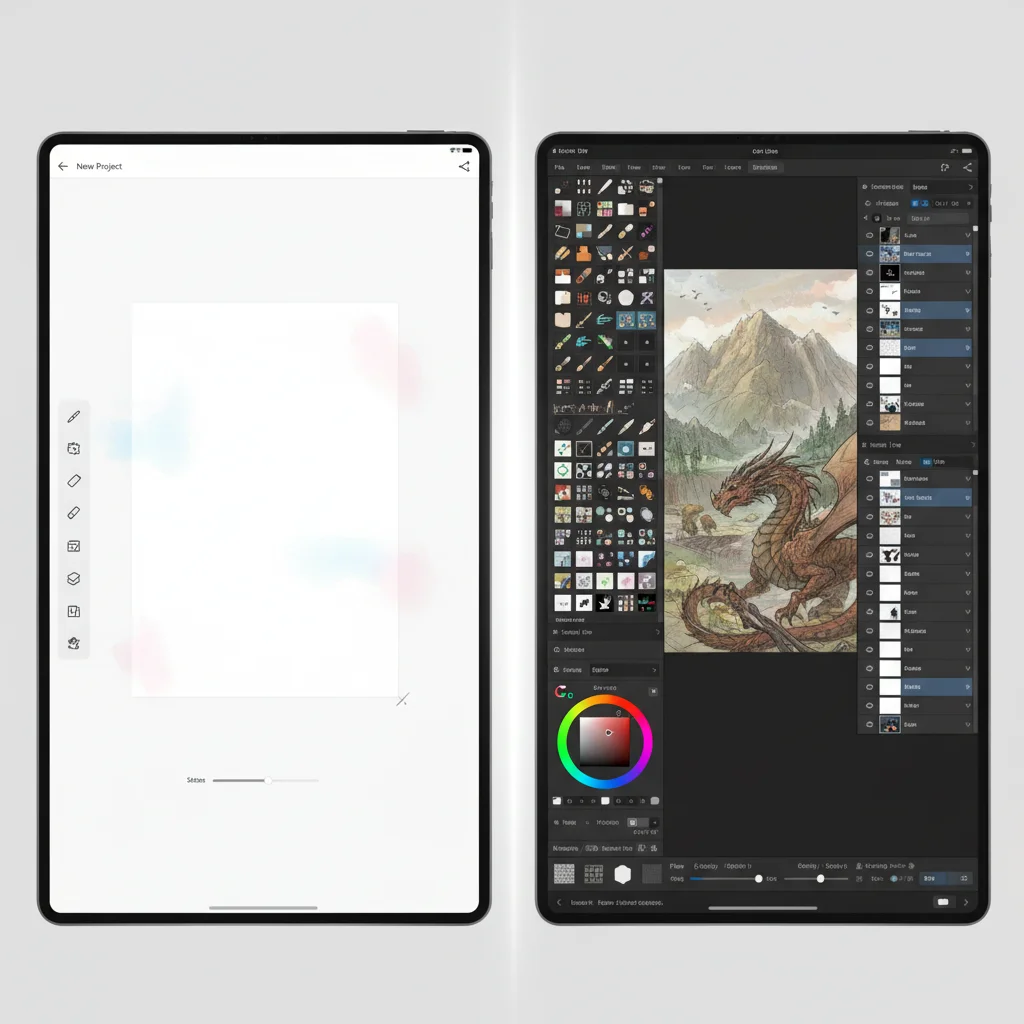
- Superior Line Art Tools: CSP boasts an incredibly precise and customizable brush engine, particularly excelling in line art. Its stabilization features make drawing smooth, consistent lines effortless, a critical factor for comic and manga artists.
- Comic and Manga Creation Tools: This is where CSP truly shines. It offers dedicated tools for creating comic panels, speech bubbles, rulers for perspective drawing, 3D model import for posing references, and screentones, significantly streamlining the comic creation process.
- Advanced Coloring Features: Beyond basic filling, CSP includes smart fill tools, color blending options, and a robust color management system that allows for nuanced and efficient coloring workflows.
- Animation Capabilities: Similar to Procreate, Clip Studio Paint EX (the advanced version) provides comprehensive frame-by-frame animation tools, making it a viable option for creating short animations and GIFs.
- Extensive Asset Store: The Clip Studio Asset store is a treasure trove of user-created brushes, 3D models, textures, and other materials, many of which are free, greatly expanding the app’s utility.
- Perspective Rulers: Incredibly useful for architectural and interior illustrations, CSP’s perspective rulers snap your lines to perfect one, two, or three-point perspectives.
- Vector Layers: While it excels at raster painting, CSP also supports vector layers, allowing for scalable line art that can be easily edited without loss of quality.
Performance and Compatibility
Clip Studio Paint is available on a wide range of platforms, including Windows, macOS, iPad, Android, and Chromebook. This broad compatibility makes it accessible to a larger user base. It is generally well-optimized, offering good performance on most modern devices. Its ability to create large, complex files means it benefits from more powerful hardware, but it remains functional on less robust systems. CSP supports a vast array of import and export formats, including PSD, allowing for flexible integration into existing pipelines.
Pricing Model
Clip Studio Paint offers two versions: Pro and EX. Both are available as a one-time purchase for desktop versions (Windows/macOS) or as a monthly subscription for tablet/smartphone versions. The subscription model offers flexibility, while the one-time purchase option provides long-term value for desktop users. The EX version includes advanced animation and multi-page comic management features.
Who is Clip Studio Paint Best For?
CSP is the go-to choice for comic artists, manga artists, illustrators, and animators. Its specialized tools and robust features cater specifically to these disciplines, making it arguably the most powerful option among digital drawing apps for sequential art. Its cross-platform availability also appeals to artists who work across multiple device types.
Autodesk Sketchbook: The Free and Feature-Rich Digital Drawing App
Autodesk Sketchbook has a storied history, evolving from a paid professional tool to a completely free application, making it one of the most accessible and feature-rich digital drawing apps available today. Despite being free, it doesn’t compromise on quality or functionality, offering a surprisingly robust experience for artists of all levels.
Key Features and Strengths
- Completely Free: The most compelling feature of Sketchbook is its price – absolutely free on all platforms. This makes it an excellent entry point for aspiring digital artists and a reliable tool for professionals on a budget.
- Intuitive and Clean Interface: Sketchbook prides itself on a minimalist interface that gets out of the way, allowing artists to focus on their canvas. Tools are easily accessible via radial menus and customizable hotkeys.
- Powerful Brush Engine: It offers a comprehensive library of brushes, including pencils, pens, markers, and airbrushes, with extensive customization options. The brush engine is known for its natural feel and responsiveness.
- Predictive Stroke: This unique feature helps smooth out lines and correct wobbly strokes, leading to cleaner, more confident line art. It’s particularly beneficial for artists who struggle with hand stability.
- Perspective Guides and Rulers: Sketchbook includes an array of symmetry tools, perspective guides (1-point, 2-point, 3-point), and French curves, simplifying complex drawing tasks.
- Layer Management: Supports multiple layers with blending modes, providing flexibility for complex compositions and non-destructive editing.
- Scan Sketch: A fantastic feature that allows users to take a photo of a drawing on paper and import it into Sketchbook, converting it into line art that can then be colored and refined digitally.
Performance and Compatibility
Autodesk Sketchbook is available across a wide spectrum of platforms, including Windows, macOS, iOS, and Android. It’s designed to be lightweight and efficient, providing good performance even on older or less powerful devices. This broad compatibility and optimization make it a highly versatile tool. It supports PSD import and export, ensuring compatibility with other creative software.
Pricing Model
As mentioned, Autodesk Sketchbook is completely free. There are no hidden fees, subscriptions, or in-app purchases for core functionality. This makes it an unparalleled value proposition among digital drawing apps.
Who is Autodesk Sketchbook Best For?
Sketchbook is an excellent choice for beginners due to its zero cost and intuitive interface. It’s also highly suitable for professionals who need a reliable sketching and ideation tool, or for those who prefer a straightforward, uncluttered drawing experience without the overhead of a subscription. Its cross-platform availability and solid feature set make it a universally appealing option for anyone exploring digital drawing apps.
Key Considerations When Choosing Digital Drawing Apps
With such a rich selection of digital drawing apps, making the right choice can seem daunting. Here are some crucial factors US creatives should consider before committing to an application:
Platform Compatibility
Your existing hardware plays a significant role. Are you an iPad user, a Windows tablet enthusiast, or do you prefer working on a desktop with a drawing tablet? Procreate is iPad-exclusive, while Fresco, Clip Studio Paint, and Sketchbook offer broader cross-platform support. Ensure the app you choose runs smoothly on your primary creative device.
Artistic Style and Workflow
Each app has its strengths. If you specialize in realistic painting, Adobe Fresco’s Live Brushes might be a game-changer. For comic and manga artists, Clip Studio Paint’s specialized tools are unmatched. Illustrators seeking a portable, intuitive experience often gravitate towards Procreate. Sketchbook is versatile for general sketching and ideation. Consider how an app’s features align with your unique artistic style and professional workflow.
Pricing and Subscription Models
The cost structure varies widely. Procreate and desktop versions of Clip Studio Paint offer a one-time purchase. Adobe Fresco and mobile versions of Clip Studio Paint typically involve subscriptions. Sketchbook is entirely free. Evaluate your budget and long-term commitment to determine which model offers the best value for your needs.
Learning Curve and User Interface
While all these apps strive for intuitive design, some have steeper learning curves than others. Procreate and Sketchbook are generally considered very user-friendly for beginners. Clip Studio Paint, with its extensive feature set, might take more time to master but offers immense depth. Adobe Fresco strikes a good balance, especially for those familiar with Adobe products. A comfortable UI can significantly enhance your creative process.
Community and Resources
A strong community and abundant learning resources (tutorials, forums, custom brushes) can be invaluable. All four apps have active communities, but their size and the availability of specific resources might differ. Procreate and Clip Studio Paint, in particular, boast massive online communities and marketplaces for assets.
Integration with Other Software
If your workflow involves multiple applications (e.g., Photoshop for final edits, Illustrator for vector graphics), consider how well your chosen drawing app integrates. Adobe Fresco’s Creative Cloud synergy is a clear advantage here, but the ability to import/export PSD files is a common and crucial feature across most professional digital drawing apps.
The Future of Digital Drawing Apps in 2026 and Beyond
The landscape of digital drawing apps is continuously evolving, driven by advancements in hardware, AI, and user demand. In 2026, we can expect further innovations that push the boundaries of what’s possible. AI-powered tools for automatic coloring, intelligent brush suggestions, and even generative art features are becoming more prevalent. Enhanced 3D integration, virtual and augmented reality applications for art creation, and more seamless collaboration tools will likely become standard. The focus will remain on making the creative process more intuitive, efficient, and accessible to a broader audience.
The competition among these leading platforms benefits artists directly, as each strives to offer unique features and a superior user experience. As hardware like tablets and styluses become more sophisticated, the software will undoubtedly follow suit, offering even greater realism, precision, and creative freedom. For US creatives, this means an exciting future filled with powerful tools designed to bring their visions to life with unprecedented ease and quality.
Conclusion: Finding Your Perfect Digital Canvas Among Digital Drawing Apps
Choosing the right digital drawing app is a highly personal decision, deeply intertwined with your artistic goals, preferred workflow, and technological ecosystem. Procreate continues to be the undisputed champion for iPad users, offering a polished and powerful experience. Adobe Fresco excels in blending traditional media simulation with modern digital capabilities, especially for those within the Adobe Creative Cloud. Clip Studio Paint remains the professional standard for comic, manga, and animation artists, thanks to its specialized and robust toolset. And Autodesk Sketchbook stands out as an incredibly generous and capable free option, perfect for anyone starting their digital art journey or needing a reliable sketching companion.
As a US creative in 2026, you are spoiled for choice. Each of these digital drawing apps offers a unique set of advantages. We encourage you to try out demos where available (or leverage the free version of Sketchbook) to get a hands-on feel for their interfaces and brush engines. The best app for you isn’t necessarily the most expensive or the most feature-rich, but rather the one that feels most natural, empowers your creativity, and seamlessly integrates into your artistic practice. Invest the time to explore, experiment, and ultimately, find the digital canvas that truly resonates with your artistic spirit. Happy creating!