Master Your Schedule: Advanced Calendar Tools for Peak Productivity
In today’s fast-paced world, time is arguably our most valuable asset. The difference between merely getting by and truly excelling often boils down to how effectively we manage our hours. While basic calendars have been around for centuries, the advent of advanced calendar tools has revolutionized personal and professional productivity. These sophisticated platforms are no longer just for noting down appointments; they are dynamic ecosystems designed to optimize your entire workflow, streamline your schedule, and ultimately, grant you those coveted extra productive hours.
Imagine reclaiming 15% more productive time in your day. This isn’t a pipe dream; it’s an achievable reality when you leverage the full potential of advanced calendar tools. From intelligent scheduling features to seamless integrations and collaborative capabilities, these tools offer a robust framework for mastering your time. This comprehensive guide will delve deep into the world of advanced calendar tools, providing you with insider tips, practical strategies, and actionable advice to transform your time management.
Beyond Basic Scheduling: What Makes a Calendar Tool ‘Advanced’?
Before we dive into the ‘how-to,’ let’s clarify what distinguishes an ‘advanced’ calendar tool from its more rudimentary counterparts. A basic calendar might remind you of a meeting; an advanced one helps you prepare for it, track its outcomes, and even reschedule it optimally. Here are the key characteristics:
- Intelligent Scheduling: These tools go beyond simple event creation. They can suggest optimal meeting times based on attendees’ availability, time zones, and even travel times.
- Task and Project Integration: Seamlessly link events to specific tasks, projects, or to-do lists, ensuring that every appointment has context and actionable follow-ups.
- Automation Capabilities: Automate repetitive tasks like sending reminders, creating follow-up events, or even generating reports based on your schedule.
- Collaboration Features: Share calendars, coordinate team schedules, and manage group projects with ease, reducing communication overhead.
- Customization and Personalization: Tailor views, notifications, and event types to match your unique workflow and preferences.
- Cross-Device Synchronization: Access and manage your schedule from any device, ensuring you’re always up-to-date, whether at your desk or on the go.
- Analytics and Insights: Some advanced tools offer insights into how you spend your time, helping you identify patterns and areas for improvement.
- Integration Ecosystem: Connect with other productivity apps (e.g., CRM, project management software, communication platforms) to create a unified workflow.
Understanding these distinctions is the first step toward appreciating the power that advanced calendar tools bring to the table. They are not just digital diaries; they are strategic command centers for your time.
Choosing the Right Advanced Calendar Tool for Your Needs
The market is flooded with options, each promising to be the ultimate solution. Selecting the best advanced calendar tool depends on your specific requirements, whether personal, professional, or a blend of both. Consider the following factors:
Personal Use vs. Team Collaboration
- Personal Focus: If you’re primarily managing your own schedule, look for tools with strong individual task management, habit tracking, and personal goal integration.
- Team Focus: For teams, prioritize features like shared calendars, meeting scheduling assistants, resource booking, and integration with team communication platforms (e.g., Slack, Microsoft Teams).
Integration Ecosystem
How well does the calendar tool integrate with your existing software stack? If you live in Google Workspace, a tool that seamlessly integrates with Google Calendar, Gmail, and Google Meet will be invaluable. Similarly, Microsoft 365 users will benefit from deep integration with Outlook, Teams, and OneNote. Check for API access and Zapier integrations for broader connectivity.
Key Features to Prioritize
- Time Blocking: Essential for dedicating specific blocks of time to tasks, preventing context switching.
- Automated Reminders: Customizable and intelligent reminders that ensure you never miss a beat.
- Drag-and-Drop Interface: For easy rescheduling and task prioritization.
- Recurring Events: Robust options for setting up daily, weekly, monthly, or custom recurring events.
- Offline Access: Important for productivity on the go or in areas with limited internet connectivity.
- Security and Privacy: Especially crucial for sensitive professional information.
Cost and Scalability
Many advanced calendar tools offer free tiers with basic features, but premium versions unlock their full potential. Evaluate the pricing structure against your budget and consider if the tool can scale with your growing needs, whether as an individual or a business.
Insider Tips for Maximizing Productivity with Advanced Calendar Tools
Simply having an advanced calendar tool isn’t enough; you need to know how to wield it effectively. Here are some insider strategies to help you unlock 15% or more productive hours:
1. Embrace Time Blocking with Precision
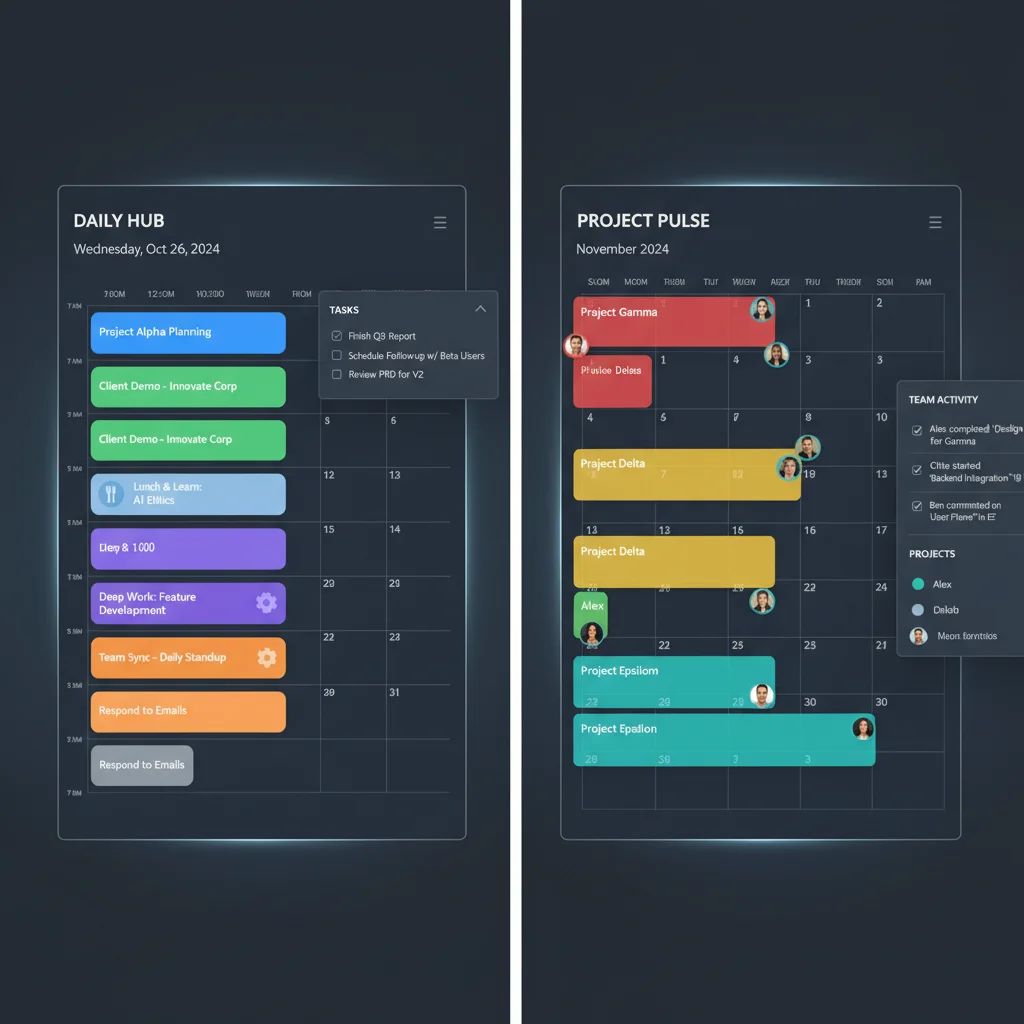
Time blocking is a cornerstone of effective time management, and advanced calendar tools make it incredibly easy. Instead of just listing tasks, block out specific times for them on your calendar. Treat these blocks as immutable appointments. For example:
- ‘Deep Work: Project X’ (9:00 AM – 11:00 AM)
- ‘Email Processing’ (11:00 AM – 11:30 AM)
- ‘Meeting Prep: Client Y’ (1:00 PM – 2:00 PM)
Use different colors for different types of blocks (e.g., green for deep work, blue for meetings, yellow for admin) to get a quick visual overview of your day. Many advanced tools allow you to easily drag and drop blocks to adjust your schedule as needed.
2. Leverage Smart Scheduling Features
Forget the back-and-forth emails to find a meeting time. Most advanced calendar tools offer smart scheduling:
- Availability Sharing: Share a link to your available times, allowing others to book a slot that works for both of you.
- Meeting Polls: For group meetings, create polls where attendees can vote on preferred times, and the tool suggests the most popular option.
- Time Zone Awareness: Automatically adjust meeting times for attendees in different time zones, preventing costly misunderstandings.
Tools like Calendly, Acuity Scheduling, or even integrated features within Google Calendar and Outlook Calendar excel at this.
3. Integrate Tasks and Projects Directly
Your calendar shouldn’t be isolated from your to-do list. Integrate your task management system directly with your calendar. Many advanced calendar tools have built-in task features or seamless integrations with popular project management software (e.g., Asana, Trello, Todoist).
- Convert Emails to Tasks: Turn actionable emails into calendar tasks with due dates.
- Project Deadlines as Events: Block out time leading up to major project deadlines to ensure dedicated work.
- Task Reminders: Set intelligent reminders for tasks that pop up on your calendar.
This holistic approach ensures that your schedule reflects not just meetings, but also the actual work you need to accomplish.
4. Automate Repetitive Scheduling Tasks
Automation is a huge time-saver. Think about tasks you do repeatedly and see if your advanced calendar tools can handle them:
- Recurring Meetings: Set up weekly team meetings or monthly check-ins once, and they’re automatically added.
- Pre-Meeting Reminders: Schedule automated emails or notifications to go out an hour before a meeting with the agenda attached.
- Follow-Up Tasks: Automatically create a follow-up task after certain types of meetings (e.g., ‘Send meeting minutes’ after a client call).
- Travel Time Blocks: If you have frequent in-person meetings, some tools can automatically block out travel time based on location data.
Services like Zapier can connect your calendar to hundreds of other apps, enabling even more complex automations.
5. Master Notification Settings
Notifications can be a blessing or a curse. With advanced calendar tools, you have granular control:
- Customize Alert Times: Set different alerts for different types of events (e.g., 10 minutes before a quick call, 30 minutes before a presentation).
- Choose Notification Method: Email, pop-up, mobile notification, or even SMS. Tailor it to your preference and the urgency of the event.
- Silence Non-Essential Alerts: During deep work blocks, ensure only critical notifications break your concentration.
The goal is to be informed without being constantly interrupted.
6. Utilize Analytics and Reporting Features
Some premium advanced calendar tools offer insights into how you spend your time. This data can be incredibly revealing:
- Time Distribution: See how much time you allocate to meetings, deep work, administrative tasks, etc.
- Productivity Trends: Identify your most productive hours and days.
- Meeting Effectiveness: Track the duration and frequency of meetings to assess their impact.
Use these insights to refine your schedule, reduce time sinks, and reallocate your efforts to high-impact activities. This feedback loop is crucial for continuous improvement in time management.
7. Implement Calendar Audits
Periodically review your calendar, perhaps weekly or monthly. Ask yourself:
- Are these meetings still necessary?
- Am I spending enough time on my most important tasks?
- Are there recurring events I can automate or delegate?
- Is my time blocking effective, or do I need to adjust it?
A calendar audit helps you stay proactive rather than reactive, ensuring your schedule aligns with your strategic goals. This is where advanced calendar tools truly shine, as their flexibility makes adjustments straightforward.
Popular Advanced Calendar Tools on the Market
While the best tool is subjective, here’s a look at some of the leading advanced calendar tools and their standout features:
Google Calendar
A ubiquitous choice, Google Calendar has evolved significantly. Its strengths include:
- Smart Scheduling: ‘Find a Time’ feature, automatic time zone adjustments.
- Goal Setting: Helps you block out time for personal goals like ‘Exercise’ or ‘Learn a new skill.’
- Integration: Deep integration with Gmail, Google Meet, Google Tasks, and countless third-party apps.
- Shared Calendars: Easy sharing for personal and professional use.
While often seen as basic, its advanced features, especially with Workspace integrations, are powerful.
Outlook Calendar
Integral to the Microsoft 365 ecosystem, Outlook Calendar is a powerhouse for business users:
- Meeting Assistant: Finds optimal times for groups within your organization.
- Resource Scheduling: Book meeting rooms, equipment, and other resources directly.
- Integration: Seamless with Outlook email, Microsoft Teams, To Do, and OneNote.
- Shared Mailboxes & Calendars: Excellent for team and departmental coordination.
Its enterprise-grade features make it a top choice for corporate environments.
Fantastical
A premium option for Apple users, Fantastical is renowned for its natural language parsing and beautiful interface:
- Natural Language Input: Type ‘Lunch with John next Tuesday at 1 PM at the cafe’ and it creates the event.
- Meeting Proposals: Easily propose multiple times for a meeting.
- Calendar Sets: Quickly switch between different calendar views (e.g., ‘Work’ set, ‘Personal’ set).
- Task Integration: Integrates with Apple Reminders and Todoist.
Its focus on user experience and powerful features make it a favorite for many.
Calendly / Acuity Scheduling
While primarily scheduling tools, they integrate deeply with your main calendar and are essential for anyone who books many external meetings:
- Automated Booking: Guests book directly from your available slots.
- Customizable Workflows: Set up pre-meeting questions, automated reminders, and follow-up emails.
- Integration: Connects with Google Calendar, Outlook Calendar, Zoom, GoToMeeting, and payment systems.
These tools are indispensable for consultants, sales professionals, and anyone with a high volume of external appointments.
Reclaim.ai
An AI-powered smart calendar assistant that optimizes your schedule by automatically blocking time for habits, tasks, and breaks. It’s a newer, cutting-edge option among advanced calendar tools:
- Smart Habits: Finds the best time for your recurring habits based on your availability.
- Dynamic Task Blocking: Intelligently schedules tasks around your meetings.
- Meeting Buffers: Automatically adds buffer time before and after meetings.
- Calendar Sync: Integrates with Google Calendar and Slack.
Reclaim.ai represents the next generation of intelligent scheduling, truly helping users gain back productive time.

Overcoming Common Calendar Challenges with Advanced Tools
Even with the best intentions, managing a calendar can present challenges. Here’s how advanced calendar tools help you overcome them:
Challenge 1: Over-scheduling and Burnout
Solution: Use time blocking to schedule not just work, but also breaks, focus time, and personal appointments. By visually seeing your capacity, you can prevent over-committing. Some tools can even alert you when your calendar becomes too dense.
Challenge 2: Meeting Fatigue
Solution: Implement meeting buffers. Many advanced tools allow you to automatically add 15-30 minute gaps before and after meetings. This provides time for preparation, context switching, and a brief mental break, significantly reducing fatigue.
Challenge 3: Forgetting Important Tasks
Solution: Integrate your task manager directly. Turn emails, notes, or verbal requests into actionable tasks with due dates that appear on your calendar. Use automated reminders to ensure nothing slips through the cracks.
Challenge 4: Scheduling Conflicts Across Time Zones
Solution: Leverage time zone awareness and smart scheduling links. These features automatically display availability in the recipient’s local time, eliminating confusion and errors.
Challenge 5: Lack of Clarity on Priorities
Solution: Color-code your calendar events by priority or project type. A quick glance can show you if you’re dedicating enough time to high-priority items versus low-priority administrative tasks. Regular calendar audits (as mentioned above) reinforce this clarity.
Challenge 6: Difficulty Collaborating with Teams
Solution: Utilize shared calendars, meeting polls, and resource booking features. These capabilities streamline team coordination, making it easier to find common availability and ensure everyone is on the same page.
The Future of Time Management: AI and Advanced Calendar Tools
The evolution of advanced calendar tools is far from over. Artificial intelligence (AI) is increasingly playing a pivotal role in making these tools even smarter and more proactive. Expect to see:
- Predictive Scheduling: Tools learning your habits and preferences to intelligently suggest optimal times for tasks and meetings, even before you think to schedule them.
- Contextual Awareness: Calendars that can pull information from emails, documents, and communication apps to automatically create or enrich events (e.g., adding a relevant file to a meeting invite).
- Proactive Rescheduling: AI-powered assistants that can automatically reschedule non-critical events when a higher-priority conflict arises, always seeking your approval.
- Wellness Integration: More tools will integrate with health apps to suggest breaks, exercise, or mindfulness sessions based on your workload and stress levels.
These advancements promise an even more seamless and intuitive experience, further blurring the lines between a simple schedule and a true personal productivity assistant. Embracing these emerging technologies will be key to staying ahead in the productivity game.
Conclusion: Unlock Your Productive Potential with Advanced Calendar Tools
The pursuit of maximizing productive hours is a continuous journey, but with the right tools, it becomes significantly more attainable. Advanced calendar tools are no longer a luxury; they are a necessity for anyone looking to gain a competitive edge, reduce stress, and achieve their goals more efficiently.
By moving beyond basic scheduling and embracing features like intelligent time blocking, smart scheduling, task integration, and automation, you can transform your relationship with time. The insider tips and strategies outlined in this guide are designed to help you harness the full power of these platforms, leading to a more organized, focused, and ultimately, 15% more productive workday.
Take the leap. Explore the options, experiment with features, and commit to integrating an advanced calendar tool into your daily routine. The investment of time in learning these tools will pay dividends in regained hours, reduced stress, and an undeniable boost to your overall productivity. Your future, more efficient self will thank you.